.svg)
10 Must-Have Shopify Apps for New Store Owners in 2026
Last updated on
September 28, 2026
TL;DR
Starting a new Shopify store? You don't need 50 apps — you need the right 10. This guide covers the essential apps across compliance, store design, revenue, shipping, and analytics that every new merchant should set up in 2026.
Introduction
You've just set up your Shopify store. The logo is ready, the products are uploaded, and you're about to hit publish. But then you open the Shopify App Store and see over 10,000 apps staring back at you.
Where do you even start?
Installing the wrong apps can slow your site, waste money, and — in some cases — put you at legal risk. Installing too many leads to bloat. Installing too few means leaving money on the table.
We've narrowed it down to 10 apps that cover everything a new store owner needs in 2026 — from staying legally compliant on day one to scaling revenue and keeping customers coming back.
This isn't a random list. These apps are based on real merchant feedback, hands-on testing, and the categories that matter most when you're building a store from scratch:
- ✅ Compliance & Privacy — so you don't get fined before your first sale
- ✅ Revenue Optimization — preorders, bundles, and upsells to maximize every visitor
- ✅ Store Design — so your store looks professional without a developer
- ✅ SEO & Discoverability — so customers can actually find you
- ✅ Email & Automation — so you're not manually chasing every customer
- ✅ Shipping & Fulfillment — so orders get delivered smoothly
- ✅ Social Proof — so new visitors trust you enough to buy
- ✅ Analytics — so you know what's working and what's not
Let's get into it.
1. 🛡️ Consentmo — Compliance & Privacy
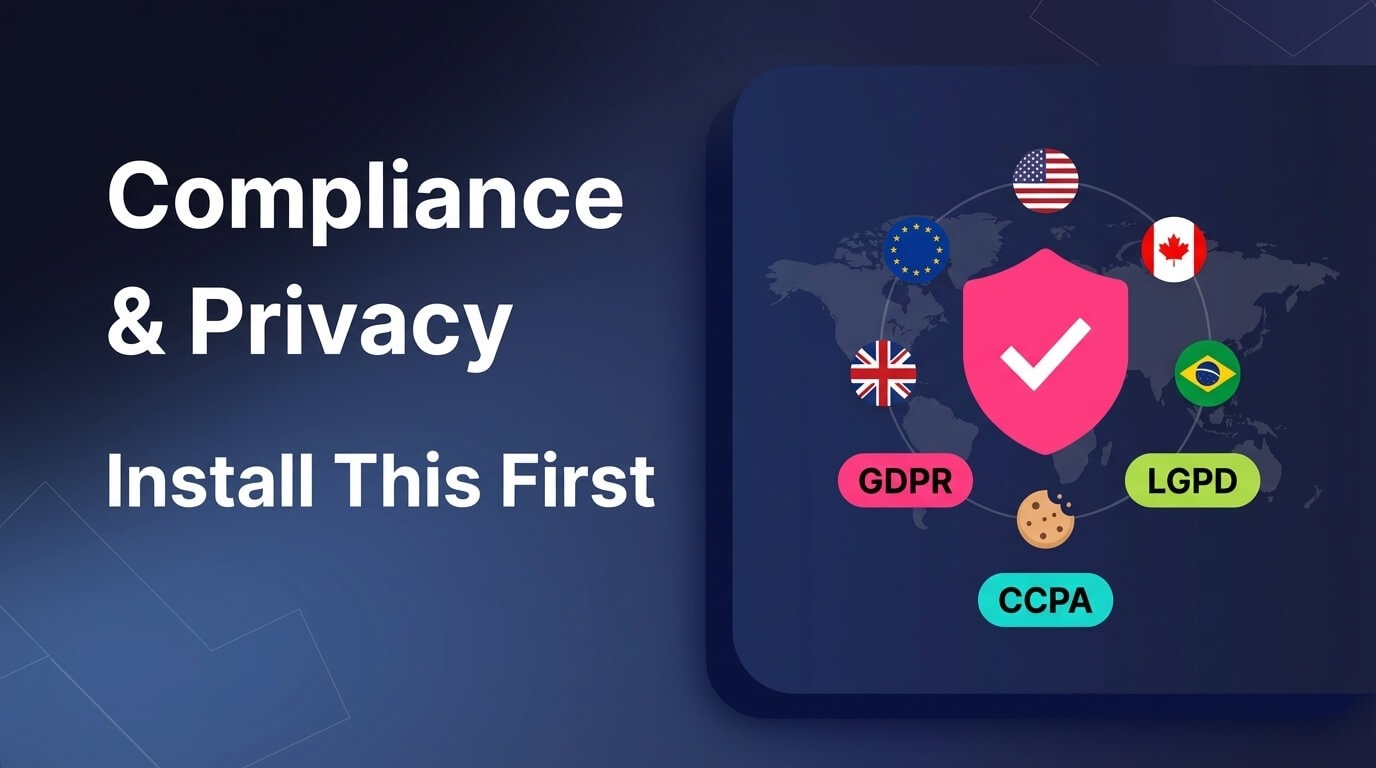
Install this before anything else.
Here's something most new store owners don't think about: the moment your store goes live and someone visits it, you're collecting data. Cookies, IP addresses, browsing behavior — it's all happening in the background. And in 2026, privacy laws around the world require you to handle that data properly.
This isn't a "nice to have." It's the law.
- Selling to anyone in Europe? GDPR applies — fines start at €20 million or 4% of annual revenue, whichever is higher.
- Have visitors from California? CCPA/CPRA applies — violations can cost $7,500 per incident.
- Customers in Canada? PIPEDA has its own requirements.
- Visitors from Brazil? LGPD kicks in.
- And new US state laws in Florida, Texas, Oregon, Montana, and more came into effect in 2024–2025.
The list keeps growing. And most new merchants don't realize they're at risk until they receive a complaint or a fine.
What Consentmo does
Consentmo handles all of this automatically. Here's how:
Smart Geotargeting — It detects where each visitor is coming from and displays the correct cookie consent banner for their region. A visitor from Germany sees a GDPR-compliant banner. A visitor from California sees a CCPA-compliant notice. A visitor from Brazil sees an LGPD banner. All automatic, no manual setup required.
Cookie Consent Management — Full cookie consent banners that are customizable to match your store's branding. Visitors can accept, decline, or manage their cookie preferences by category.
DSAR Pages — Automatically generates Data Subject Access Request pages so your customers can request to see, modify, or delete their personal data — a legal requirement under GDPR and many other regulations.
Consent Records — Keeps a detailed log of every consent given by every visitor. This is your proof of compliance if you're ever audited or challenged.
Cookie Lists — Automatically scans and maintains a list of all cookies your store uses, keeping it transparent and up to date.
Integrations Scanner — Checks whether your Google Consent Mode, Meta Pixel, TikTok Pixel, and Microsoft Consent Mode are set up properly and flags any issues. As you start running ads (which you will), this ensures your tracking pixels and consent signals are actually working together — so your ad data stays accurate and your store stays compliant.
Alt Tag Generator — Automatically generates alt text for your product images, improving both accessibility for visually impaired visitors and your SEO performance. Two birds, one stone.
Accessibility Widget — Adds an on-site accessibility tool that helps your store meet ADA and WCAG standards, making your store usable for everyone.
Why it's #1 on this list
Because none of the other apps matter if your store isn't compliant. You can have the best preorder strategy, the most beautiful product pages, and the smartest upsell flows — but if you're hit with a GDPR fine or a CCPA complaint before you've even scaled, it's game over.
Consentmo takes about 2 minutes to set up, has a free plan available, and covers 50+ regulations worldwide. There's genuinely no reason not to install it first.
🔒 "Compliance isn't optional in 2026. With privacy laws expanding across the US, EU, Canada, and Brazil, Consentmo is the simplest way to make sure your store is protected from day one."
2. 🛒 Dibs — Preorders & Backorders
Start selling before your product is even ready.
One of the biggest mistakes new store owners make is waiting until everything is perfect before accepting orders. What if you could validate demand, generate revenue, and build hype — all before your product ships?
That's exactly what Dibs does.
What Dibs does
Flexible Payment Options — Give your customers the freedom to choose how they pay:
- Full payment — Collect everything upfront when the preorder is placed
- Partial payment — Collect a deposit now, charge the rest when it ships
- Book now, pay later — Reserve with zero deposit, pay in full at shipment
Preorder Discounts — Offer percentage or fixed-amount discounts specifically for preorder customers. Early-bird pricing is one of the most effective ways to drive preorder conversions.
Shipping Updates & Delay Notifications — Life happens. Products get delayed. Dibs lets you send proactive shipping updates and delay notifications directly to customers, keeping trust intact even when timelines shift.
Custom Email Notifications — Preorder confirmation, payment reminders, shipment updates — all customizable and automated.
Preorder Analytics — Track how many preorders you're getting, which products are performing, and where you need to adjust your strategy.
Why new store owners need it
Launching a product without knowing if people will buy it is expensive and risky. Dibs eliminates that risk by letting you test demand before committing to inventory. If the preorders roll in, you manufacture. If they don't, you pivot — without losing money.
💡 "Preorders aren't just for big brands. They're one of the smartest moves a new store owner can make to reduce risk and validate demand before spending on inventory."
3. 💰 Dealeasy — Volume Discounts & Bundles
Make every order bigger.
Getting traffic is hard. Getting traffic that converts is harder. So when someone does land on your store and decides to buy, you want to maximize that order value. That's where Dealeasy comes in.
What Dealeasy does
Mix & Match Bundles — Let customers build their own bundle by picking from a selection of products. "Pick any 3 for $49" type offers that customers love.
Quantity Breaks & Tiered Pricing — Offer discounts based on quantity: buy 2 get 10% off, buy 5 get 25% off. Encourages larger orders naturally.
Free Gift Offers — Add a complimentary product or extended warranty when customers hit a certain order threshold. It increases conversions and makes customers feel like they're getting a deal.
Customizable Widget — The discount display integrates seamlessly into your product page and matches your store's branding.
Why new store owners need it
Your average order value (AOV) is one of the most important metrics in ecommerce. Increasing it by even $5–10 per order compounds significantly over time. Dealeasy gives you the tools to do this without needing more traffic — you're simply getting more out of every visitor you already have.
💡 "It's 5x cheaper to increase order value from an existing customer than to acquire a new one. Bundles and volume discounts are the easiest way to do it."
4. 🔄 Essentials — Upsell & Cross-sell
Show customers what they didn't know they needed.
You know that "Frequently bought together" section on Amazon that always gets you to add one more item? That's exactly what Essentials brings to your Shopify store.
What Essentials does
Frequently Bought Together — Automatically recommends products that pair well together based on purchase patterns and your manual selections.
Post-Purchase Upsells — After a customer completes checkout, show them a one-click upsell offer. They've already committed to buying — this is the easiest point to add more revenue.
Smart Product Recommendations — AI-powered suggestions that adapt based on customer behavior, browsing history, and purchase data.
Customizable Display — Control where recommendations appear (product page, cart page, checkout, post-purchase) and how they look.
Why new store owners need it
Cross-selling and upselling are responsible for up to 35% of Amazon's revenue. That same strategy works for Shopify stores of any size. Essentials lets you set it up once and let it run — generating incremental revenue on autopilot.
💡 "The best upsell doesn't feel like a sales pitch. It feels like a helpful suggestion. That's what smart product recommendations do."
5. 🎨 PageFly — Store Design & Page Building
Build beautiful pages without writing a single line of code.
Your store's design is the first thing customers judge. A clunky, generic-looking homepage or product page can kill conversions before a visitor even scrolls. PageFly gives you full control over your store's look and feel — no developer needed.
What PageFly does
Drag-and-Drop Editor — Build custom homepages, landing pages, product pages, collection pages, and blog layouts with an intuitive visual editor.
Mobile-Optimized Templates — Every template is responsive out of the box, ensuring your store looks great on mobile — where over 70% of Shopify traffic now comes from.
SEO-Friendly Structure — Clean HTML output with proper heading hierarchy, alt text fields, and fast load times.
Shopify Theme Compatible — Works with any Shopify theme, including free themes. No conflicts, no code editing required.
Why new store owners need it
Shopify's default theme editor is limited. If you want a custom-looking store that stands out from competitors using the same theme, PageFly is the fastest way to get there without hiring a developer.
6. 🔍 SEO Manager — SEO & Discoverability
Get found on Google without being an SEO expert.
You can have the best products in the world, but if no one can find your store on Google, it doesn't matter. SEO Manager simplifies Shopify SEO so you can focus on running your business instead of learning technical optimization.
What SEO Manager does
Meta Tag Management — Edit and optimize title tags and meta descriptions for every page, product, and collection.
Structured Data / JSON-LD — Automatically adds schema markup so Google can display rich results (star ratings, pricing, availability) in search results.
Sitemap Management — Ensures Google can crawl and index all your important pages correctly.
SEO Audit & Suggestions — Scans your store and flags issues like missing alt text, duplicate content, broken links, and slow-loading pages.
Keyword Tracking — Monitor how your pages rank for target keywords over time.
Why new store owners need it
Organic traffic from Google is free and compounds over time. Setting up proper SEO from day one — rather than trying to fix it later — gives your store a massive long-term advantage. SEO Manager makes the technical parts accessible even if you've never touched SEO before.
7. 📧 Klaviyo — Email Marketing & Automation
Turn one-time visitors into repeat customers.
Most people who visit your store won't buy on the first visit. Email marketing is how you bring them back. Klaviyo is the gold standard for Shopify email marketing — and it integrates natively with Shopify's data.
What Klaviyo does
Abandoned Cart Recovery — Automatically emails customers who added products to their cart but didn't check out. This single flow can recover 5–15% of lost revenue.
Welcome Series — A sequence of emails that introduces new subscribers to your brand, builds trust, and nudges them toward their first purchase.
Preorder & Back-in-Stock Alerts — Works perfectly alongside Dibs — notify customers when preorder items ship or when out-of-stock products return.
Segmentation & Personalization — Send different emails to different customer segments based on purchase history, location, browsing behavior, and more.
Campaign Management — Design and send one-off campaigns for sales, product launches, holidays, and promotions.
Why new store owners need it
Email marketing has an average ROI of 36forevery1 spent — the highest of any marketing channel. Starting your email list and automation flows from day one means you're building an asset that grows with your store.
💡 "Your email list is the only marketing channel you truly own. Social media algorithms change. Ad costs rise. But your email list is yours."
8. 🚚 Shippo — Shipping & Fulfillment
Ship orders faster and cheaper.
Shipping can make or break a new store. Slow delivery, high costs, and no tracking information are the top reasons customers leave negative reviews. Shippo simplifies shipping so you can offer a professional delivery experience from day one.
What Shippo does
Discounted Shipping Rates — Access pre-negotiated rates from USPS, UPS, FedEx, DHL, and 85+ carriers worldwide. Savings of up to 90% compared to retail rates.
Label Printing — Generate and print shipping labels directly from your Shopify admin. No copy-pasting addresses, no manual entry.
Tracking Pages — Branded tracking pages that keep customers informed and reduce "Where is my order?" support tickets.
Multi-Carrier Support — Compare rates across multiple carriers in real-time and choose the best option for each order.
International Shipping — Built-in customs forms and duties calculation for cross-border orders.
Why new store owners need it
Offering fast, affordable shipping isn't a luxury anymore — it's expected. Shippo gives you access to the same carrier rates that large retailers get, leveling the playing field from your very first order.
9. ⭐ Judge.me — Reviews & Social Proof
Let your customers sell for you.
Trust is the biggest barrier for new stores. Customers don't know your brand yet, and they're hesitant to buy from a store with zero reviews. Judge.me solves this by making it effortless to collect and display authentic customer reviews.
What Judge.me does
Automated Review Requests — Sends post-purchase emails asking customers to leave a review. Includes photo and video review options.
Review Display Widgets — Star ratings on product pages, a dedicated reviews page, carousel widgets, and trust badges throughout your store.
Google Shopping & SEO Integration — Reviews are automatically structured with schema markup, so star ratings appear in Google search results — boosting click-through rates.
Social Sharing — Automatically shares new reviews to your social media channels, creating a loop of social proof.
Q&A Feature — Lets potential customers ask questions on the product page, which you or existing customers can answer.
Why new store owners need it
According to research, 93% of consumers say online reviews influence their purchasing decisions. For a new store with no reputation, reviews are the fastest way to build trust. Judge.me's free plan is one of the most generous in the Shopify ecosystem, making it perfect for stores just starting out.
10. 📊 Triple Whale — Analytics & Reporting
Know exactly what's working and what's not.
You can't improve what you can't measure. Shopify's built-in analytics are decent, but as your store grows, you need deeper insights into where your revenue is coming from and where you're losing money. Triple Whale gives you a single dashboard for everything.
What Triple Whale does
Unified Dashboard — See revenue, ad spend, ROAS, customer acquisition cost, and profit margins all in one place.
Attribution Tracking — Understand which marketing channels (Facebook, Google, TikTok, email) are actually driving sales — not just clicks.
Customer Behavior Analysis — Track customer journeys from first touch to purchase, including time to conversion and repeat purchase rates.
Profit & Loss Tracking — Factor in product costs, shipping, ad spend, and app fees to see your true profit — not just top-line revenue.
Real-Time Data — No more waiting 24–48 hours for data to sync. See what's happening in your store right now.
Why new store owners need it
Many new merchants fly blind — they know their total revenue but have no idea which products, channels, or campaigns are actually profitable. Triple Whale brings clarity from day one, helping you make smarter decisions with real data instead of gut feelings.
How These Apps Work Together
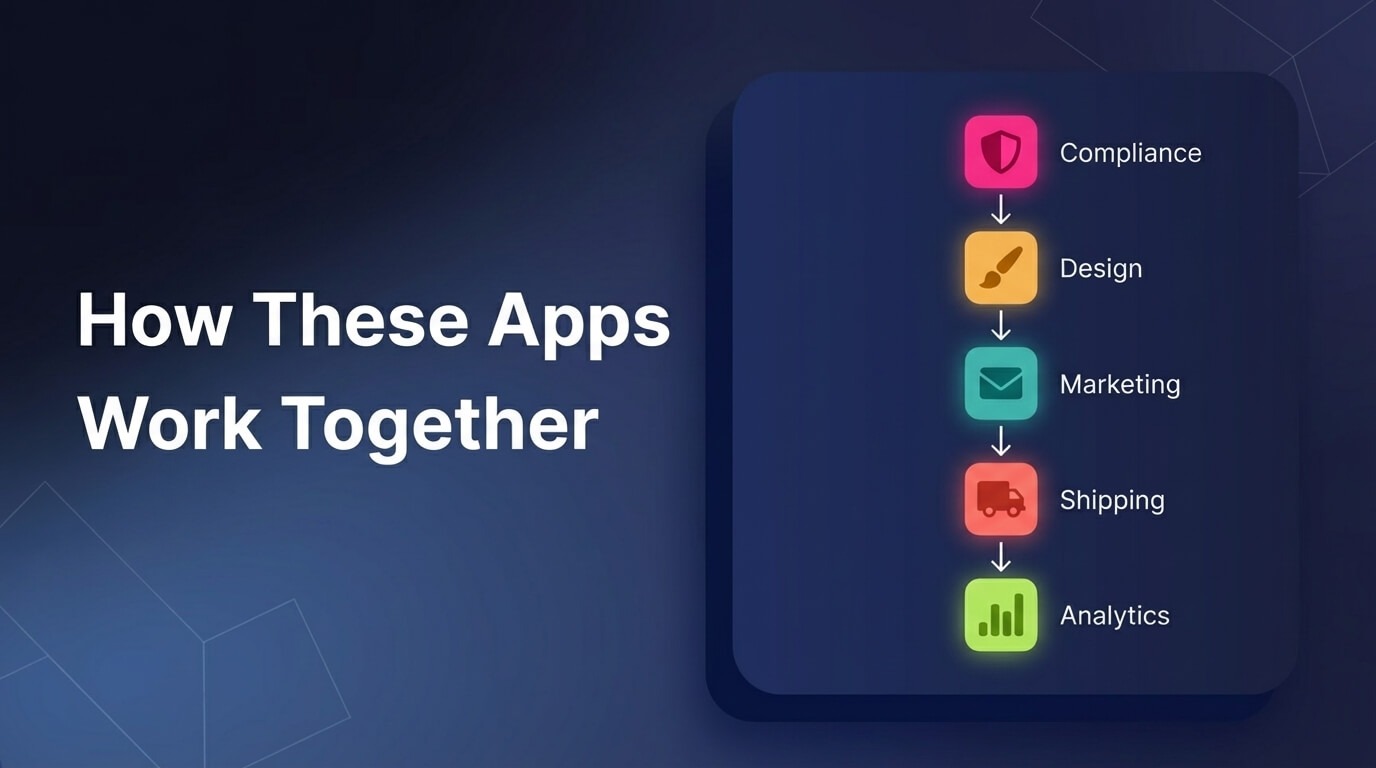
These 10 apps aren't random picks — they form a complete tech stack that covers every stage of the customer journey:
- A visitor lands on your store → Consentmo shows the right consent banner based on their location ✅
- They browse a beautifully designed product page built with PageFly 🎨
- SEO Manager is what helped them find you on Google in the first place 🔍
- Essentials shows a "Frequently bought together" suggestion on the product page 🔄
- The product isn't available yet, so they place a preorder via Dibs with a partial payment 🛒
- Dealeasy offers a free gift for orders over $50 — they add one more item 💰
- They receive a preorder confirmation email via Klaviyo 📧
- When the product ships, Shippo handles the label, tracking, and delivery 🚚
- After delivery, Judge.me sends a review request — they leave a 5-star review ⭐
- Triple Whale tracks the entire journey so you know exactly what worked 📊
That's a complete, professional ecommerce operation — powered by 10 apps.
Wrapping Up
Starting a Shopify store in 2026 is easier than ever, but the apps you choose in the beginning set the foundation for everything that follows.
You don't need to install all 10 at once. But here's the order we'd recommend:
- Start with compliance — Install Consentmo before you drive any traffic. It takes 2 minutes and protects you from day one.
- Set up your revenue tools — Dibs, Dealeasy, and Essentials ensure you're maximizing every visitor.
- Build your store experience — PageFly for design, SEO Manager for discoverability.
- Automate communication — Klaviyo for emails, Shippo for shipping.
- Build trust and measure results — Judge.me for reviews, Triple Whale for analytics.
The stores that scale in 2026 won't be the ones with the most apps — they'll be the ones with the right apps, working together.
Frequently Asked Questions
What's the first app I should install on my Shopify store?
A compliance app like Consentmo. Before you collect any customer data, run ads, or drive traffic, you need proper cookie consent and privacy policies in place. It's a legal requirement in most regions and takes just 2 minutes to set up.
How many apps should a new Shopify store have?
Most successful stores run between 8–15 apps. The key is covering the essentials — compliance, revenue optimization, communication, and analytics — without overloading your store with redundant tools.
Are these apps free?
Most apps on this list offer free plans or free trials, making them accessible for new store owners starting on a budget. You can start with free tiers and upgrade as your store grows.
Do I need GDPR compliance if I'm based in the US?
If any of your visitors are from the EU — which is very likely even if you're a US-based store — then yes, GDPR applies. Additionally, US states like California (CCPA/CPRA), Florida, Texas, and Oregon now have their own privacy laws. Consentmo handles all of them automatically based on visitor location.
Can I use preorder and upsell apps together?
Absolutely. Apps like Dibs (preorders) and Essentials (upsells) are designed to complement each other. You can offer preorders on upcoming products while simultaneously upselling and cross-selling across your existing catalog.
Will installing 10 apps slow down my Shopify store?
Not if you choose well-built apps. All the apps on this list are optimized for performance and follow Shopify's best practices. The key is avoiding bloated, poorly coded apps — which is why we've tested and selected these specific ones.
What's the difference between upselling and bundling?
Upselling (Essentials) suggests higher-value or complementary products to what a customer is already buying. Bundling (Dealeasy) lets customers combine multiple products at a discounted price. Both increase average order value, but in different ways — and they work even better together.

.svg)
.svg)
.svg)


.svg)