.svg)
.avif)
A powerful Shopify app to run preorders and backorders with availability & limits, flexi payments, discounts and auto notifications.
.svg)
Sell before you launch.Keep selling when, out of stock.
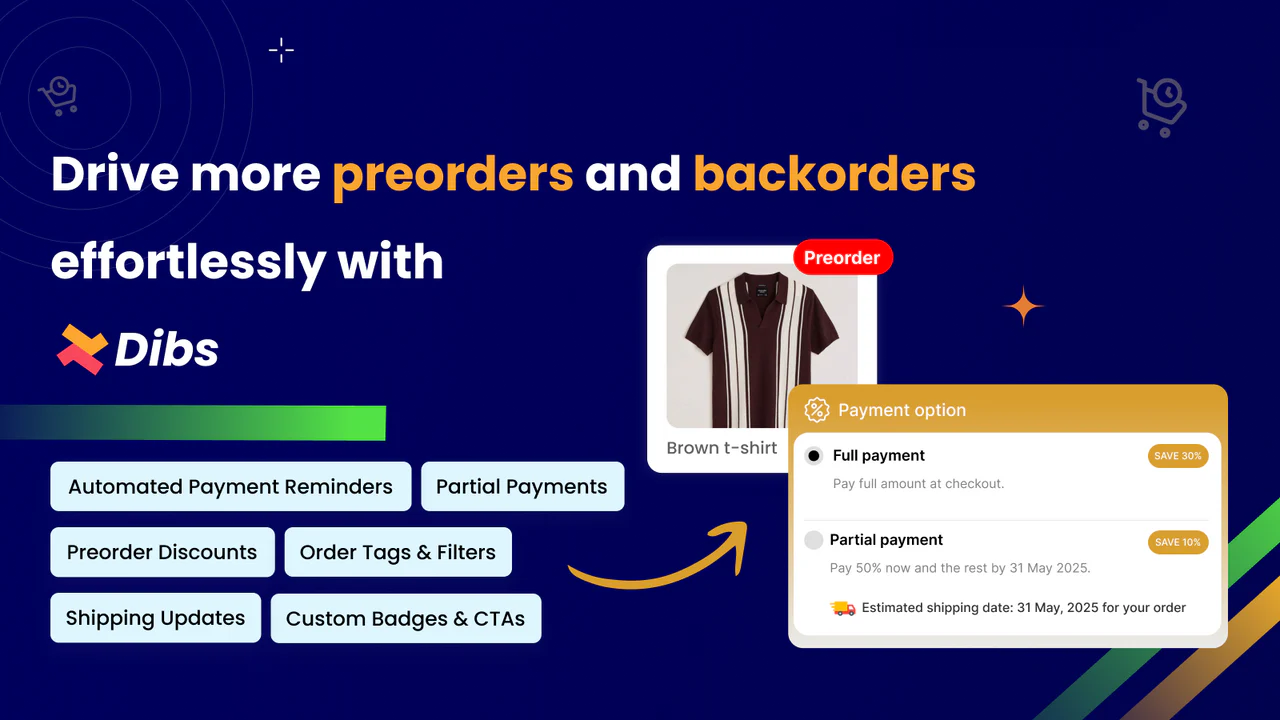
With Dibs, you can accept orders for upcoming or sold-out products using flexible payment options, availability & limits,and automatic customer updates — all without changing your existing store setup.


Features
Reason why Dibs is trusted by Shopify merchants worldwide.
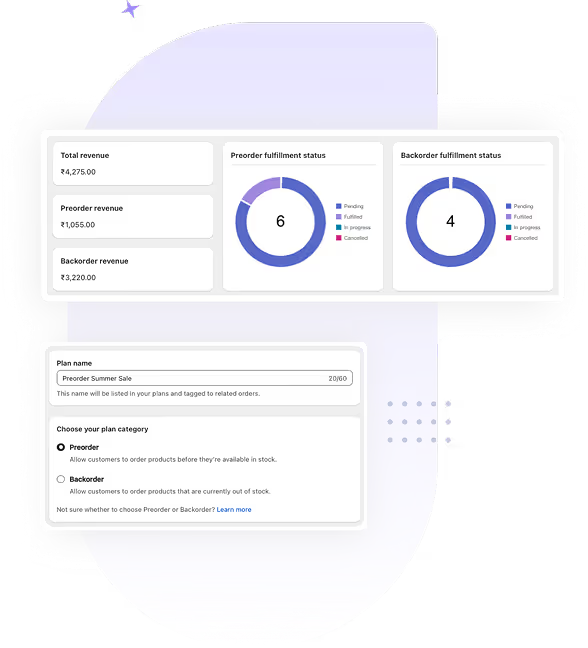
Track preorder and backorder volumes, fulfillment status, and revenue — all in one powerful view.
Easily create preorder and backorder plans with our step-by-step, no-code setup wizard.
Schedule when plans go live or end, and auto-hide options when stock returns or limits are reached.
Set quantity limits by product or variant and auto-stop orders when the cap is hit.
Choose between full and partial payments— based on your fulfillment flow.
Send timely payment reminders and shipping updates to keep customers informed.
Style preorder/backorder badges, CTAs, and messages to fit your store’s branding.
Personalized onboarding via chat or Zoom to help you get started with ease.
Testimonials
.svg)
“Absolutely fantastic customer service! I pointed out a few issues I was having, and with in an hour their dev team had updated their code which resolved my concerns. Blown away WOW!!!”
.svg)
"As a small business, finding the right tools is super critical. DIBS has been the perfect solution for our made-to-order workflow. The implementation was seamless and we were live in minutes. The features are practical and work flawlessly, especially the order limits which help us manage our capacity."
"DIBS has been a game-changer for my Shopify store when it comes to handling pre-orders! The product works seamlessly and has made managing pre-orders effortless, keeping both my customers and my team happy."
Very helpful getting my website set up the way I wanted it. Quick changes were made on the spot. Would highly recommend.
nice app! love that its free! super easy to install + super fast support
This is a great app, but better is the support I have received. Great team!! Subiksha and Arun showed me how to set up all the elements I needed for my website.
The Dibs app makes it easy to take pre-orders and the support team provided immediate help with getting the display exactly like I needed. Much appreciated and highly recommended!
Really happy with Dibs so far. The app is free, easy to install and set up, and the ui is clean on our product pages. What stands out most is the support – any time I’ve had a question, the team has replied quickly and helped me get things sorted. For a free app, the value is awesome.
See what people ask about Dibs
To learn more about the product and features, visit the User guide.
A preorder lets customers buy a product before it's launched or restocked, while a backorder lets them buy a product that's currently out of stock but coming back soon. Dibs supports both from the same app, so you can run preorder campaigns for new arrivals and backorder campaigns for sold-out bestsellers without switching tools.
The preorder/backorder badge and button display directly on the product page, replacing or sitting alongside your regular "Add to cart" button once a product is out of stock or scheduled ahead of launch. You can customize the badge text, button label, and styling to match your store's branding.
Yes, Dibs lets you set order limits by product or by variant, and it automatically stops accepting new orders once that cap is reached. This helps you avoid overselling and keeps fulfillment realistic when supply is limited.
Yes, you can choose between full payment upfront or partial (deposit-style) payment at checkout. Partial payments let you collect a portion of the revenue early to validate demand, while the balance is collected later through an automated payment reminder.
Yes, Dibs sends automated payment reminder emails, and for shipping updates you can select the relevant orders and trigger a status update notification in a couple of clicks. This gives you control over exactly when customers hear about shipping progress, while payment follow-ups happen on their own.
For preorders, yes — you can schedule exactly when a plan goes live and when it ends. Backorders work differently: since they're inventory-triggered, a backorder plan automatically starts when a product goes out of stock and ends once inventory is replenished, so there's no manual start/end date to set.
Book a Zoom meeting with us
We’ll be glad to show you a demo, understand your needs, and help you set up the app.
.webp)

.svg)
.svg)
.svg)


.svg)