.svg)
A Calendly-Like Booking App Built for Shopify
Last updated on
October 5, 2026
If your Shopify business needs customers to book for a service or a visit in advance, you need a Calendly-style booking app. Well, Calendly is a great app for managing bookings but just not for bookings on Shopify.
Many merchants come to us after using Calendly because they found it hard to manage bookings on two separate platforms.
A payment collected through Calendly never shows up in your Shopify reports, so you're adding it by hand. It takes up a lot of time for you.
And if that same customer comes back next month and buys something, you'd never know they'd booked with you before. There's no order to connect it to.
What you need is a booking app that lives inside your Shopify admin.
BookX solves this since it’s a native Shopify app. It looks like Calendly to use, but every booking becomes a real order instead of a separate data sitting somewhere else.
Why a native Shopify booking app is better than Calendly
Every booking becomes a Shopify order
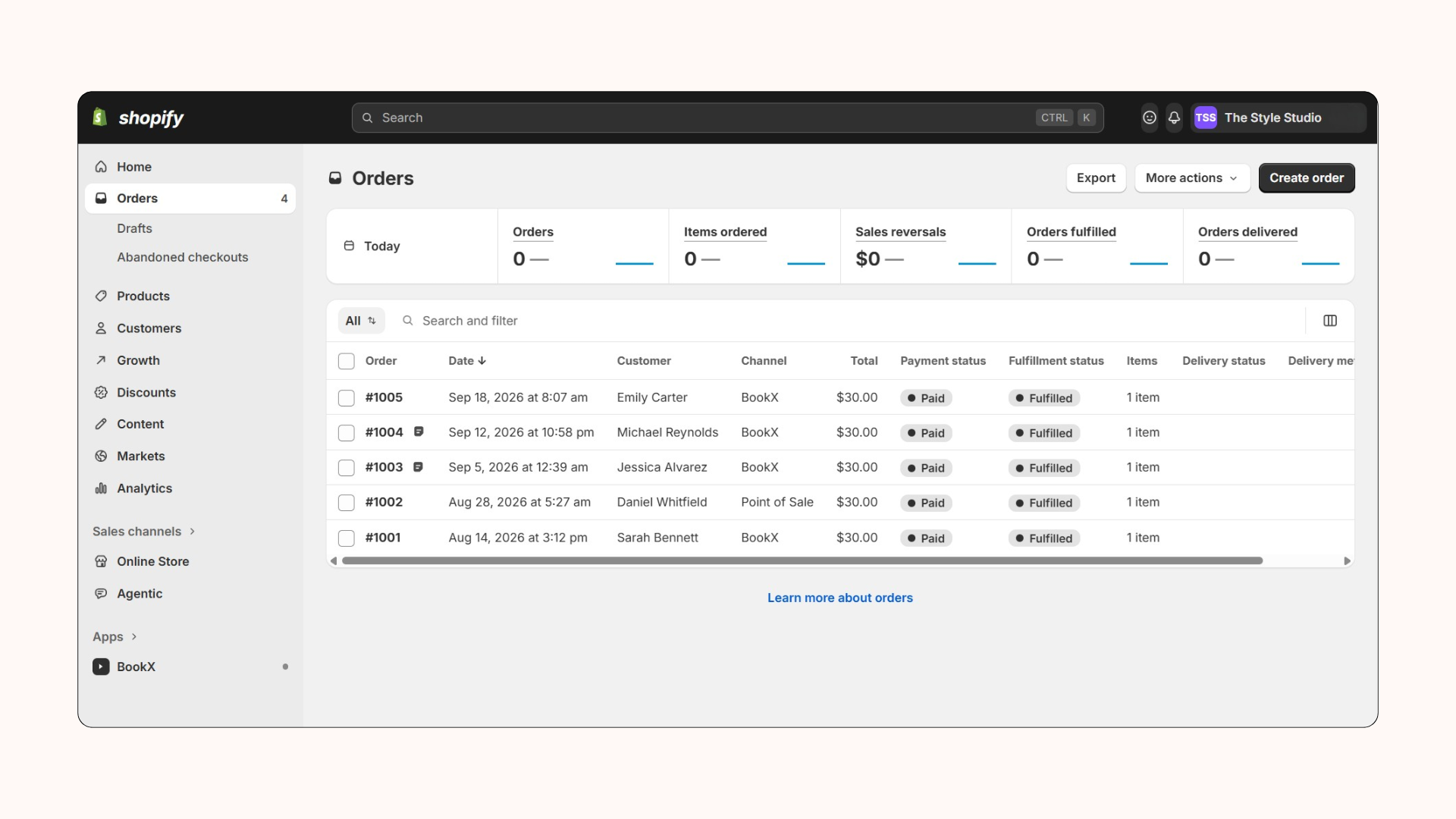
This is the part Calendly can't do. Each BookX booking lands in your Shopify orders with a "BookX" tag. Your revenue, customer history and reports stay in one place.
It looks like your store
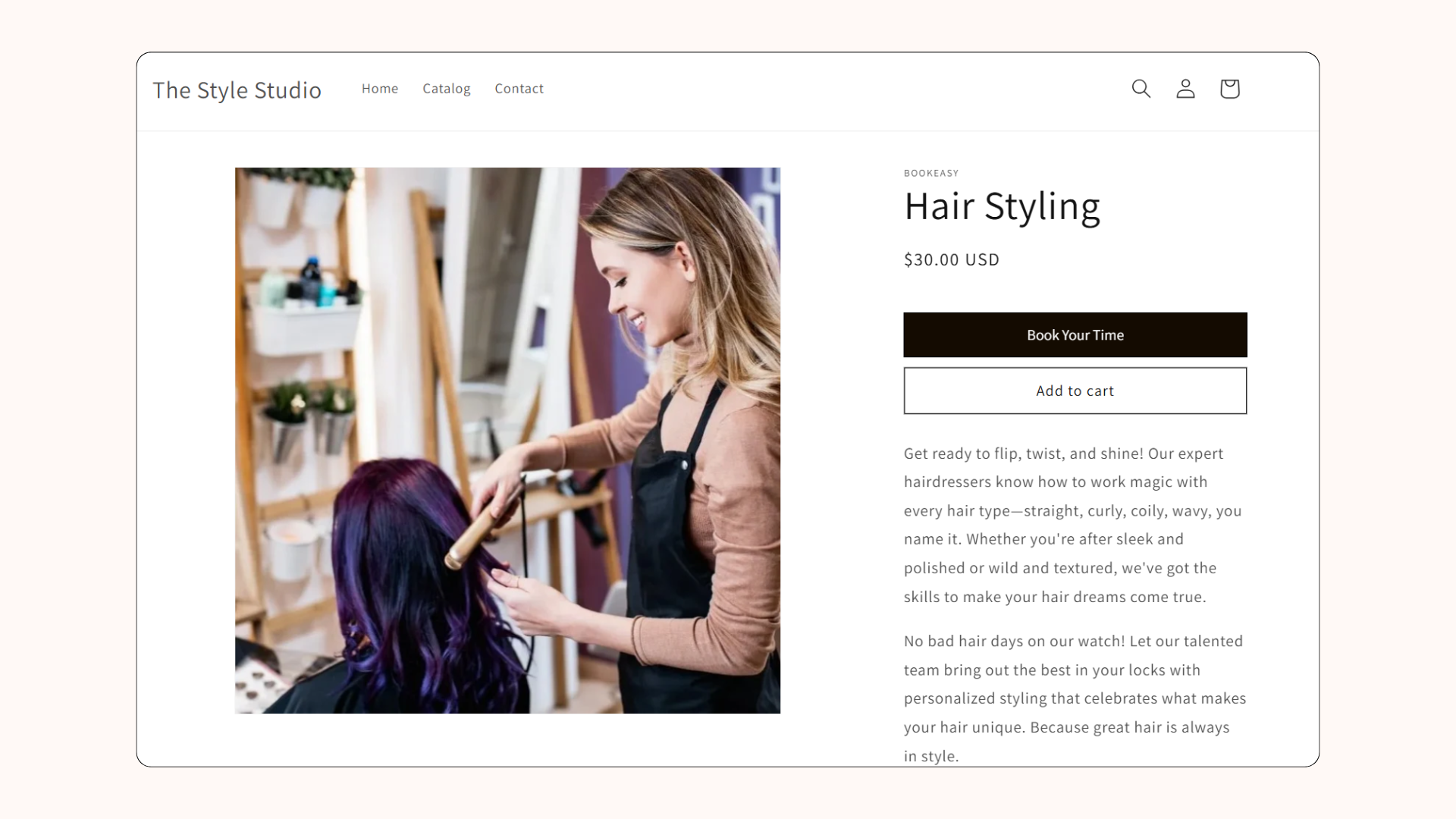
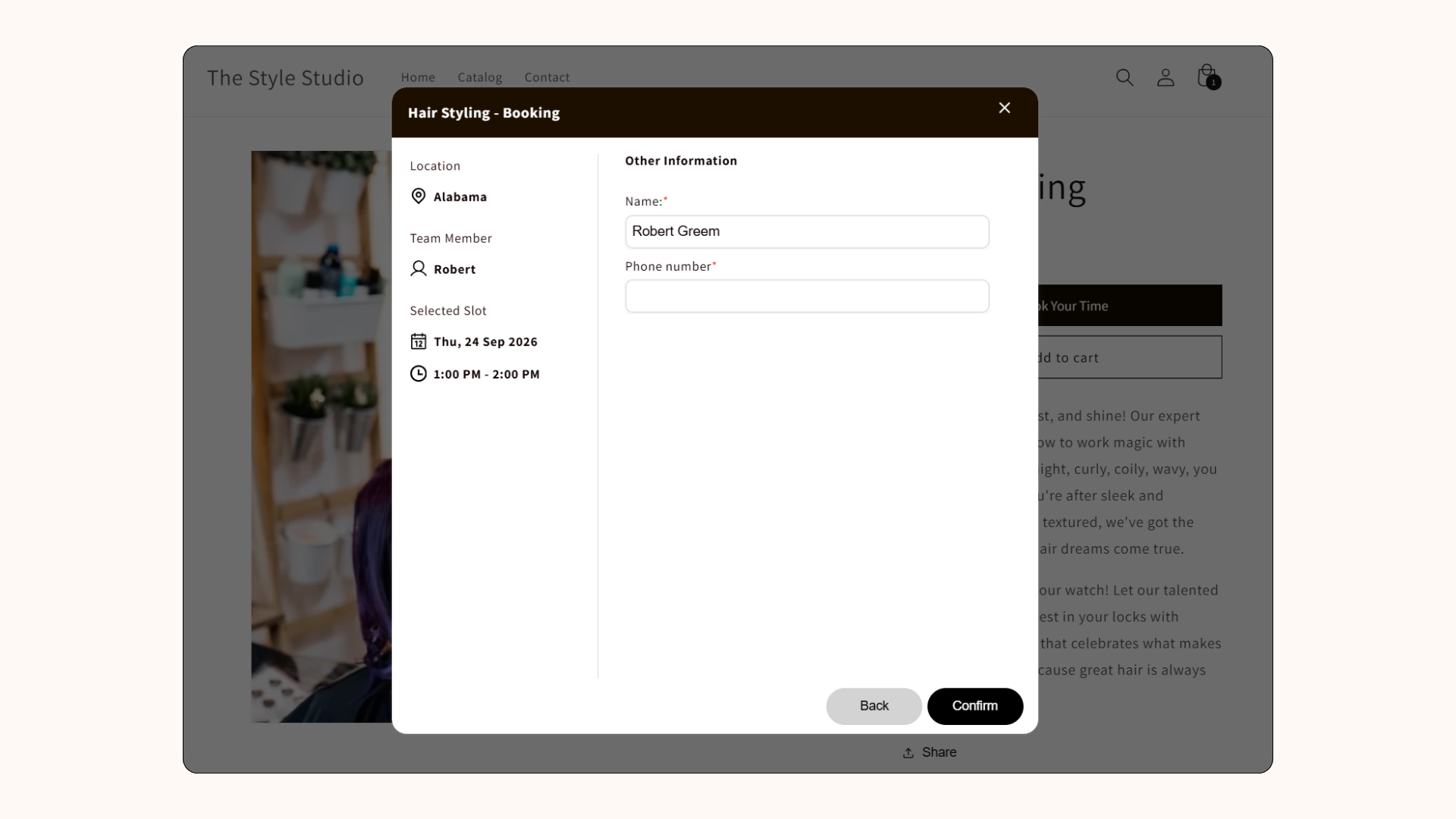
A native booking app matches your theme, so the booking flow feels like part of your site rather than an embedded widget. With BookX, customers book the same way they buy. The ‘Buy Now’ button becomes ‘Book Now.’
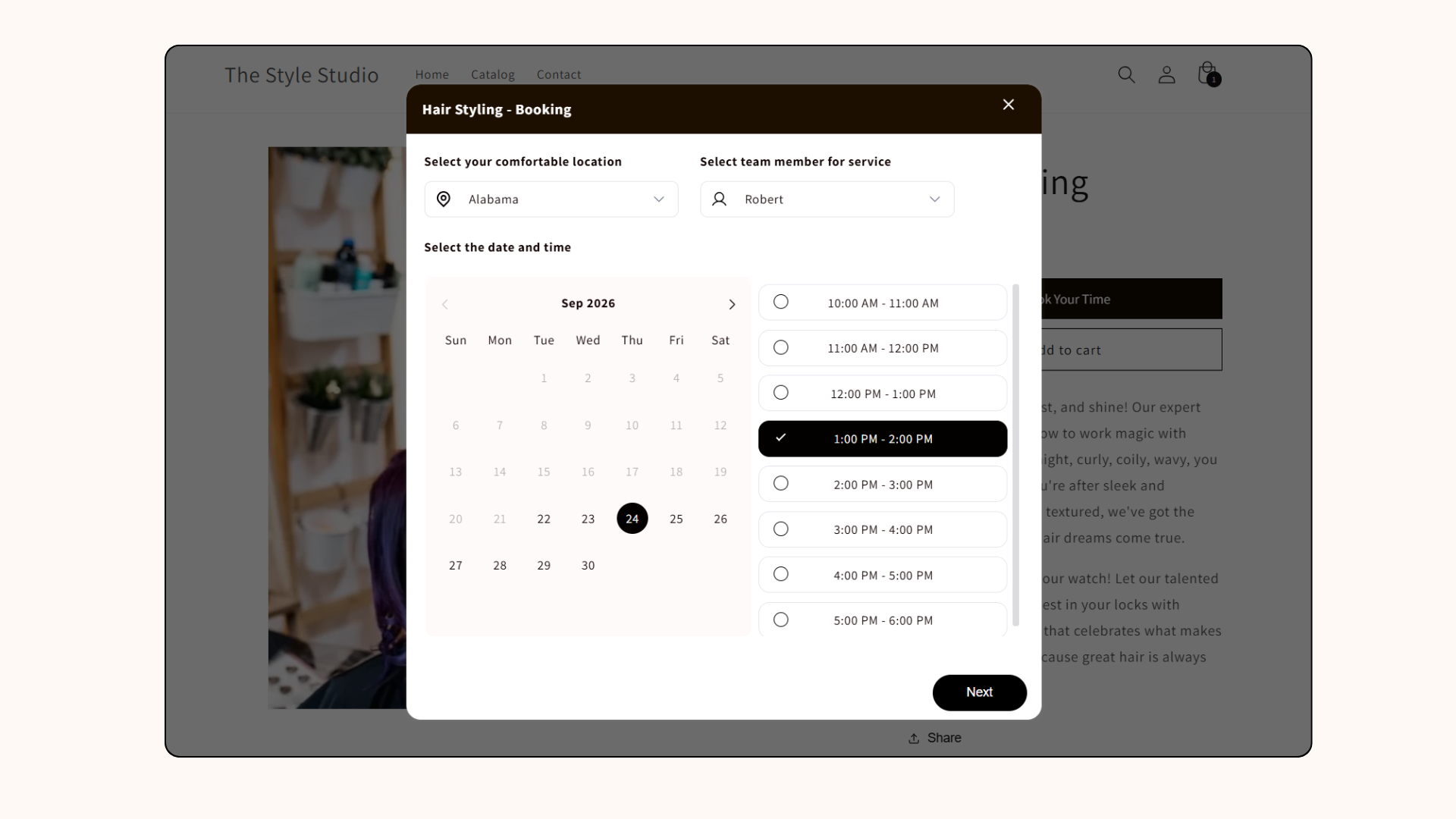
Here’s how you can let customers book a date and time:
Bookings go through Shopify checkout
When a customer clicks ‘Book Now,' a calendar opens so they can pick a location, a staff member and a time slot. They then pay through your normal Shopify checkout. There's no separate payment processor to connect.
You can also collect any details you need at booking, such as name, phone number or custom questions.
Calendly vs. BookX
What you can book with BookX
BookX handles more than one-to-one appointments:
- Appointments for salons, spas, and spas with staff and location selection
- Classes and events with capacity limits and live seat tracking
- Rentals and multi-day bookings, for equipment and stays across several days
- Virtual sessions with Google Meet or Zoom links generated for both sides
- In-store visits, checked in through Shopify POS
What our customers said about Calendly and BookX
Tatiana, who runs The Lamp Lab, a lighting design and consultation service, went looking for a Calendly integration first:
"I was looking for a way to let customers book an appointment through my website. I started looking for a Calendly integration, but it doesn't exist for Shopify. I found BookX and because of the good reviews, I decided to give it a try."
Spiritual Oracle, a psychic and tarot reading business, compared BookX directly with what they'd used before:
"The app is an exceptional tool that seamlessly combines the functionalities of Calendly and Google Forms. It auto-generates Google Meet links, which are sent both to me and my clients... the app brilliantly organizes all the form data on an easily accessible dashboard."
The move that matters
Calendly was built for meetings, not for the bookings on your Shopify store. Once your needs go beyond Calendly, you need bookings to sync with Shopify orders, accept payments, and look more native.
To see how it works, you can install BookX on the free plan to start off.
FAQs
1. Do I need to create a Shopify product to take a booking on BookX?
No. You can set up a booking widget on any page with no product and no payment attached. This is useful for consultations or calls where you'd rather talk first and charge later.
2. Does BookX sync with Google Calendar in both directions?
Yes. Once you’ve synced Google Calendar, the appointment is added to you and your customer’s calendar.
3. Can customers reschedule or cancel their own booking without contacting me?
Yes. Customers can use the email confirmation link to manage their own bookings. You can pre-set the feature for them to cancel or even reschedule their bookings.
4. Does BookX work for virtual appointments, like Zoom or Google Meet calls?
Yes. It integrates with Google Calendar, Google Meet, and Zoom, and generates meeting links automatically for both sides.
5. What if I need more than one service before I'm ready to pay?
The free plan covers one service and one team member, with unlimited bookings. Unlimited services start on the $9.99/month plan.
.avif)


.svg)
.svg)
.svg)


.svg)