.svg)
BFCM Inventory Delay: How Shopify Merchants Can Keep Selling With Preorders
Last updated on
October 1, 2026
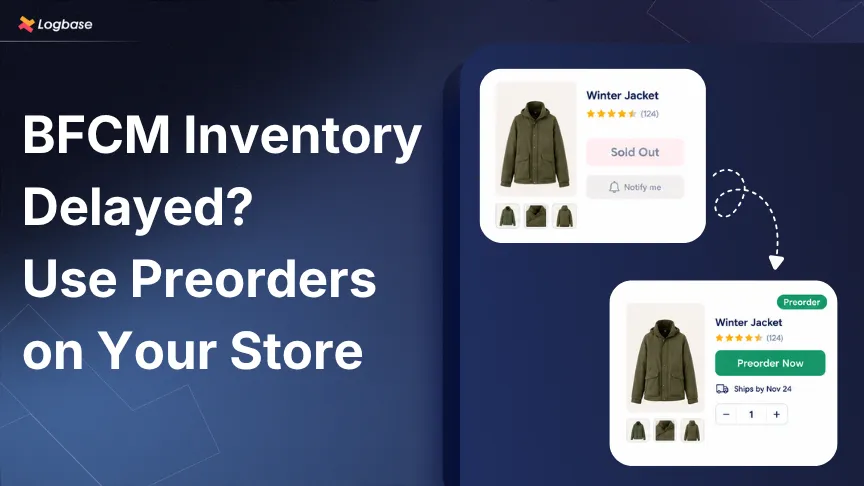
TL;DR:
- Don't leave a BFCM listing "sold out", it costs you sales, customers, and even search visibility over a weekend you won't get back
- Switch it to a pre-order instead, once you've confirmed a real arrival date and unit count from your supplier
- Give customers a shipping date you can actually keep, and only take as many orders as you have stock coming in for
- Apps like Dibs handle all of this without coding, so the sale keeps moving while the stock's still in transit
Your BFCM promotion is ready. Your product page is ready. Your customers are ready to buy. But your inventory is still sitting with your supplier, while your competitors' listings are still live and selling.
This is where BFCM inventory management gets tricky. So, what can you do when your Shopify inventory is stuck with your supplier? Show your products as “Sold out”?
What happens when your product is sold out during BFCM?
Letting a product show as sold out during BFCM can mean missed sales, lost customers, and demand you can't recover once the shopping weekend is over.
- It's not a slow Tuesday you can catch up on later
Adobe's 2025 data shows shoppers spent $43.7 billion online during Cyber Week. If your product is unavailable during those few days, you can't simply recreate that demand once the weekend is over.
- Shoppers don't wait around
An AlixPartners survey found that two-thirds of consumers will leave and purchase from another retailer when they encounter a “Sold out” tag.
- It can hurt your search visibility
According to Search Engine Journal, Google may treat a sold-out product page like a soft 404, which can reduce its visibility in search results.
To prevent yourself from this, you don't have to wait for the inventory to reach your warehouse before you start selling again.
Can you keep selling when your product is sold out?
Yes. Instead of showing "Sold out," you can let customers place orders before the product reaches your warehouse using pre-orders, as long as you're upfront that it won't ship immediately.
Preorders let you capture demand, collect revenue earlier, and get a clearer idea of how much customers want the product.
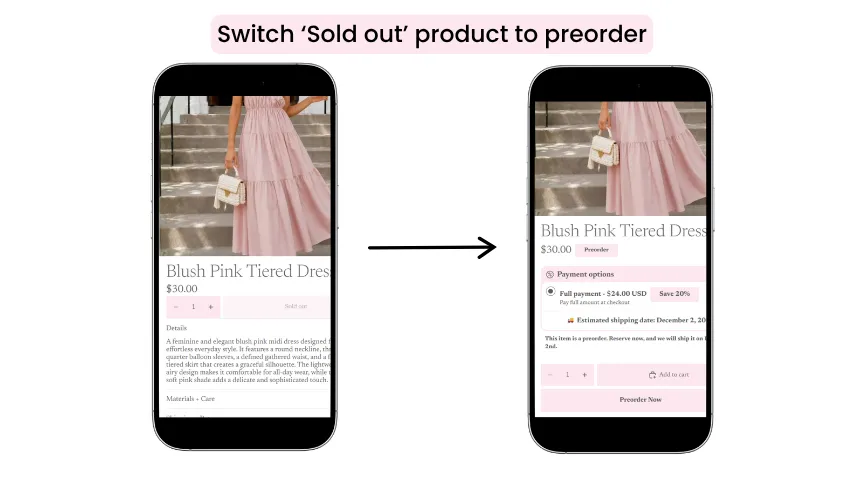
What to confirm before you set up pre-orders?
- The exact date the inventory will arrive
- The number of units coming
If you accept orders without confirming these details, you could run into fulfillment issues and risk losing your customers' trust.
You can set up Shopify preorders manually or with a preorder app. Manual setup may require coding knowledge, while a pre-order app like Dibs lets you set up pre-orders without custom development.
But getting the setup right matters. For a step-by-step setup, see our guide on how to set up pre-orders on Shopify.
How can you make your pre-orders work better during BFCM?
Set a shipping date you can meet, limit orders to your incoming stock, and clearly define the pre-order status and payment terms. Here's how to get each one right:
- Set a realistic shipping date
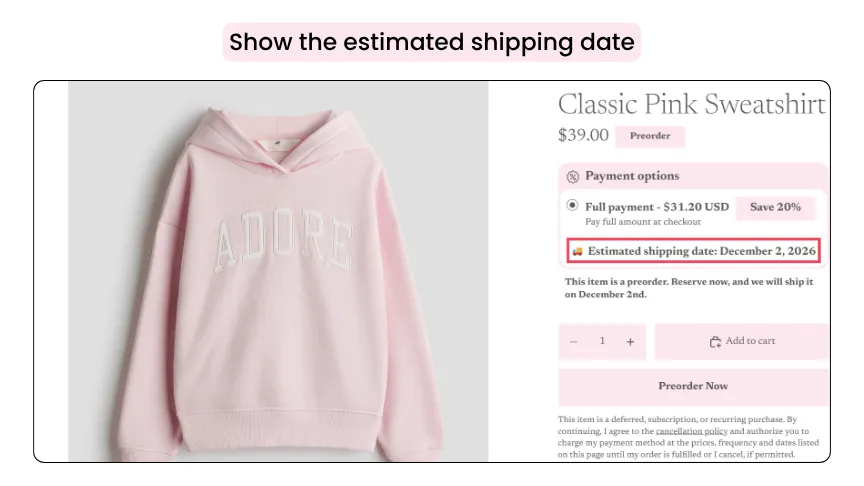
Give customers a shipping date you can realistically meet based on when inventory arrives and when you can start fulfilling orders.
For example,
Supplier ships: November 28
Warehouse receives: November 30
Orders begin shipping: December 2
- Limit the quantity your customers can order
Set a pre-order quantity limit based on the inventory you expect to receive.
For example, without a limit, you could end up accepting 1,000 pre-orders for only 500 incoming units, leaving half your customers waiting for the next batch.
- Highlight that it is a preorder
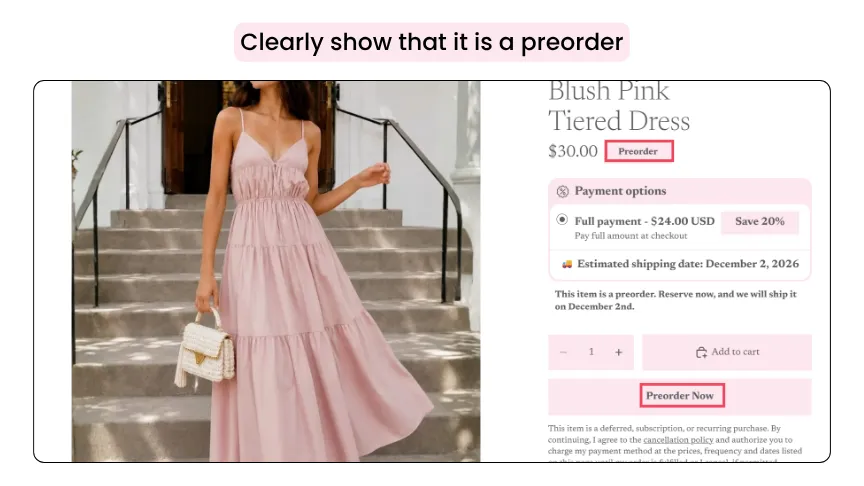
Make the pre-order status obvious. Add a pre-order badge and change the “Buy Now” button to “Preorder Now” on the product page.
- Choose the right payment option
For a short, predictable delay, full payment for a pre-order may work well.
For a longer wait, you could consider partial payment. Whichever you choose, make the payment terms clear before checkout.
- Update your customers on shipment delays
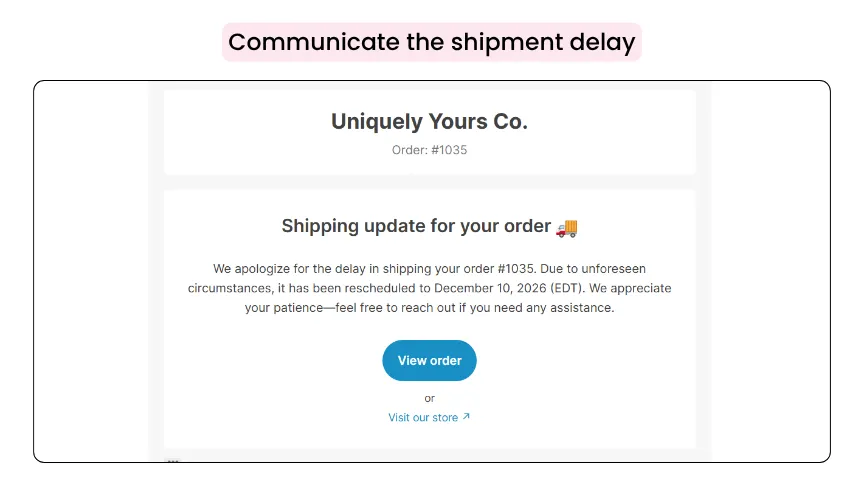
Tell customers as soon as you have useful information. If the expected shipping date moves from December 2 to December 10, send an update explaining the new timeline.
McKinsey's research highlights the importance of clear communication around delivery expectations.
Wrapping Up
A delayed shipment doesn't have to mean lost BFCM sales. If your inventory is stuck with a supplier but you have a confirmed shipping date, Shopify pre-orders help you keep selling while you wait.
With Dibs, you can turn a sold out product into a pre-order, set quantity limits and shipping dates, add pre-order badges and buttons, offer full or partial payment, and start accepting orders before the stock reaches your warehouse.
Frequently Asked Questions
1. Can I sell products on Shopify before they are back in stock?
Yes. A Shopify pre-order lets customers place an order before the inventory reaches your warehouse. Clearly label the product as a pre-order and provide an expected shipping date.
2. Is a pre-order a good option for BFCM inventory delays?
Yes, when you know the inventory is coming and have a reasonable fulfillment timeline, a pre-order can be a practical way to keep selling.
3. What’s the best Shopify pre-order app for BFCM?
Dibs is built for this. It supports quantity limits, flexible payment options, and customer updates. For a full comparison, see our guide to the best pre-order apps for Shopify.

.webp)
.avif)

.svg)
.svg)
.svg)


.svg)