.svg)
Shopify for Florists: How to Run a Flower Shop on Shopify (2026)
Last updated on
August 25, 2026
.webp)
When people think of e-commerce and selling online, flowers are not exactly the products that come to their minds instantly. That’s because flowers are perishable, demand falls and rises based on special days and occasions, and need to be sourced and delivered in a short time frame; typically, the whole process happens within two days. But with a perfect plan and execution, you can grow your floral business on Shopify in no time. All you need is this simple guide to walk you through the process.
Shopify is a strong platform to start your floral business online since it covers all fundamental aspects, including payments, inventory, order management, and fulfillment options.
In this article, I have covered the core setup every florist needs, with a breakdown of all app categories that actually affect day-to-day operations, including delivery and pickup scheduling, inventory tracking, and subscriptions. And to finish it all up, with a closer look at how to handle the peak-season days (Valentine's Day, Mother's Day) that test every florist's setup the hardest.
How to set up a Shopify flower shop that converts
Setting up a storefront that converts starts with your Shopify domain and shop name, since everything else builds on top of this choice. If you already own a physical shop, ensure your domain matches your store name as closely as possible to retain brand identity. This helps customers identify your online presence without any confusion. Once that’s settled, you are all set to move forward with the rest of the process.
Ensure your product images match the actual arrangement
While customers might have an idea of which flowers to choose, the arrangement of the bouquet is entirely based on what they see in your store. The more appealing the visuals, the easier it becomes to get your customers to complete the purchase without any second thoughts.
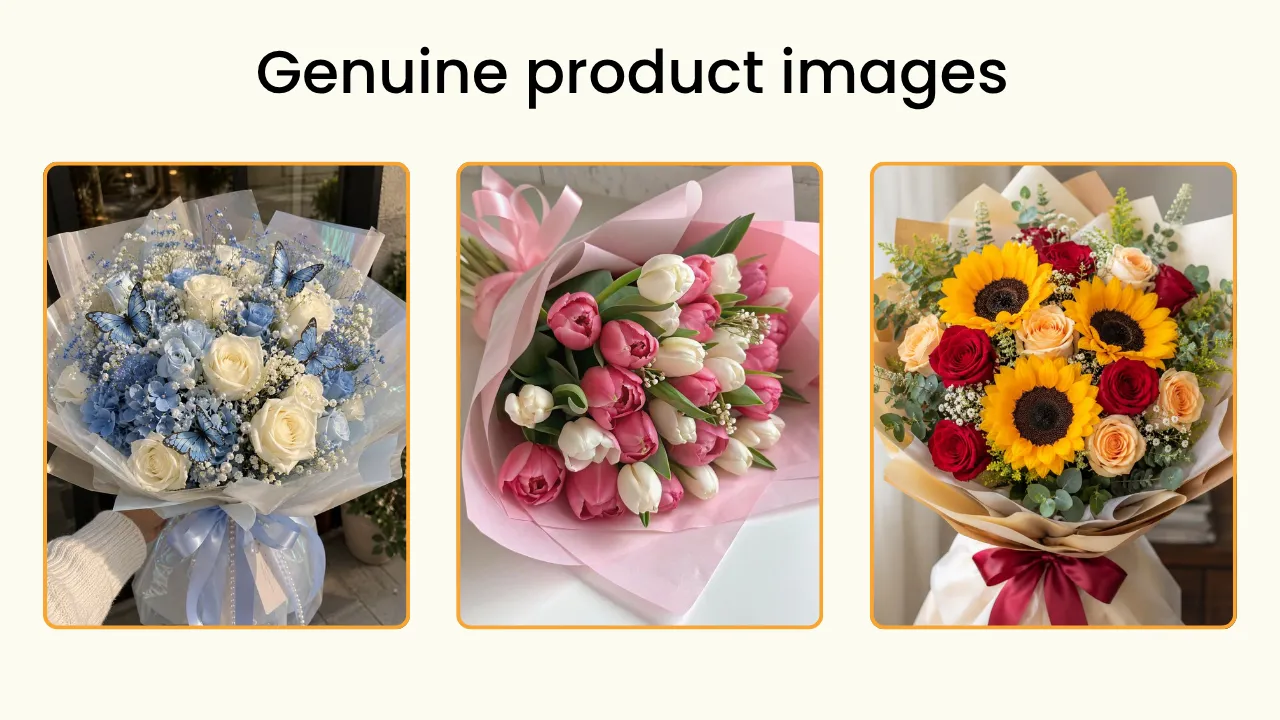
Misleading product photography is the easiest way to lose your customers and sales altogether. Hire a professional or use your creativity to capture the true beauty of your bouquets and floral arrangements in their true essence.
What your customers receive should be exactly what they paid for.
Pick a theme built for visuals
A floral shop is all about the visuals, so ensure you pick a theme that’s visually appealing with a clean catalogue section. The theme should be mobile-friendly since most of your customers will be ordering through their smartphones.
For starters, you can choose a free Shopify theme such as Dawn, Horizon, Craft, or Studio to begin with. These themes are essentially designed to offer an aesthetic look without too much clutter.
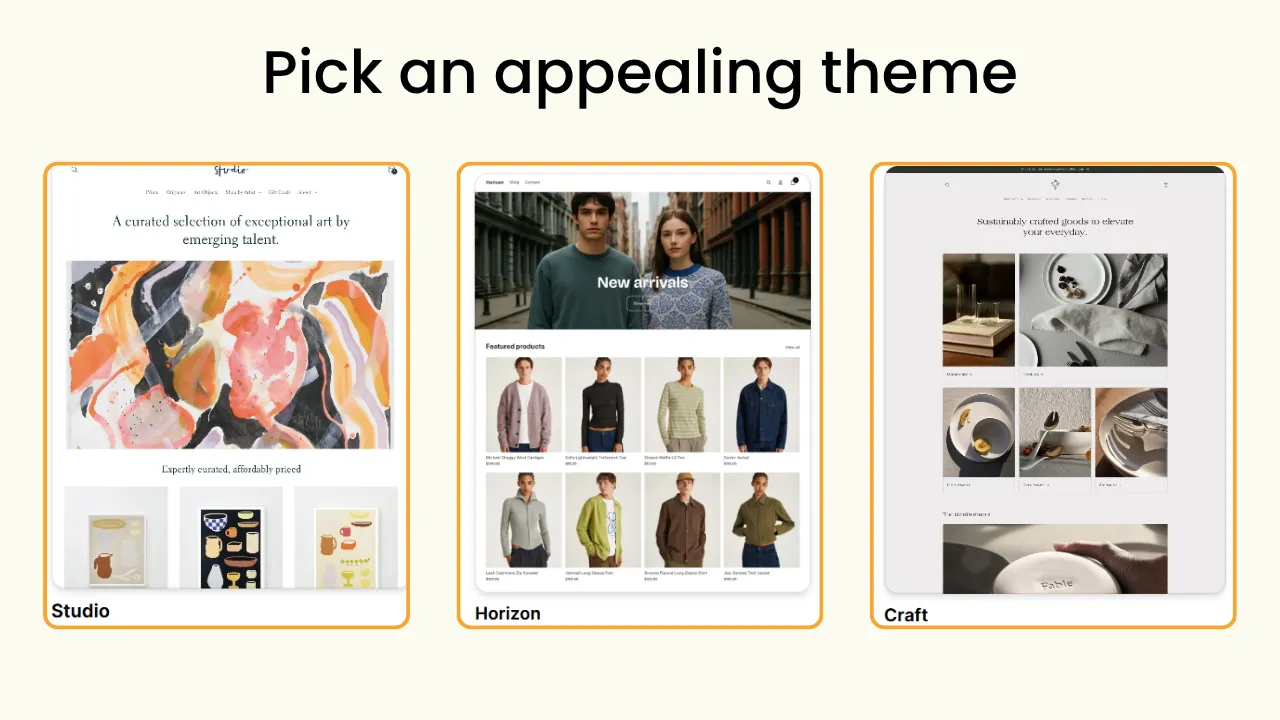
As your business grows, you can always switch to a paid theme tailor-made for florists on Shopify.
Organize collections the way customers actually search
Don’t just upload everything without structure, because flowers are always purchased for an occasion or for a special one with intent, which means you need collections organized around customer intent.
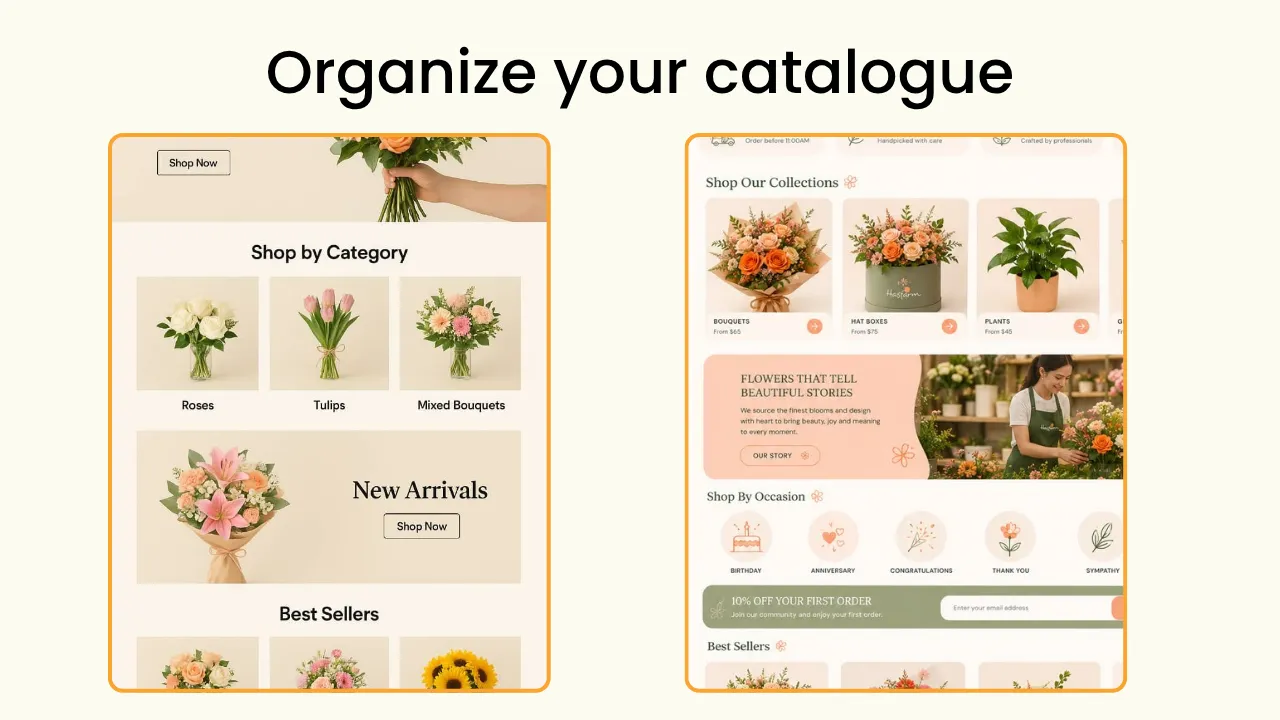
Create product catalogues that allow your customers to shop by occasion (birthday, anniversary, Valentine’s Day, congratulations, and wedding), products (roses, flower boxes, flower baskets, custom arrangements), price (flowers under $30, bouquets under $15), and the recipient (for her, for him, the office, for home)
Give your customer clear instructions on the product page
Include a clear and honest copy on every product page. It should have all information, including the flower type (all flowers used for a mixed bouquet or floral arrangement), available sizes, what will be included ( a vase or stem, or wraps used), and care instructions.
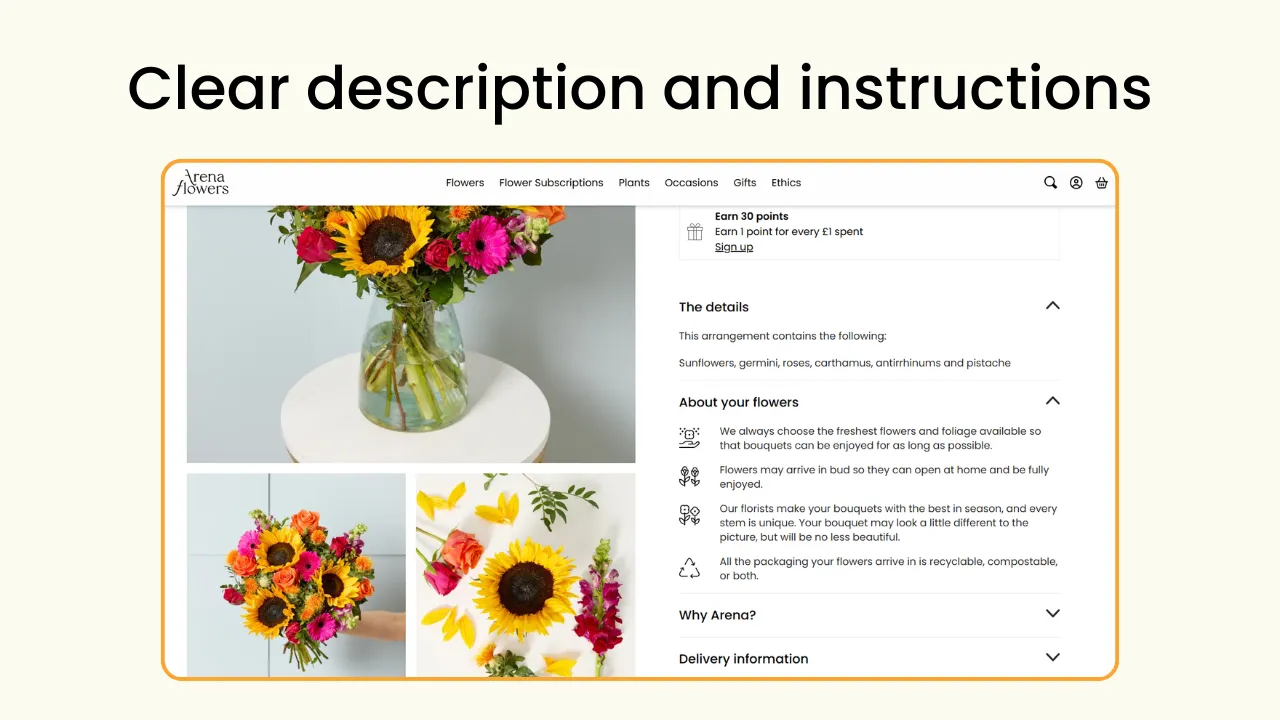
One other thing to include that’s unique to florists is the substitution flowers used. If the originally used flowers are unavailable, tell your customers in advance, right before they order, which flowers will be replaced by which, to avoid return and refund issues after the order is fulfilled.
Offer local delivery and in-store pickup
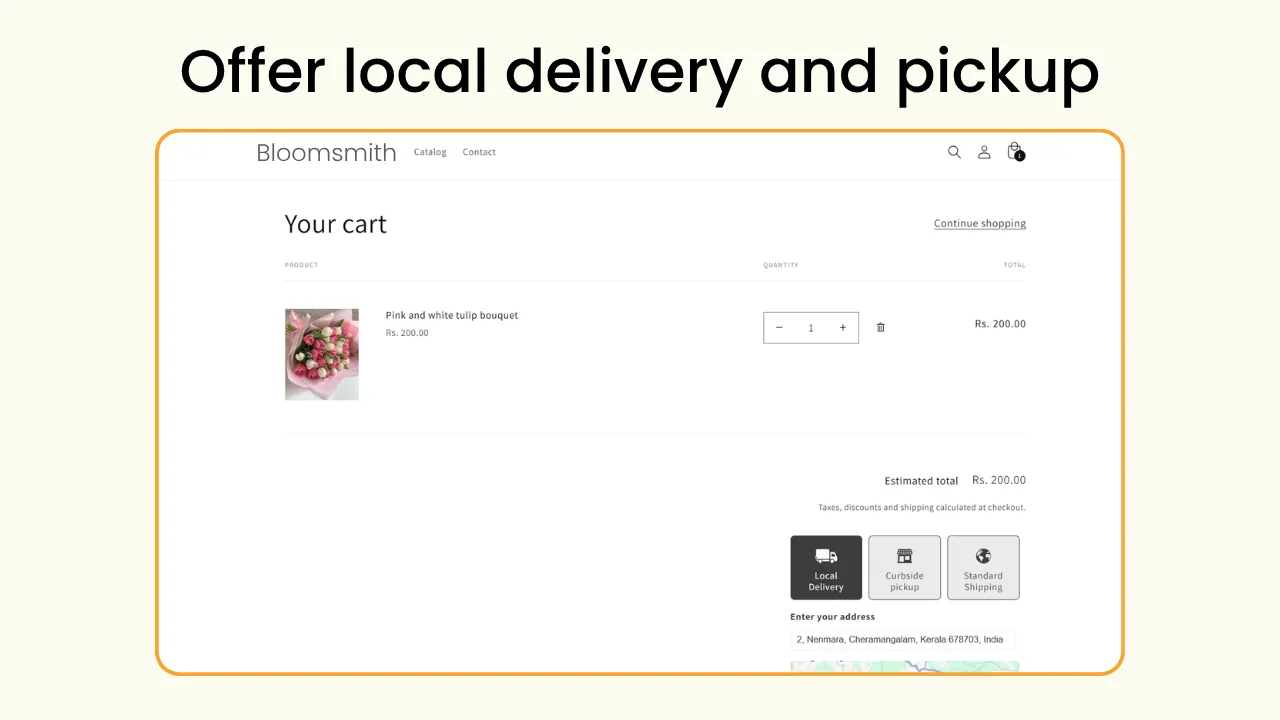
It's always better to offer both local delivery and in-store pickup when running a floral shop on Shopify. Unlike other ecommerce products, flowers are purchased for a specific occasion and have to reach the customer on time for every single purchase. Giving your customers the option to choose helps you scale your business better.
Apps that actually matter on Shopify for florists
You don’t need dozens of apps to run a successful flower shop on Shopify, but a few operational apps will solve most of the challenges that are part of selling flowers online. Find the two Shopify apps worth considering for your flower business to improve your customer experience, simply your daily operations, and sell more.
Delivery and pickup scheduling: Pickeasy
While Shopify offers native pickup and delivery options based on distance and postcodes, you need scheduling options to sell flowers online. When customers order flowers, they need it delivered on a specific date at a specific time. There are a few things to consider while offering pickup and local delivery on Shopify because the default, “usually ready in 1 hour,” is no longer adequate. Customers should be able to choose the delivery date and time that works best for them.
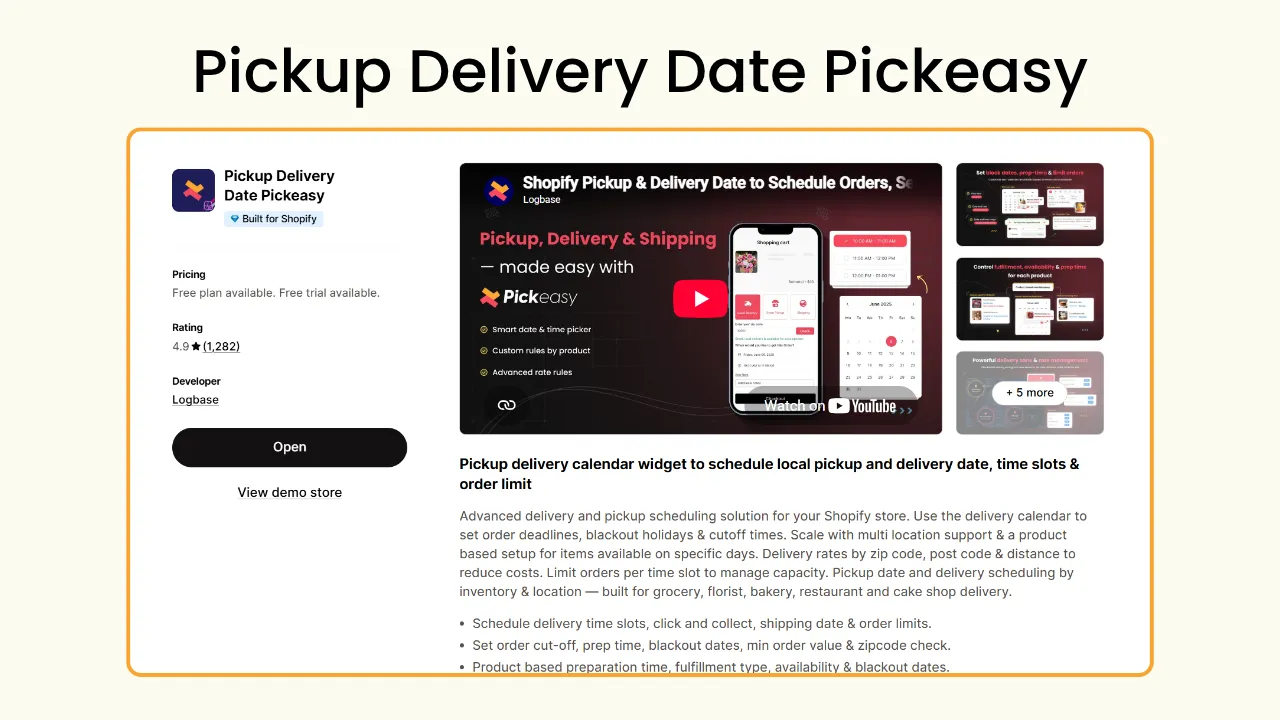
Pickeasy is one of the best Shopify local delivery and pickup apps built specifically to fill the gap between Shopify’s native feature and what exactly your store needs. Here are the advanced features that will help you scale your business better.
- Dynamic delivery pricing: Apart from charging a delivery fee based on distance and pincodes, you can create dynamic pricing based on other factors, including the time of the day, days of the week, weekend pricing, total cart value, and total order weight.
- Blockout dates and time: Create blockout dates for store closures and holidays. Your customers cannot choose these days for pickup or delivery while placing the order.
- Order limit: You can set an order limit for each day and even time slot to avoid overbooking. Imagine you usually handle around 20 to 30 orders a day. But on Valentine’s Day, you are expecting more orders, but everyone wants it before 10 AM. The order limit saves your team from overbooking for a single time slot.
- Preparation time: You can also set preparation times at the product level, giving each bouquet or floral arrangement enough time to be carefully prepared without rushing your team.
- Cutoff time: This helps differentiate your working hours from your prep time and delivery availability. Stop getting a same-day delivery order an hour before closing.
- Separate pickup calendar: This way your delivery and pickup schedules never collide. Local delivery and store pickup are two different fulfillment options, and they get their own scheduling and rules.
Wedding and event planning consultation: BookX
If you offer floral arrangements for wedding and corporate events, a simple order schedule is not going to cut it. Wedding and event orders need more planning than a regular bouquet order. You need to understand customers’ needs, including their theme, flower preferences, venue, budget, quantity, and other delivery requirements.
Instead of managing these consultations over phone calls or emails, you can use BookX to let customers schedule a consultation directly from your Shopify store.
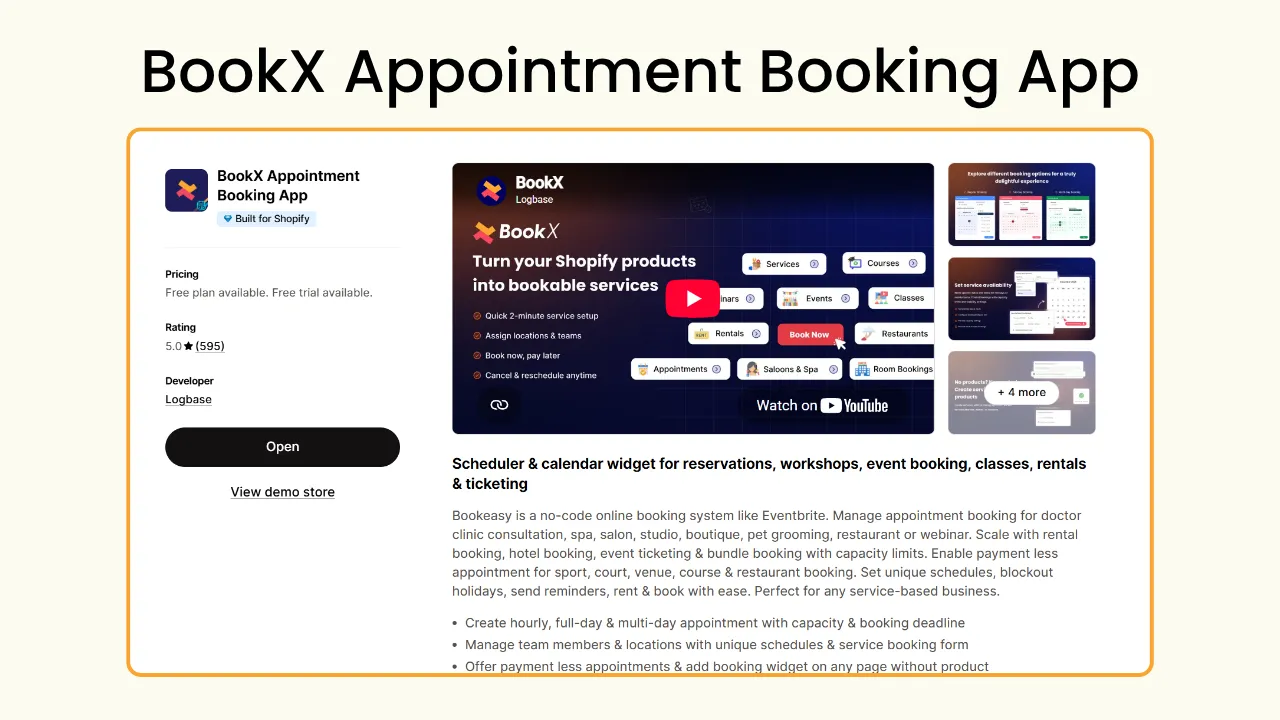
With BookX, you can create booking slots, full-day and multi-day bookings, and block out dates and times to avoid getting booked when you are not available. This becomes all the more essential when you operate from multiple locations and have a team of consultants. With BookX, you can configure different booking schedules for different locations and team member availability.
Other apps to try on Shopify for florists
Once pickup, delivery, and booking are sorted, you are all set to open for business. But apart from these two, if you wish to be more organized and automate your workflow, you can also opt for some of these apps.
Floral subscription services: Appstle
One way to capture recurring orders is through subscription services. Offering floral deliveries to corporates, organizations, and even homes regularly (Once a week, twice a month) can be converted into a subscription.
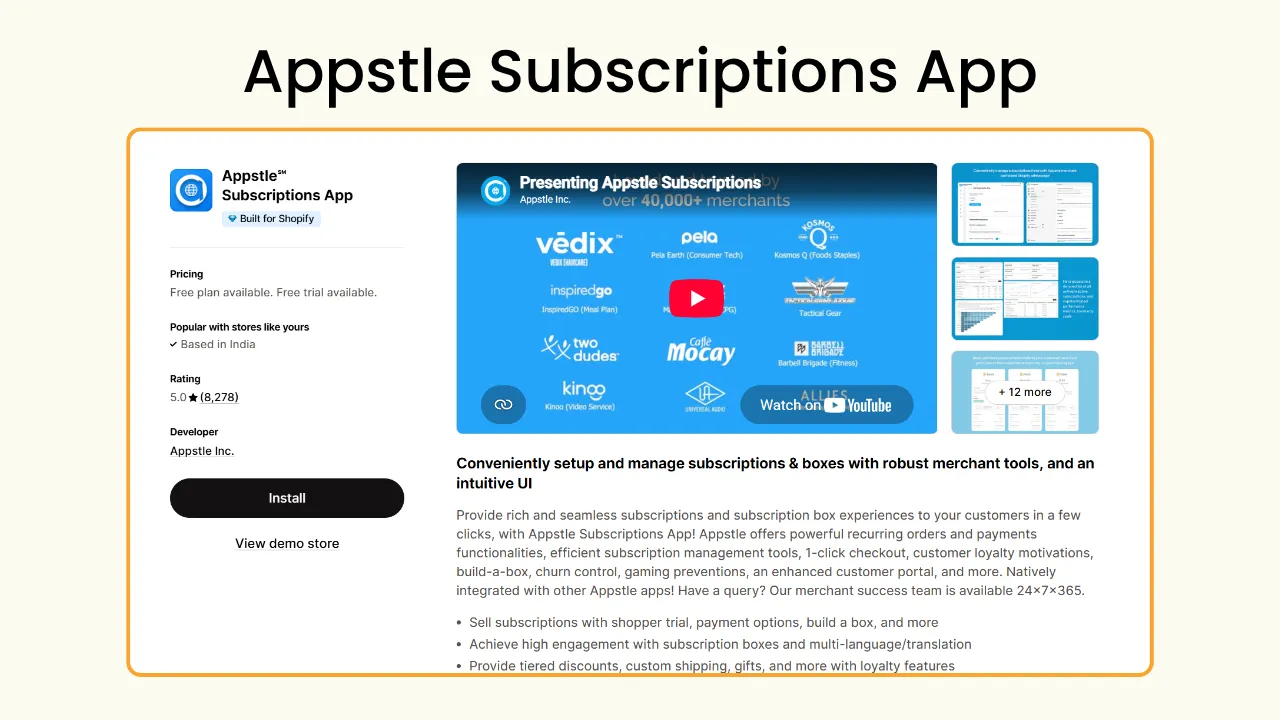
With a subscription app like Appstle, you can easily create and manage subscription plans. It also comes with a portal for customers to easily update, pause, skip, or modify their subscription. This avoids the to-and-fro phone calls and emails, forming an easier and safer communication system between you and your customers.
Note: Pickeasy offers easy integration with Appstle, which enables a smoother delivery and subscription service.
Upsell and cross-sell: Selleasy
Most of your customers are purchasing a bouquet for an occasion. This gives you the space to upsell and cross-sell other related products. You can offer add-ons such as a premium greeting card, luxury chocolates, balloons, and such.

Selleasy is one of the most powerful upsell and cross-sell apps on Shopify with over 18 different AOV strategies and an AI recommendation engine to help boost your sales. When used strategically, you can easily convert a simple $30 bouquet into a $50 bundle through upsell and cross-sell.
Inventory tracking: Material Manager
Shopify’s native inventory management system works perfectly fine if you do not use multiple individual flowers, stems, and wraps across your catalogue. Say, you use baby’s breath in 5 of your bouquets, but you have only two left in your inventory. Customers are still able to order more than two bouquets and you are now short of inventory and raw materials. This is because Shopify doesn’t track inventory at raw material level.
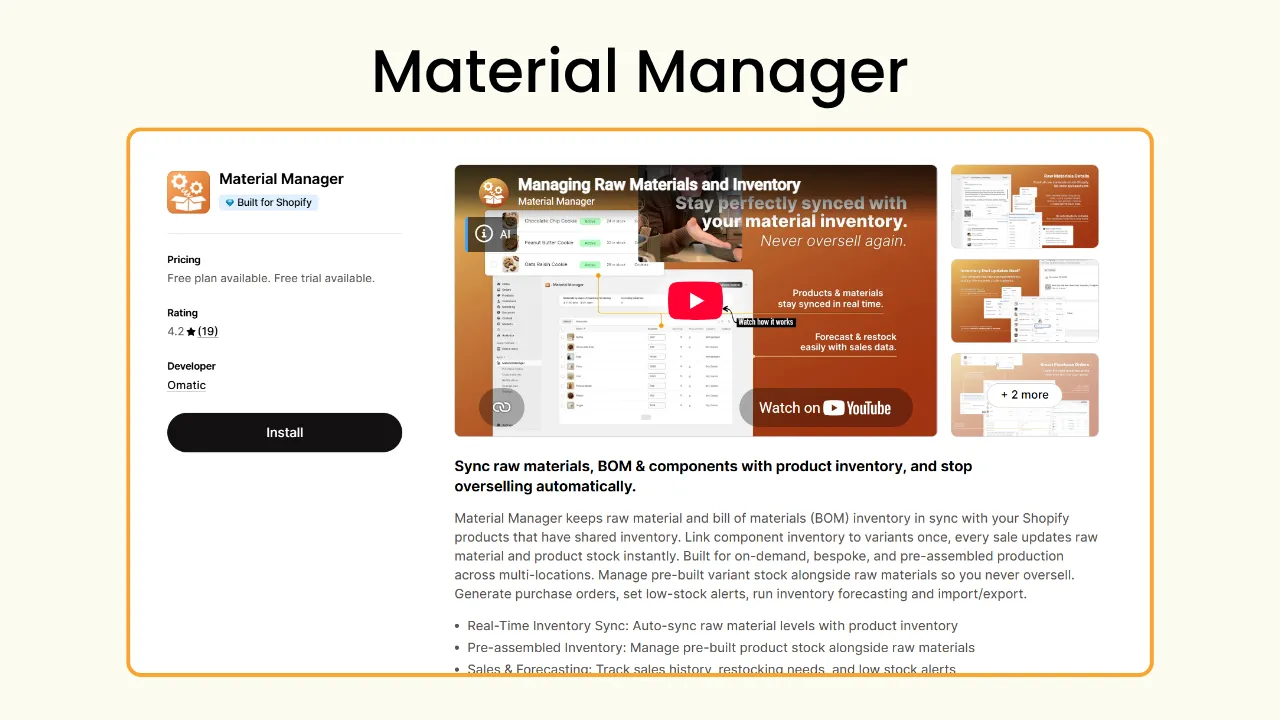
In such instances, apps such as Material Manager will come in handy. You can link your raw materials to product variants and after every purchase, the app automatically updates your raw material inventory. The low stock alert feature will allow you to keep your inventory updated at all times.
How to prepare your flower shop for peak days on Shopify
Important nationwide celebrations, including Valentine’s Day, Mother’s Day, and Christmas, can be quite hectic for florists. Unless you are all equipped for it, you will end up overbooked. What should have been your biggest sales day will slowly turn into a day spent processing refunds, apologizing to customers lost forever.
The goal isn't to accept every order that comes your way. It's to accept as many orders as your team can realistically prepare and deliver without compromising on the quality or exhausting your staff. But worry not, here is all you need to gear up for when you hit that record-breaking order number.
- Limit same-day delivery slots: Same-day delivery can be quite unpredictable since most orders are placed at the last minute. By the time these orders start coming in, your team may already be busy preparing flowers for customers who booked in advance. If you have already received quite a number of orders in advance, adjust the same-day delivery for those specific time slots on the big day.
- Charge More for High-Demand Delivery Slots: Set a different delivery fee for peak hours because not every slot has to be charged the same. You can charge more than normal for orders placed to be delivered at peak hours.
- Differentiate pickup and delivery: Create a different schedule for pickup and delivery. While you can only take a limited number of delivery orders for each time slot, your store might still be able to handle extra pickup orders for the same time slot. If your customers find the delivery unavailable, they might choose pickup instead for the same time if that’s feasible for them.
- Set a different cutoff time: Based on whether you want to work more shifts or reduce it, create a different cutoff time for the big day. The important thing to consider is your staff and production capacity.
- Add a blockout date for recovery: More often than not, you and your staff will be exhausted the day after the big day. Peak days can be physically demanding for florists. Block out the day after in advance to avoid customers from ordering a delivery or pickup, giving your team time to recover, restock, and prepare for regular operations.
Wrapping up
Running a flower shop on Shopify is an act of balance. You need to create beautiful bouquets and floral arrangements while managing perishable inventory and order fulfillment to ensure every order reaches the customer on time every time. Shopify gives you the space and place to bring your business to life and reach more customers beyond your physical store.
With the right apps, you can build a workflow that takes the operational pressure off your shoulders. Instead of constantly tracking delivery schedules, managing inventory, and remembering all the customers who need a consultation manually, let the system you build handle it. This way, you can reduce the minor mistakes that can quickly escalate to an expensive one. Give yourself time to create beautiful bouquets instead of spending time managing the chaos behind the scenes.
And that’s everything you need to get your Shopify floral business up and running in no time. Now, all that’s left to do is build your store, pick up your flowers, and start creating. Happy selling!
Frequently Asked Questions
1. What’s the most important app needed to start a flower shop on Shopify?
Unlike other ecommerce products, flowers are ordered for a specific occasion to a specific location at a specific time. If you have that sorted, then you are basically all set. So the most important app you need as a florist on Shopify is an efficient and effective pickup and delivery app. Pickeasy is one of the best delivery apps with advanced scheduling features that let you create a hassle-free fulfillment workflow.
2. How do I grow my floral business without increasing manual work?
The key to grow your floral business on Shopify without putting in extra work is to automate parts of your workflow that become harder to handle manually. Build your system using Shopify apps specially made for order fulfillment, subscriptions, and consultations to handle the backend work, allowing you to focus on creating and growing your business.
You don’t have to get all the apps at once or invest a fortune; start slow, start with a plan. Focus on automating one thing at a time. Give priority to order fulfillment and upgrade as you go.
3. What's the biggest mistake florists make when setting up delivery on Shopify?
One mistake that florists make while setting up delivery on Shopify is not enabling a date and time picker. Flowers are all about timing, because they are ordered for occasions, to make a moment more special. So a delay in delivery makes the whole thing pointless.
You need to know exactly when your customers need their flowers delivered, and you have to actually make the delivery within the time frame. The best way to add it to your shop is through a delivery pickup scheduling app like Pickeasy.
4. How to deliver flowers without damaging them?
Flowers are delicate products, so they need to be carefully packed and transported to ensure they arrive without being crushed, damaged, or disturbed along the way. Use sturdy boxes, bouquet sleeves, or dedicated flower carriers, along with protective wrapping, to keep everything in place.
Your delivery vehicle matters too. Make sure it has enough space to keep multiple arrangements upright and secure, with suitable storage conditions that protect flowers from excessive heat and damage during transit.
Minimizing the time between preparation and transportation also helps retain the freshness of the flowers.
.avif)
.webp)
.webp)
%20(1).webp)
.svg)
.svg)
.svg)


.svg)