This article is written by the Logbase team. Logbase builds BookX, one of the five apps reviewed here. We have tested all five apps on a real Shopify store and done our best to evaluate each one fairly. You should factor in our relationship with BookX when reading our assessment of it.
Cowlendar is a popular Shopify booking app with over 2000 reviews and a 4.9-star rating. But there are times when merchants like you look for Cowlendar alternatives for two main reasons:
The free plan limits you to 5 bookings before the widget disappears from your store. That isn’t enough to test the app and see how it works.
On the paid plans, features like Google Calendar two-way sync, deposits, and Shopify POS are available on the higher plans, which other apps have in lower plans.
But when the same features are available in other Shopify booking apps, it’s time you consider the alternatives to get real value.
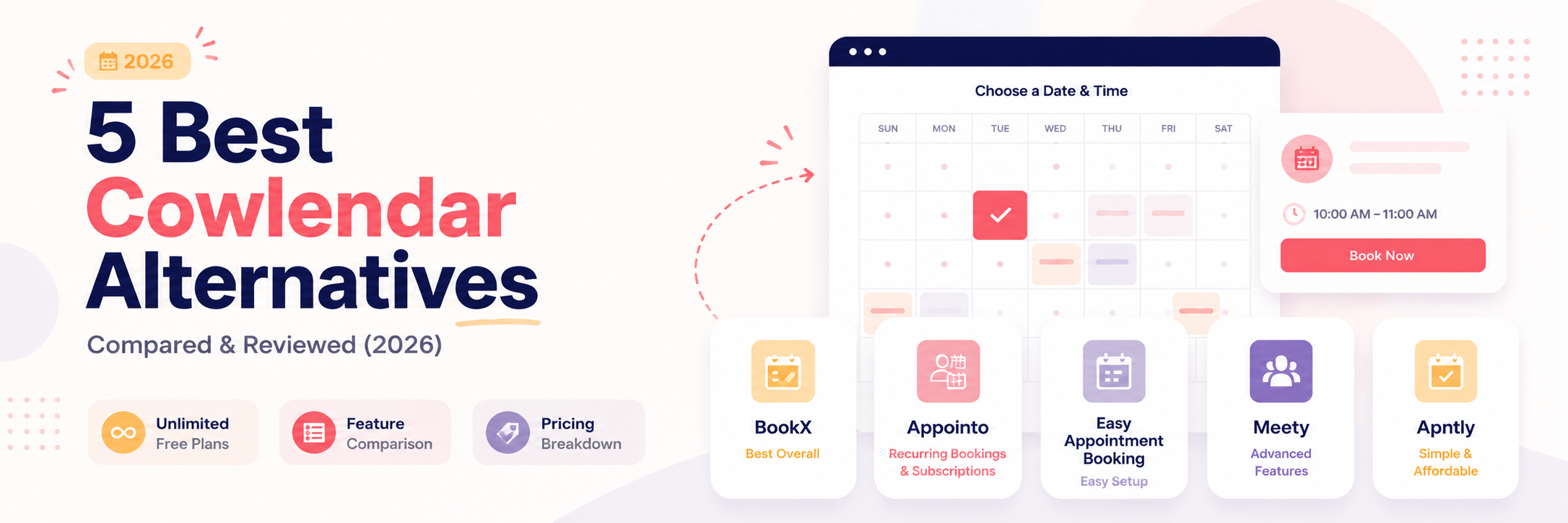
Before we get into the detailed comparison, here’s a quick glance:
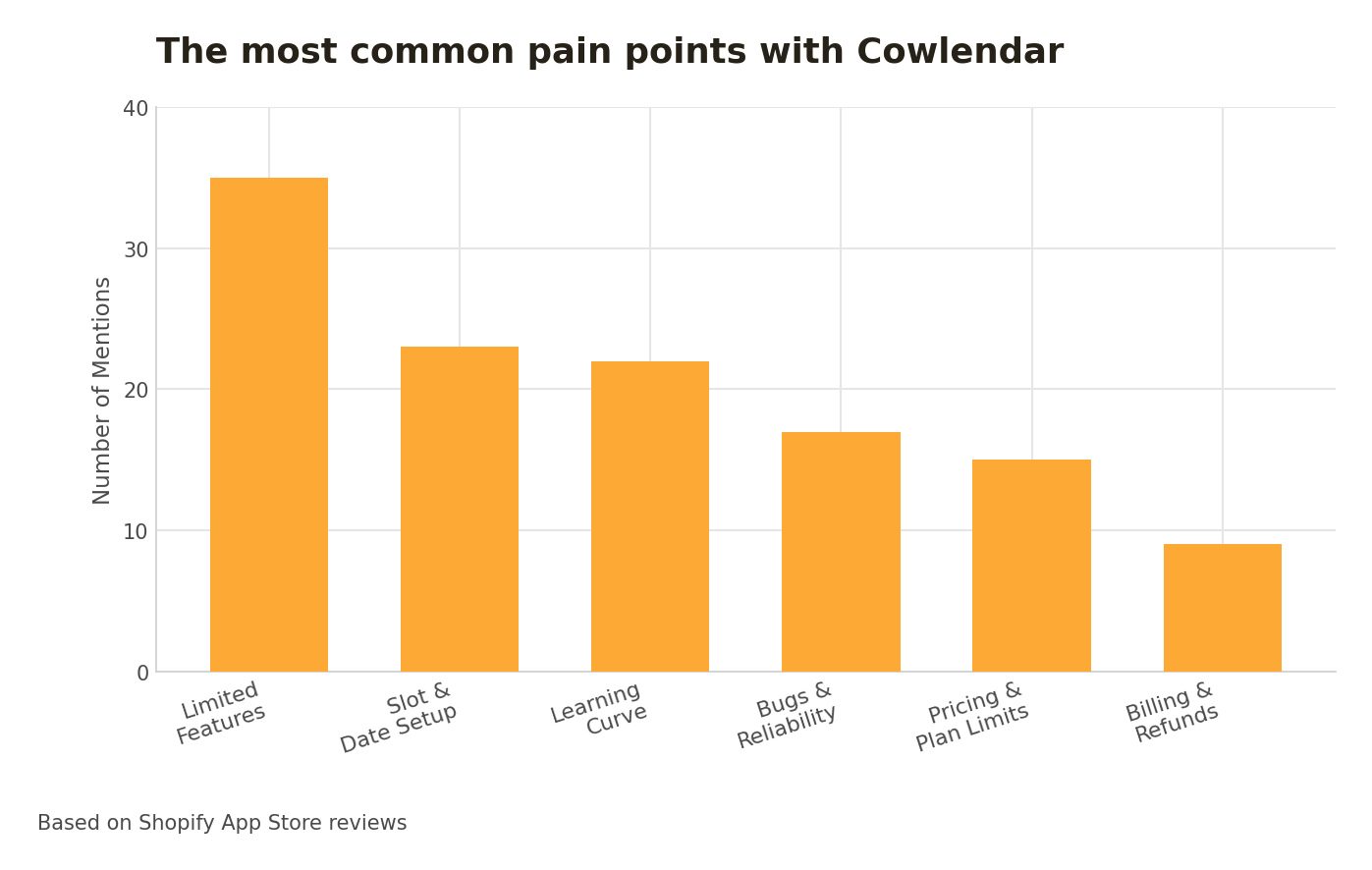
Pain Points with Cowlendar (based on reviews)
Here is what users feel about Cowlendar, based on real Shopify App Store reviews.
Cowlendar’s majority of reviews are 5-star and have 2000+ reviews. But the critical reviews say there is a consistent set of friction areas. If Cowlendar mostly works for you, try fixing the main pain points first. Below is a list of quick solutions for the most common issues.
Note: These themes are drawn from Cowlendar's reviews on the Shopify App Store. We only listed a pain point here if it appeared across multiple reviews, not as an isolated complaint.
Fixing these issues can improve your experience with Cowlendar. But if you outgrow Cowlendar with more services and locations, it’s time to explore what other booking apps offer.
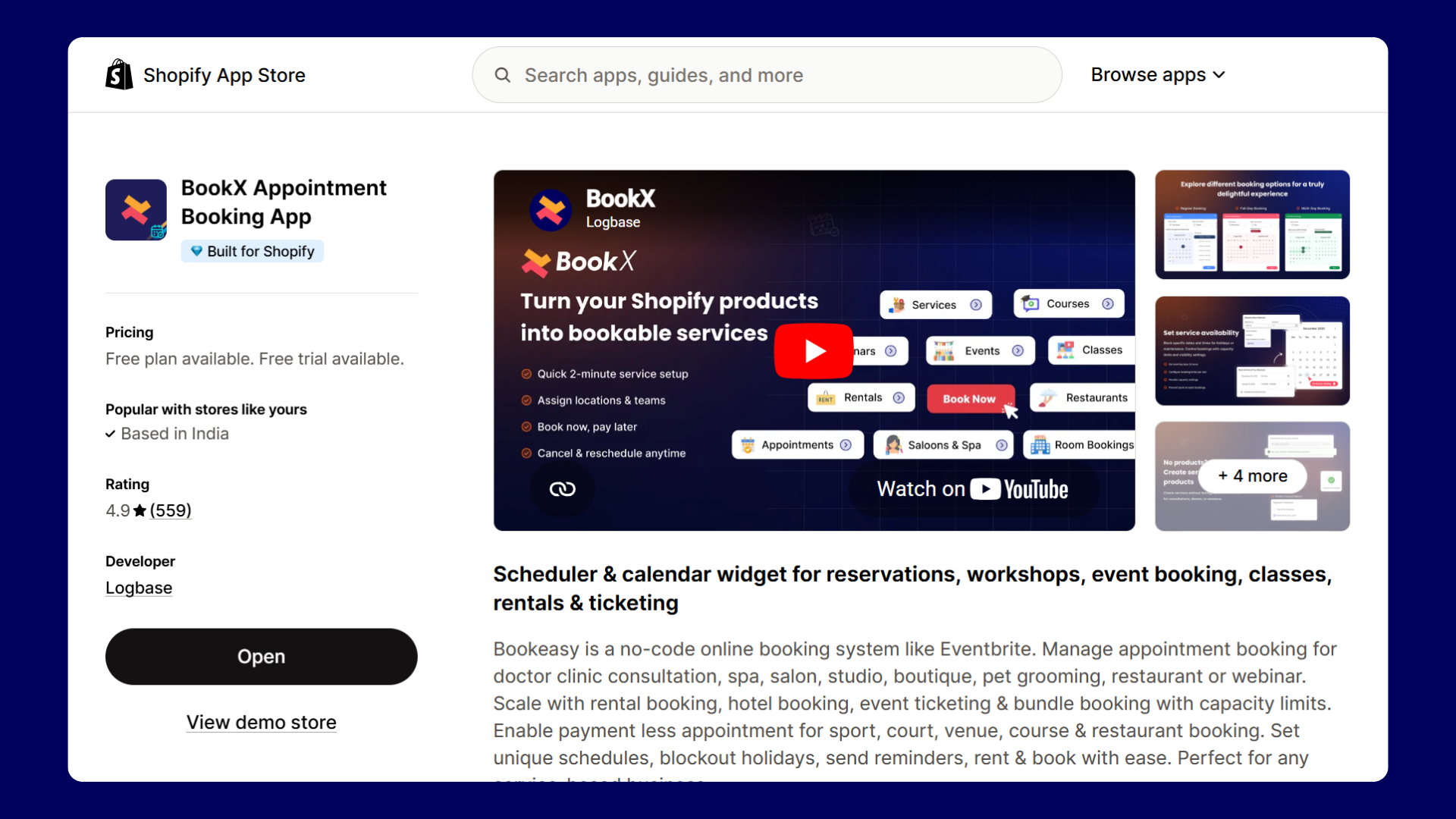
BookX is a no-code booking app for Shopify. You can manage appointments, rentals, events, and classes. One unique feature is that you can create appointments even without a product. You can manage staff, locations, and availability from one place, and customers can reschedule their bookings. The app integrates with Google Calendar, Zoom, and Klaviyo, and works on any Shopify theme without custom code.
BookX uses a step-by-step service setup with product selection, adding slots, assigning team and location, availability settings, and more.
The app doesn’t force you to create a product first. You can build a service with a product (with payment) or without one when online payment is not required. This removes a real setup challenge for free services.
The free plan has useful features
There are no booking caps, and the booking widget doesn’t disappear after 5 orders. You get unlimited bookings, one service, one location, one team member, and all other features.
Unlike many other apps, BookX branding will not be added to your store.
Multi-staff scheduling handles things smoothly.
You can create individual slots for each team member with working hours, breaks, and the option to connect their own Google Calendar. This will help customers to choose your staff based on their availability.
For example, if you run a salon, your customers can choose their favourite hairstylist.
Customers can reschedule or cancel their own bookings without emailing the merchant, which removes a manual step that Cowlendar does not offer at a similar plan.
Pricing
Plan
Price
Key features
Free
$0
Unlimited bookings, 1 service, 1 staff, minute/hour scheduling, buffer & lead time, blockout dates, no branding.
Starter
$9.99/mo
Unlimited services, up to 5 staff, 5 locations, Google Calendar + Zoom, bundle & full/multi-day bookings, custom questions, reschedule/cancel, universal booking button.
Cowlendar’s free plan comes with just 5 bookings. If you are not ready to commit to a paid subscription, BookX gives you unlimited bookings for free with no expiry and no warning banners.
If you are managing more than one staff member
When you have a big team, it might be hard to assign separate availability schedules in Cowlendar. BookX handles per-staff availability, break slots, and Google Calendar connections for each team member.
Collect deposits and partial payments
Such features are available only in the higher tier to get them. You may need to spend more to get those features.
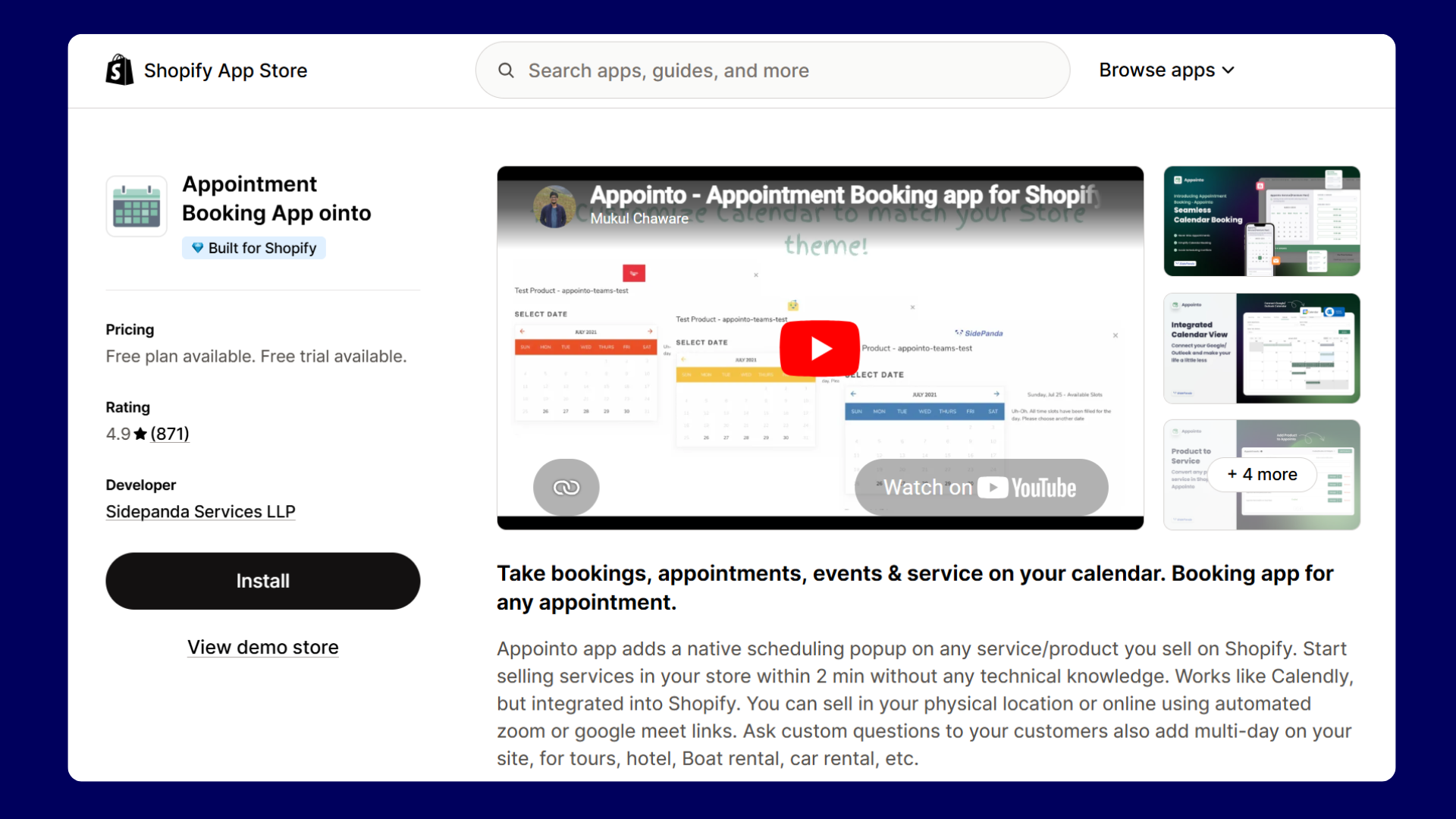
Appointo adds a scheduling pop-up to any product or service page on your Shopify store. You can create single-day appointments, multi-day bookings for rentals and tours, and recurring subscriptions. The app also integrates with Google, Outlook, Zoom, and Microsoft Teams, and lets team members manage their own availability.
Standout Features of Appointo
Recurring bookings and subscriptions.
Appointo has a dedicated Subscriptions and bundle tab built into the service dashboard. If your customers book the same slot every week, Appointo handles this natively.
Appointo can integrate with Google Calendar, Outlook, Zoom, Apple Calendar, Google Meet, Microsoft Teams, HubSpot, Klaviyo, Zapier, and Signpanda for deposits. Appointo is the only app that has integration with Microsoft Teams meeting links.
The admin calendar is genuinely useful.
It has a full weekly view with filters by service, team member, and event color, and lets you toggle between month, week, work week, day, and agenda views. For merchants managing a busy schedule across multiple services, that beats a flat booking list.
Global availability for all services
Once you set the global availability, it is applied across all services, which saves time if you run multiple services with identical working hours. You can then edit specific services where needed. You can remove a slot from every service once it is booked in one.
One thing to note: team-member seats are purchased separately from the main plan. Adding staff carries an additional per-seat cost.
Pricing
Plan
Price
Key features
Free
$0
Unlimited bookings, 1 service, 1 staff, minute/hour scheduling, buffer & lead time, blockout dates, no branding.
Starter
$9.99/mo
Unlimited services, up to 5 staff, 5 locations, Google Calendar + Zoom, bundle & full/multi-day bookings, custom questions, reschedule/cancel, universal booking button.
If your clients book the same slot every week, or if you sell session packs that customers redeem over time, Cowlendar does not have native subscription logic. Appointo does.
Customers use Microsoft Teams.
You can integrate meeting links from Microsoft Teams in their booking confirmations. No other app on this list integrates with Teams natively.
You run an international store
If you badly need timezone handling to be built into the core of the app, Appointo asks for your timezone before anything else.
Zapier or HubSpot integration
If you’re using Zapier or HubSpot, to integrate with your booking workflow, Appointo does it.
Appointo vs BookX
Consider Appointo for subscription and recurring appointments, and BookX as the better choice for service businesses with multi-staff scheduling and a clean free plan.
3. Easy Appointment Booking — Best for First-Time Setup
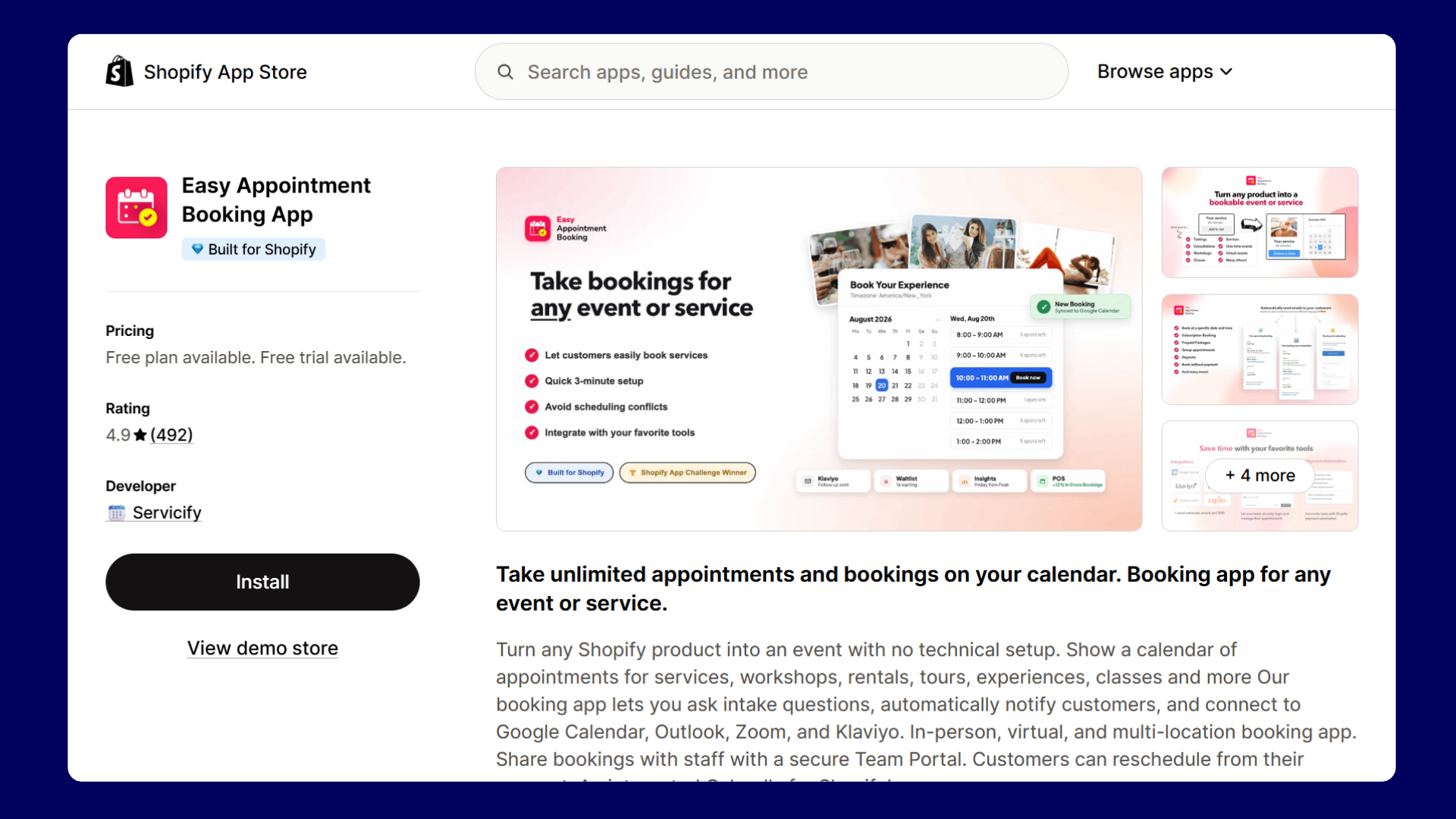
Easy Appointment Booking lets you turn any Shopify product into a bookable service. You can see a live preview of what your customers will see when you set it up. You can take paid bookings, free bookings, group events, and prepaid packages. Your staff gets their own login to see and manage their schedule, without needing access to your Shopify admin.
Standout Features of Easy Appointment Booking
Live preview is genuinely useful
While you configure availability and settings, the customer-facing calendar updates beside you in real time. You never have to guess what the result will look like.
Creating a booking without payment
The event types are clear from the start: pay to book, book without payment, or a custom setup. The prepaid packages and booking subscriptions are available on higher tiers.
Different types of views
The admin dashboard has four tabs: List View, Agenda View, Calendar View, and Availability View. The Agenda View is particularly great. It reads like a day planner, which makes it easier to hand off to a non-technical team member.
Team-specific login
The Team Portal feature gives each of your staff members a login where they can see their upcoming appointments without accessing your Shopify admin. This is a real operational feature that most apps charge a premium for.
Collect reviews through email
For collecting social proof, you can automatically send post-appointment emails with a Leave a Review button. It is a small detail that can compound significantly over time.
Pricing
Plan
Price
Key Features
Free
$0
1 event/service, unlimited bookings, unlimited team members, confirmation emails.
When to switch from Cowlendar to Easy Appointment Booking
Setting up a booking system for the first time
Cowlendar's settings spread across too many tabs and sections. Easy Appointment Booking’s setup is easy to navigate. With the app’s live storefront preview, you can see exactly what your customer sees before you go live.
Log in for staff members
Switch if you have staff or team members who need to see their own booking schedule without having full access to your Shopify admin. The team portal gives each staff member their own login.
Built-in review request feature
Switch if you want post-appointment emails with a built-in review request button and do not want to set that up separately in another tool.
Apntly vs BookX
Consider Easy Appointment Booking, if you’re adding a booking system for the first time and want a simple setup flow. Choose Bookx, if you want to stay on a free or low-cost plan longer without hitting feature walls.
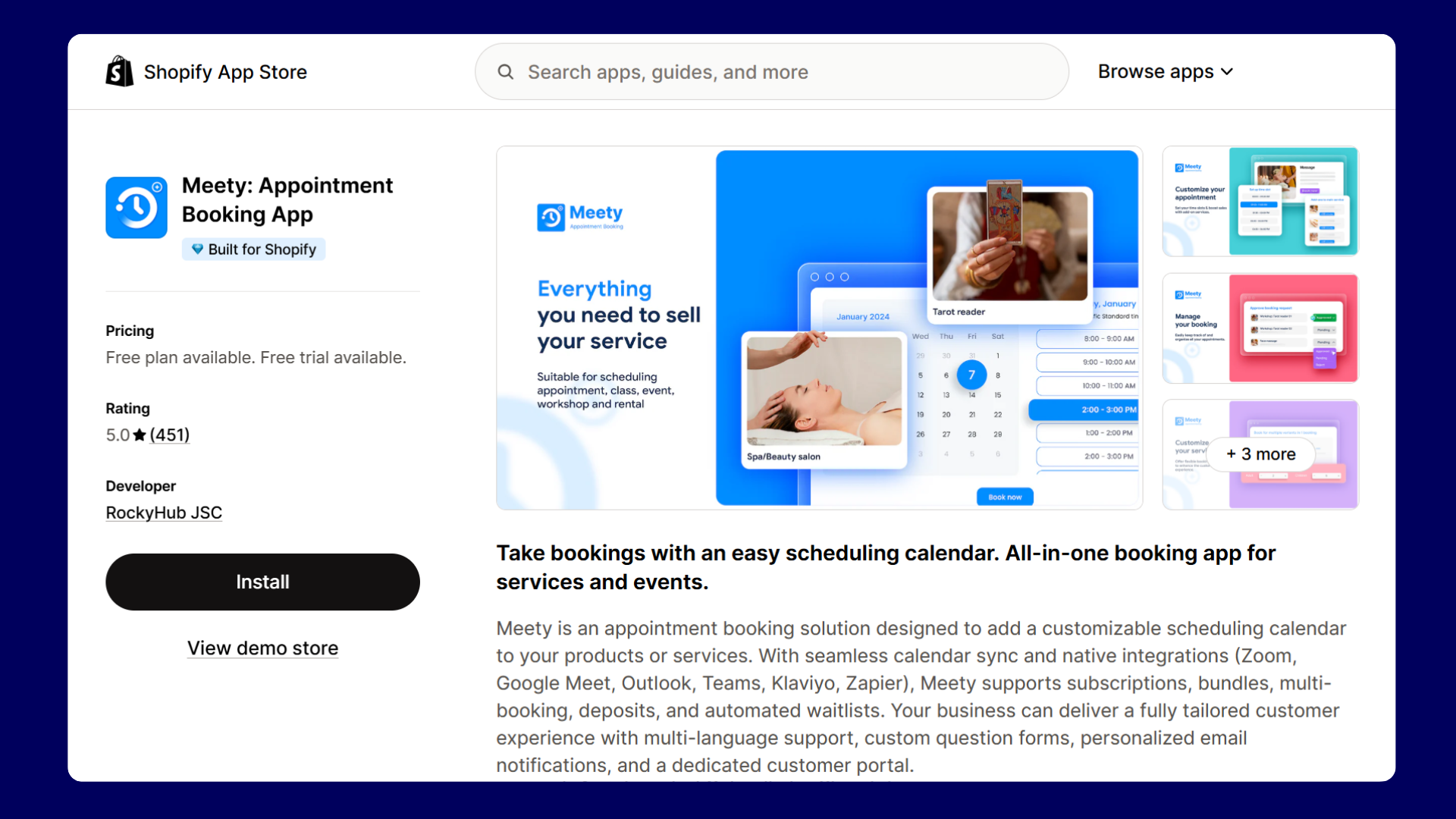
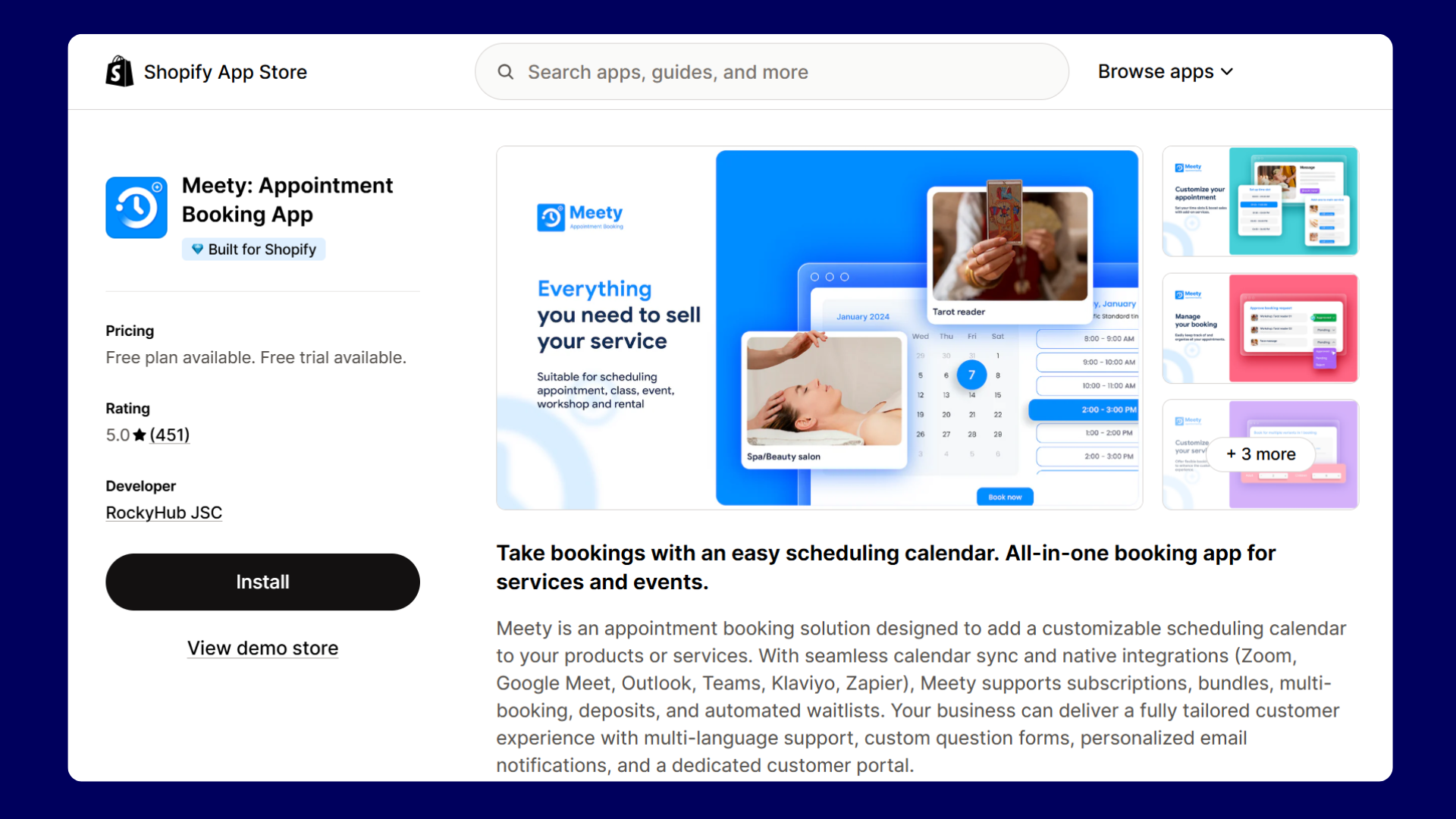
Meety lets you create hourly and day-based bookings, sell subscription sessions, collect deposits, and automatically add customers to a waitlist when a slot fills up. It syncs with Google Calendar, Outlook, Zoom, and Teams. Customers can reschedule or cancel on their own through a dedicated portal, without reaching out to you.
Standout Features of Meety
Meety starts the onboarding by asking two things: how big is your team, and what type of service do you offer? This means the default setup is pre-tailored to your use case before you set up a single service.
Advanced Features in Lower Tiers
The Advanced tab has features that other apps do not offer at comparable tiers. It has features to prevent two customers from booking the same slot simultaneously. Waitlist automatically notifies queued customers when a cancellation opens a slot.
Seasonal Pricing Feature
This feature lets you set different prices based on dates, time slots, demand level, or availability, useful for peak-season surcharges and holiday rates.
Co-staffed Appointments
With the Business plan, you assign two staff members to a single booking simultaneously. This is a very specific feature, but for businesses like couples massage studios or photography teams.
Pricing
Plan
Price
Highlights
Free
$0
Hour-based and day-based bookings.
Starter
$14/mo
Unlimited services, bundle & subscription bookings, booking without checkout, Google Calendar, booking slot secure.
Meety's slot-locking feature temporarily reserves a slot while a customer is completing payment, preventing two customers from booking the same slot simultaneously. Cowlendar does not have this.
The Waitlist Feature
When a slot fills up in Meety, customers can join the waitlist to get an automated email the moment a cancellation happens. Managing this manually in Cowlendar means constant admin work.
Two-staff Bookings
Switch if two staff members need to be assigned to the same booking simultaneously. This will be useful for couples' massage, duo photography sessions, or any service that requires co-staffing. Meety is the only app on this list that supports this.
Seasonal Pricing
If you charge different rates on weekends, during peak season, or for last-minute bookings, Meety handles this natively. Cowlendar's pricing rules are more basic by comparison.
Meety vs BookX
Choose BookX if you need simplicity and pricing predictability when compared to Meety. Go with Meety when you need features like slot-locking, co-staffed appointments and seasonal pricing.
Apntly’s setup follows a three-step, product-linking flow: add a Shopify product, assign a team member, and configure availability. A ‘Book Now’ or ‘Schedule Now’ button then replaces the Add to Cart button on that product page. If you have ever used other booking apps with a multi-screen setup, Apntly will feel refreshingly straightforward.
Standout Features of Apntly
More features for the lowest price
The Pro plan is $9/month, and bundles features that several competitors split across higher tiers. There are features like group appointments, custom intake questions, calendar integration, Zoom integration, and deposits, all in one plan.
Multi-timezone and multi-language support
If you are running a small business serving customers in different regions, you get that coverage in the free plan.
Staff-specific Dashboard
Similar to the Easy Appointment Booking app, each staff member gets their own separate dashboard to manage their schedule, and this is available even on the free plan
Deposit payments
With the Pro plan, you can let customers pay a partial amount at booking and the remaining later. This will reduce no-shows without requiring full payment upfront.
Pricing
Plan
Price
Key features
Free
$0
1 service, 1 team member, email notifications, admin reschedule/cancel, block unavailable dates, separate team-member dashboard.
Starter
$5/mo
Everything in Free + unlimited services, unlimited team members, widget customization, customer reschedule/cancel, custom email template, reminder email.
Pro
$9/mo
Everything in Starter + group appointments, custom questions, calendar integration, Zoom integration, multiple timeslot selection, deposits.
Note: Both paid plans include a 14-day free trial. SMS notifications are billed separately via prepaid app credits.
Limitations
No waitlist feature available
No seasonal or demand-based pricing
Buffer time between appointments is not as configurable as BookX or Meety
No slot-locking at checkout to prevent simultaneous double-booking
Best for
Category
Detail
Business size
Solo to small
Business type
Budget-conscious service businesses, single-service stores, side projects
Switch to Apntly if the cost of Cowlendar's paid plan has fewer features. For $9/month, Apntly gives you Google Calendar sync, Outlook sync, Zoom, group appointments, and deposit collection. These are the features spread across multiple Cowlendar tiers.
Simple and Clean Setup
Switch if you are a solo business owner or a small team and just want booking to work cleanly without a lot of settings you will never use. Apntly's three-step setup gets you live in minutes.
Multi time-zones
If you are running a business that serves customers across time zones, Apntly includes multi-timezone and multi-language support in its free plan.
Avoid Cancellations Rates
Switch if high cancellation rates are costing you revenue and you want deposit collection. Apntly offers these features at the $9 Pro plan.
Compared to BookX
If budget is the deciding factor and your needs are straightforward, Apntly is the better deal. If you expect your booking setup to grow in complexity over time, BookX scales better.
When Cowlendar Is Still the Right Choice
There are specific use cases where Cowlendar genuinely wins and switching would be a downgrade.
If your store runs multiple booking types under one roof, Cowlendar's preset service library is the most comprehensive I have seen. Cowlendar suits standard appointments, multiday rentals, group events, bundle sessions, equipment rental, and event ticketing with QR codes.
The upsell feature is also something Cowlendar does uniquely. At the moment of booking confirmation, it can offer complementary products or services to the customer. For businesses that want to turn booking confirmations into sales pitches, this is a genuine differentiator.
Final Verdict
After spending time inside all five apps, the right app is based on your needs:
If you want a well-structured app with a useful free plan without surprise costs, BookX is a better choice. It handles the most common service business setups cleanly, even in the free plan.
If recurring appointments, class packs, or subscription-based services are the core of your business, Appointo is built for exactly that. It also wins on integrations if you need Teams, HubSpot, or Zapier in your workflow.
If you are setting up a booking system for the first time and want to configure it correctly before going live, Easy Appointment Booking is the choice. The live storefront preview during setup is genuinely useful.
If you have outgrown simpler apps and need features like waitlists, slot-locking at checkout, co-staffed appointments, seasonal pricing, or add-on products inside the booking flow, Meety is the better option.
If budget is your primary constraint and you just need Google Calendar, Zoom, group bookings, and deposits, Apntly is the best value on this list by a clear margin.
Every business runs differently, and no single app wins every category. But if you are looking for Cowlendar alternatives, any one of these five apps will feel like an improvement from day one.
Install Selleasy Now - Start in under 30 minutes
No revenue sharing - Increase AOV - ChatGPT powered AI recommendations - Free plan - Free Zoom setup call
Frequently Asked Questions about Cowlendar Alternatives
1. Does Cowlendar have a free plan?
Yes, but it is limited. Cowlendar's free plan stops working once you hit 5 monthly bookings.The booking widget then disappears from your store until you upgrade to the paid plan. If you are testing a new service or just getting started, that limit arrives faster.
2. Does Shopify have a built-in booking system?
Shopify does not have a built-in booking system. You need to install a third-party app from the Shopify App Store to accept appointments. Popular options include Bookx, Cowlendar, Appointo, Meety, and Apntly.
3. Can I use Calendly with Shopify?
You can embed a Calendly link on a Shopify page, but it is not a native integration. Customers click out of your store to complete the booking on Calendly's website, which breaks the checkout flow. Apps like BookX, Cowlendar, and Appointo work like Calendly but are built specifically for Shopify, so the entire booking happens inside your store without any redirects.
.svg)
.avif)
.svg)
.svg)
.svg)


.svg)