.svg)
How to Set Up Shopify Rentals on Your Store
Last updated on
May 15, 2026
.avif)
Shopify wasn't exactly built for rentals. It's an e-commerce platform built to sell products, not book time slots or manage availability calendars.
But with the right app and setup, Shopify can effectively handle rentals. You just need to know what works, what doesn't, and how to avoid the common traps.
In this blog, I’ll walk you through exactly how to set up Shopify rentals properly, what Shopify does well, and how rental apps help without overcomplicating your business.
Why Shopify Works Well for Rentals
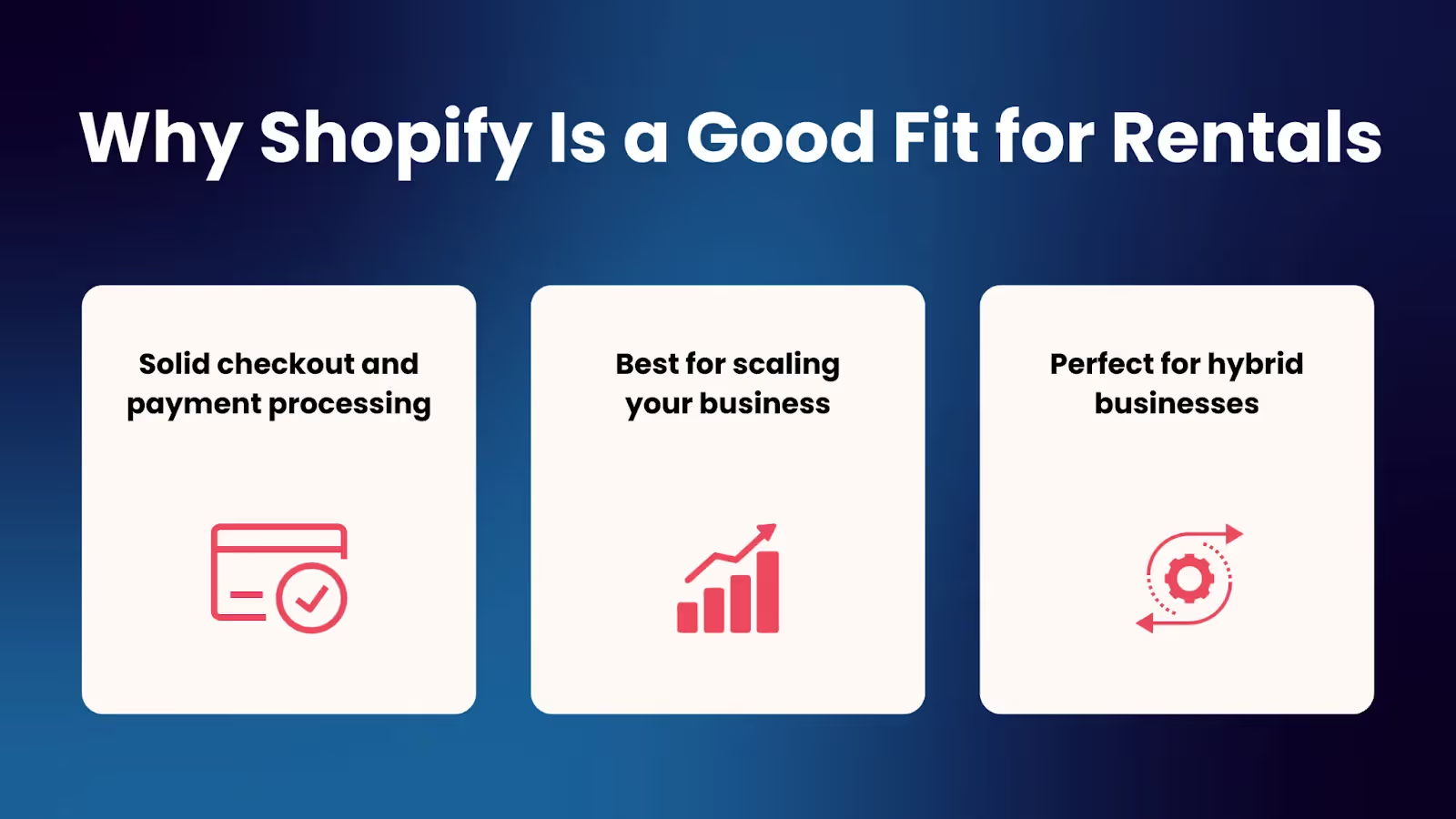
First, the good news: Shopify has great advantages when it comes to running a rental business. Here are the reasons why:
1. Solid checkout and payment processing
To run a Shopify rental store, you still need all the basics:
- Secure payment processing
- Automatic tax calculations
- Easy refunds when plans change
- Professional receipts
Shopify's checkout handles all of this better than most e-commerce platforms. You get Shopify Payments (or your choice of payment gateways), PCI compliance built in, and a checkout flow that customers trust.
This is a huge start compared to building something custom or switching to a new platform.
2. Best for scaling your business
Whether you're starting small with 5 products to rent out or scaling up to 50 products across multiple locations, Shopify handles it smoothly. You don’t have to suddenly need to rebuild everything from scratch.
The same store that handles 10 bookings a month can handle 1,000 easily as long as your Shopify rental app can keep up.
3. Perfect for hybrid businesses
Here’s what I like most about Shopify: most rental businesses don't just rent. They also sell.
Think about it:
- A camera rental shop also sells SD cards, batteries, and lens cleaners
- A dress rental boutique sells accessories and jewelry
- An equipment rental company sells protective cases and cleaning supplies
On Shopify, you can mix sales and rentals in one store. Many rental-only platforms struggle with this or force you to run separate systems. With Shopify, it's all under one roof.
Understanding Your Shopify Rental Type
Before you install any apps in your store, you need to know what type of rental business you're actually running. Not all rentals are the same, and choosing the wrong app and setup can cause problems down the line.
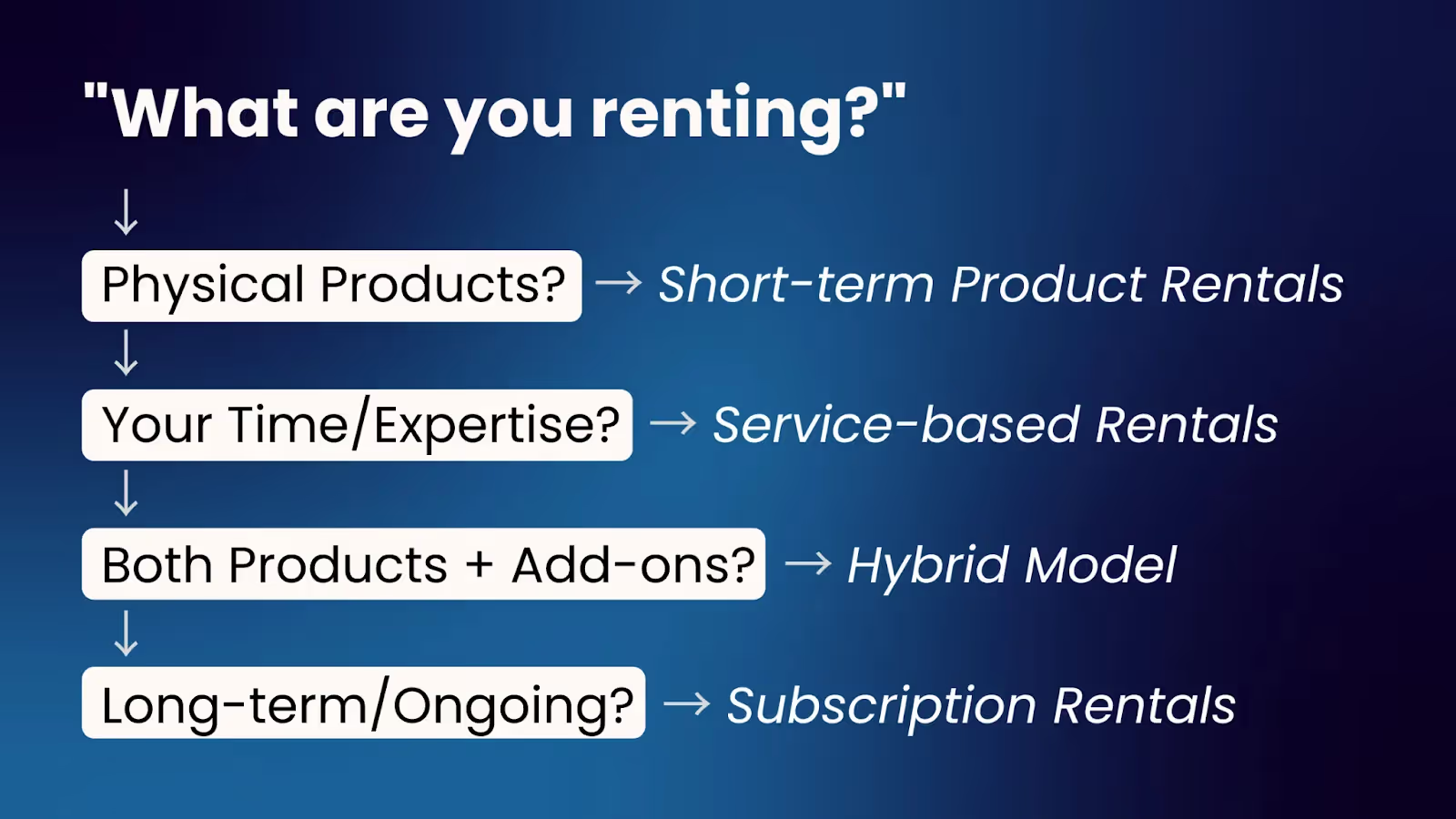
1. Short-term product rentals
Examples: Cameras, event equipment, party supplies, wedding dresses, tools
What you need:
- A calendar where customers can select start and end dates
- Availability blocking (so people can't book something that's already out)
- Multi-day booking support with clear pricing per day
This is the most common Shopify rental use case. If you're renting physical items that go out and come back, you're in this category.
2. Service-based rentals (time-slot bookings)
Examples: Consultants, coaches, salons, photographers, workshops, and meeting rooms
What you need:
- Time slot selection (not just full days)
- Staff or resource availability management
- Buffer time between appointments
- Calendar integrations
If customers are booking your time or expertise rather than renting a physical product, this is your category.
Apps like BookX are especially strong here because they're built around calendars and scheduling, not just inventory.
3. Hybrid rental + sales models
Examples: Rent a suit but buy the tie, rent equipment but purchase accessories, rent with an option to buy
This is where Shopify's flexibility really pays off. You can have regular products that people add to their cart and buy immediately, alongside rental services that require date selection. Just make sure to keep them separate in the checkout flow.
4. Long-term or subscription-based rentals
Examples: Rent-to-own furniture, monthly equipment subscriptions, long-term storage
Reality check: This is the hardest type to manage on Shopify. Most rental apps struggle with ongoing subscriptions, automatic recurring charges, and open-ended rental periods. You'll likely need custom workflows, Shopify subscriptions, or manual tracking.
If this is your business model, proceed carefully and test everything thoroughly before going live.
How to Choose the Right Shopify Rental App
Here's what actually matters when picking a rental app:
1. Clear availability display
Your customers should be able to see what slot is available and what's already booked. If they have to click into each product individually just to check if it's free on their dates, your conversion rate will tank.
Look for apps that show availability upfront in a calendar view.
2. Support for your booking type
Make sure your app actually supports:
- Hourly bookings (for service businesses)
- Full-day rentals (for equipment)
- Multi-day bookings with accurate pricing
Don't assume all rental apps do all of these. Some are built for products, some for services, and some try to do both.
For example, BookX handles short-term and service rentals really well. You can try it if it suits you.
3. No double bookings — ever
This is a mandatory feature. Your app needs to:
- Lock time slots the moment someone books
- Prevent overlapping reservations
- Update availability in real-time across all channels
A single double booking can cost you a customer, a bad review, and hours of apologizing and rescheduling.
4. A clean, simple booking flow
The best rental experience looks like this:
- The customer picks the date and time
- Proceed to checkout and pay
- Get a confirmation
If the booking flow feels complicated, they'll abandon before they ever pay. Make sure to keep it simple.
How to Set Up Shopify Rentals on Your Store
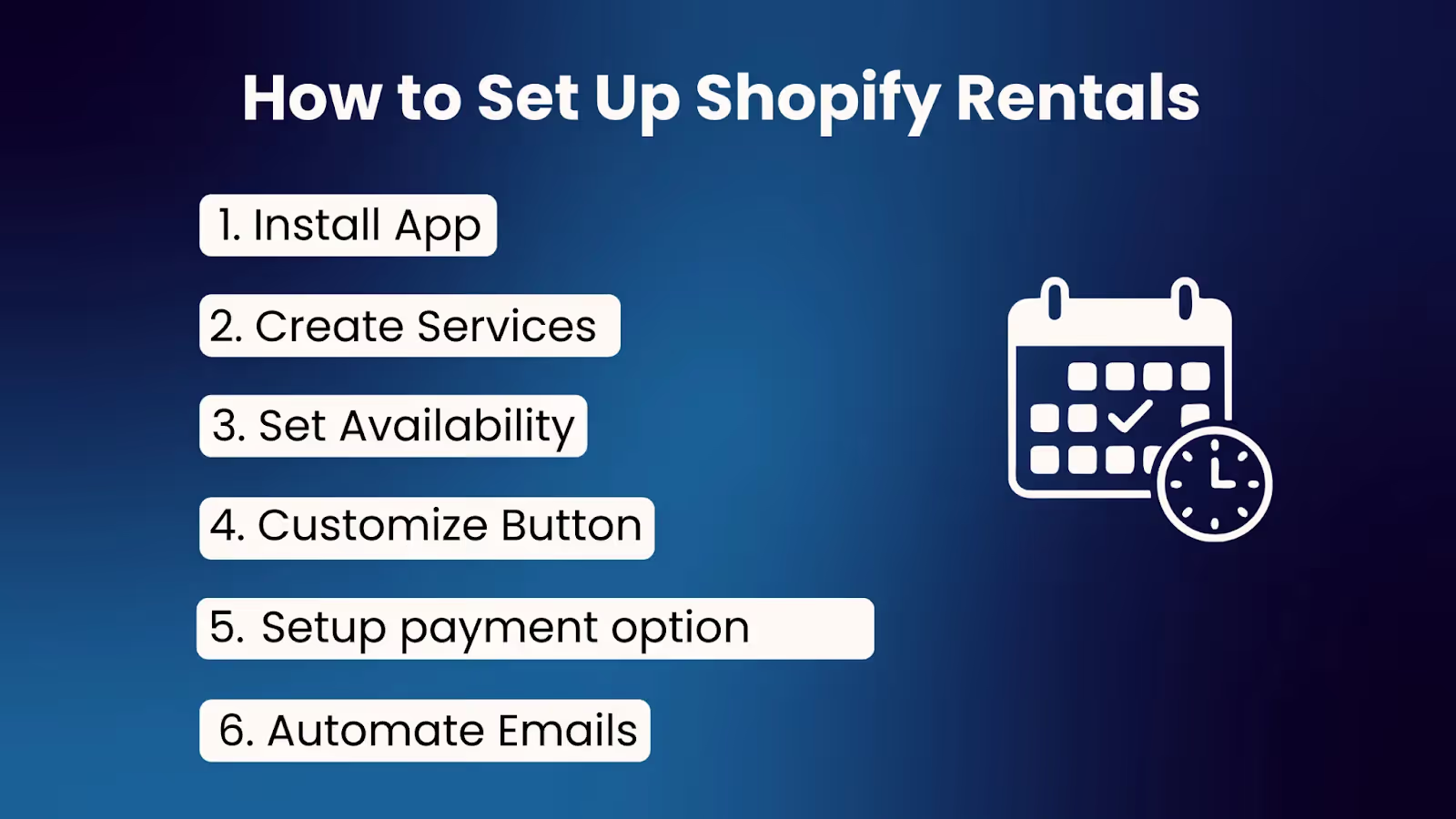
Step 1: Install a Shopify rental app
Start by adding a rental app from the Shopify App Store. Apps like BookX give you:
- Booking calendars built into your product pages
- Date and time selection tools
- Automated confirmation emails
- Availability management
Choose based on your rental type (product vs. service), not just what everyone does.
Step 2: Create rentals as services, not fake products
This is where most Shopify merchants mess up. They try to create rentals as regular Shopify products with variants like: 1 day, 2 days, 3 days.
Don't do this. It's super confusing,
Instead:
- Create rentals as bookable services or items within your rental app
- Define the duration, availability, and pricing rules clearly
- Let the app handle the calendar logic
This keeps everything clean for both you and your customers. No weird product variants, no inventory confusion, just straightforward bookings.
Step 3: Set availability, buffers, and working hours
Before you start taking bookings, configure:
- Operating hours - When are you actually available?
- Break times - When do you need lunch, prep time, or just a breather?
- Buffer time - How long do you need between bookings for cleaning, prep, or travel?
For example, if customers rents an equipment, you might need a 1-hour buffer after each return to check the gear and repackage it. For a salon booking, you might need 15 minutes between appointments to clean up and reset.
These buffers prevent burnout and scheduling chaos.
Step 4: Replace ‘Add to Cart’ with ‘Book Now’
The words and buttons you use matter. For rental bookings:
- "Add to Cart" feels transactional and product-focused
- "Book Now" feels intentional and service-focused
BookX and similar apps let you customize this button while keeping the standard "Add to Cart" for physical products you're selling. This small change makes the experience feel more appropriate and can actually improve conversion rates.
Step 5: Configure your payment options
I’m going to explain this in detail because it’s an effective strategy for Shopify rentals. This is where rental businesses have unique needs compared to regular product sales.
Here’s a payment feature from the BookX app:
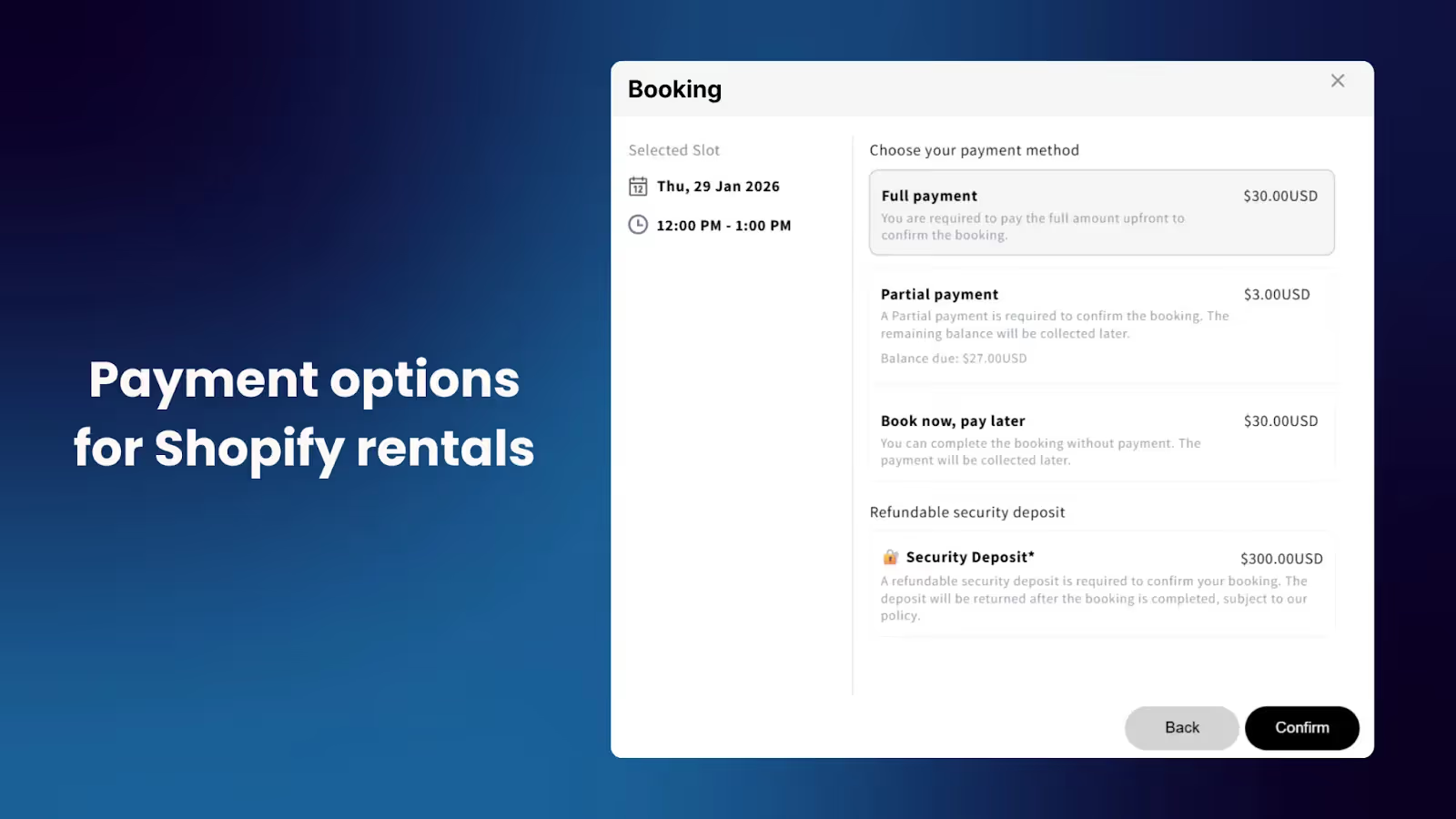
1. Full payment upfront
The customer pays the entire rental amount when they book. This is the simplest option and works well for:
- Lower-value rentals
- Short-term equipment rentals
- Service bookings where no-shows are rare
Set a clear label like "Total Rental Fee" so customers know exactly what they're paying for.
2. Partial payment (deposit + balance)
The customer pays a deposit to secure the booking, then pays the balance later. You can set this as:
- A percentage (e.g., 30% deposit, 70% due later)
- A fixed amount (e.g., $50 deposit)
For the balance, you can require payment:
- On arrival/pickup
- X days after checkout (e.g., 3 days before rental date)
- On a fixed date
This works great for:
- High-value equipment rentals
- Event bookings where cancellations happen
- Long-term rentals
3. Book now, pay later
Customers can reserve a slot without paying upfront. This might sound risky, but it's perfect for:
- In-person appointments where you collect payment at the location
- Consultations that need approval first
- Free services or events
You can still create a Shopify order to track the booking even without payment.
4. Refundable security deposit
Add a separate security deposit on top of the rental fee. This protects you against:
- Damage to equipment
- Late returns
- Missing items
For example, rent a camera for $100 + $200 refundable deposit. You refund the deposit after the item comes back in good condition.
Pro tip: You can also add payment discounts for early bookings or repeat customers to incentivize reservations.
Choose the payment structure that matches your business model and risk tolerance. You can always adjust it later based on how customers respond and what issues you encounter.
Step 6: Automate confirmations and reminders
Manual follow-ups are exhausting and easy to forget.
Instead, set up:
- Automatic confirmation emails when someone books
- Calendar invites (especially for service bookings)
- Reminder notifications 24-48 hours before the booking
This alone reduces no-shows by a significant margin. People are busy. So, a simple reminder helps your customers stay on track.
Shopify Rental Features That Make a Real Difference
1. Google Calendar sync
Integrate your rental app with Google Calendar so:
- Personal events automatically block availability
- You avoid double-booking yourself
- You can manage everything from one calendar
This is especially critical if you're running a service-based rental (consulting, coaching, etc.) where your personal schedule matters.
2. Buffer time/days for preparation or cleaning
If you're renting physical items, especially clothing, equipment, or event gear, build in buffer days for:
- Cleaning
- Inspection
- Repairs
- Restocking
A wedding dress can't go out the same day it comes back. Build that reality into your availability rules from the start.
3. Custom booking fields (but not too many)
Only ask for what you actually need:
- Event date
- Special requests
- Delivery notes
- Contact number
Every extra field you add drops your conversion rate. If you don't truly need it, cut it. You can always follow up later if necessary.
Dos and Don'ts of Shopify Rentals
Upon talking with many Shopify merchants and some research, I have come up with some dos and don’ts of Shopify rentals. Check it out!
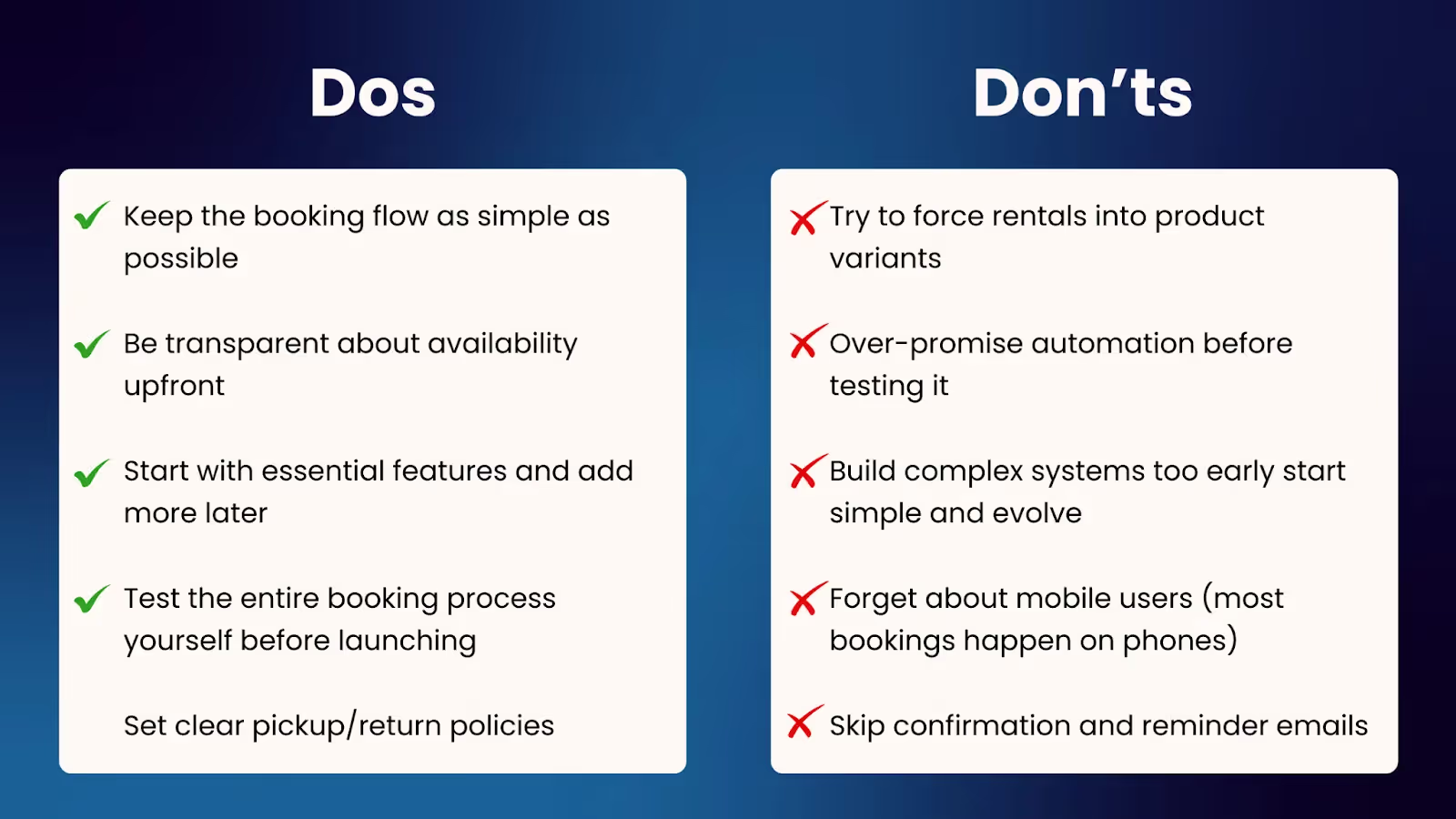
Do:
- Keep the booking flow as simple as possible
- Be transparent about availability upfront
- Start with essential features and add more later
- Test the entire booking process yourself before launching
- Set clear pickup/return policies
Don't:
- Try to force rentals into product variants
- Over-promise automation before testing it
- Build complex systems too early — start simple and evolve
- Forget about mobile users (most bookings happen on phones)
- Skip the confirmation and reminder emails
What next?
Shopify wasn't built specifically for rentals, but that doesn't mean it can't work really well for your business.
By using a booking app like BookX, you can turn your Shopify store into a reliable rental business. No complexity overload, no expensive custom development, just a straightforward setup with an app that works.
At the end of the day, rentals are about trust and convenience. If your customers can easily pick a date, pay securely, and get instant confirmation, you're already ahead of most rental businesses out there.
Want to get started?
Try the BookX app on your Shopify store and set up your first rental in under 10 minutes. No complicated setup, no hidden fees, just a simple way to start taking bookings right away.
.avif)
.avif)
.avif)
.svg)
.svg)
.svg)


.svg)