.svg)
How to add a Shopify Calendar App for Service Businesses
Last updated on
May 15, 2026
.avif)
Shopify isn’t just famous for selling products but also for offering services like consultations, workshops, equipment rentals, or appointments.
But with a standard ‘Add to Cart’ button, you can’t make it work. Your clients don't want to ‘add to cart’ an appointment; they want to book.
With a Shopify calendar app, you can add features such as a booking calendar to your store. You can even create services without even linking to a product. (More on it later.)
In this blog, I’ll walk through why you need one, the best apps to choose from, and exactly how to set up a Shopify calendar app.
Why Service Businesses Need a Dedicated Shopify Calendar App
Imagine a customer wants to book a 1-hour consultation. Without a calendar app, they purchase a ‘product’ on your store. Then, you have to email them to find a time. You go back and forth three times.
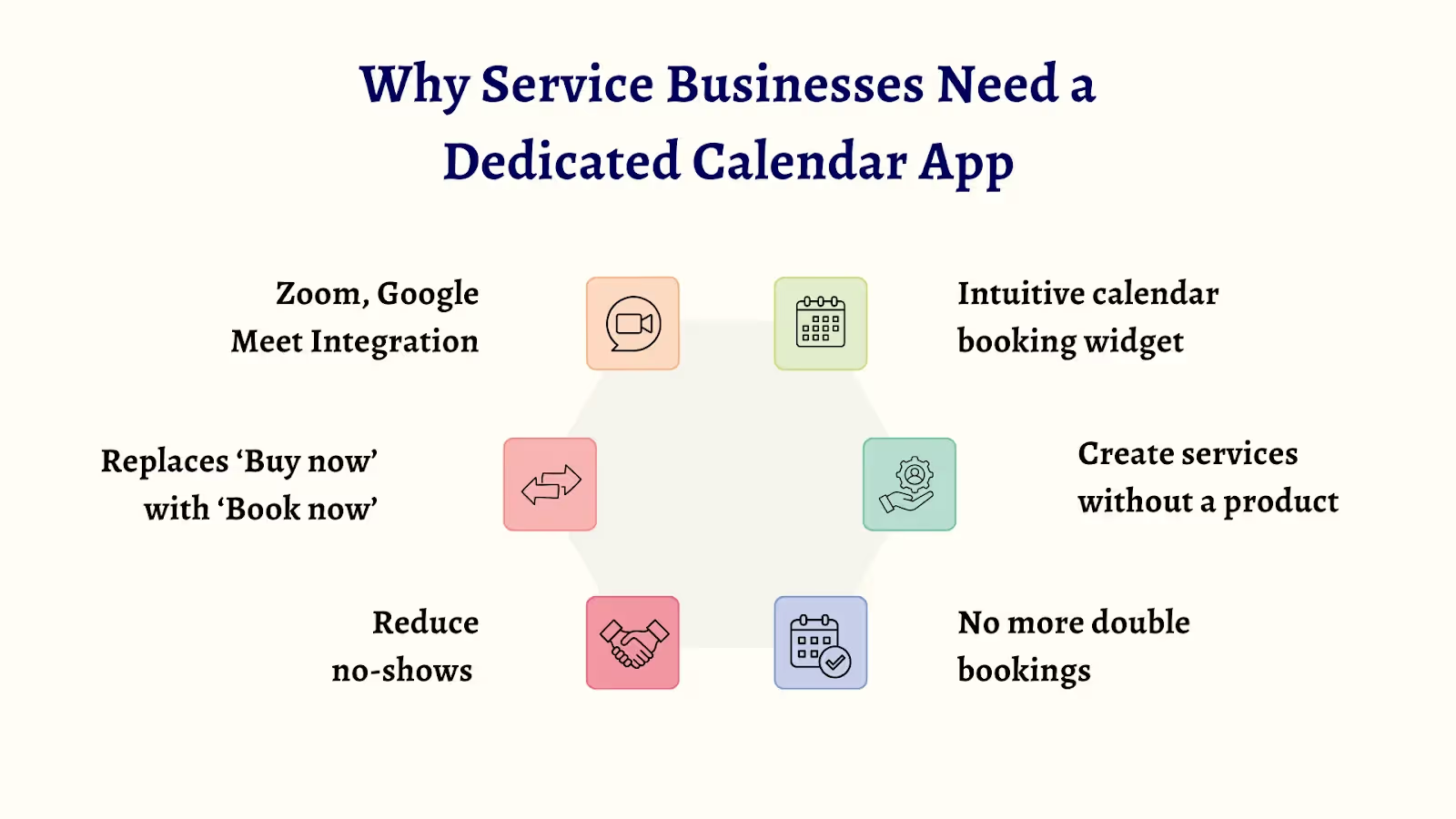
A dedicated Shopify calendar app solves this instantly.
- Intuitive calendar booking widget
With this app, you have a bookable calendar that allows customers to book dates and time slots. You can set the duration of each slot and even add working hours and break timings.
- Create services without a product
Unlike creating a product as a service with Shopify, you can create a service without a product. You can do this exclusively with a Shopify calendar app.
- No more double bookings
One slot booked by a customer cannot be booked by another. This solves the double-booking problem.
- Reduce No-Shows
With the app, you can send automated email reminders so your clients actually show up.
- Replaces ‘Buy now’ with ‘Book now’
The app replaces the ‘Buy now’ with a ‘Book Now’ button that helps customers understand (and book) your services.
- Zoom, Google Meet + Calendar Integration
If you are a coach or consultant, these apps can auto-generate Zoom or Google Meet links and send them to the client instantly. It even create a event in the Google Calendar for both of you.
How to Add a Shopify Calendar App to Your Store (With BookX)
Now, let’s see how to add a Shopify Calendar app to your store. This will help you display a calendar for your customers to book the services you offer. We’ll use the BookX app for this example.
Let’s take a Hair Salon as a use case for this. Here’s the scenario:
“A hair salon named xxx needs a calendar booking system to help customers book hair styling services. Each session is about 60 minutes. There are 2 hair stylists, so customers can book the ones they want.”
Here’s how it looks with a Shopify calendar app:
- You create a service with or without tying to a product.
- Customers can view a calendar and time slots in your store.
- They select the date and time slot and enter personal information.
- They click ‘Book now,’ and it goes directly to the checkout page, and the customer pays for it.
- You and the customer will receive the appointment details via email, along with a link to cancel or reschedule the appointment.
See, it’s that simple and effective.
Check out this video to see how it’s done
How to Add a ‘Book Now’ Button for booking in Shopify
The Why: Did you know you can add a ‘Book now button’ on your home page? If a customer visits your store, you can display your favorite service and a ‘Book now’ button. This acts as a fast-pass system, capturing potential clients instantly.
The How: Most apps, including BookX, will automatically swap the button on your product pages. But the real unique feature is the ‘Universal Booking Link’.
- A link you can place anywhere on your store that opens your booking calendar. You can place the book button on your homepage or even a landing page.
- You can turn any page into a booking page.
How to remove the ‘Add to cart’ button for booking in Shopify?
The Why: ‘Add to Cart’ feels weird for a service. Nobody ‘adds’ a haircut or a consultation to a cart; they schedule it. Keeping that ‘Add to cart’ button creates friction and makes your business look like a standard retail store.
The How (Hybrid Approach):
Sometimes, you might sell products apart from the services you offer. For example, a hair salon store might sell shampoos or serums apart from hairstyling.
To solve this, you can remove the button only for your service products, keeping the shopping cart active for your physical products. This gives you the best of both worlds.
How to skip the cart page for bookings in Shopify?
The Why: Every extra click costs you customers. If a customer selects a time slot, then has to go to a ‘Cart’ page, review it, and then click ‘Checkout.’ This flow creates friction. You might want to offer a ‘Uber-like experience’ like pick a time, pay, and they’re done.
The How: This feature is often called ‘Direct Checkout.’
- In the BookX app settings, you can enable a redirect that bypasses the cart entirely.
- As soon as your customer clicks ‘Confirm Time,’ they land on the payment page. This reduces drop-offs significantly and makes your service feel premium and efficient.
How to Sync Google Calendar to Shopify for bookings?
The Why: This is the most critical step for your service business. When you sync Google Calendar to your bookings, both you and your customers will get notified by creating an event. This will help you and your customer be informed of the booking.
The How: By enabling 2-Way Sync in the app dashboard:
- Every new booking instantly appears on your Google calendar.
- You can even set it up so the appointment is automatically added to your customer’s calendar, reducing no-shows.
- When you have a personal event on your calendar, the slots are automatically blocked for customers.
How to automatically send Google Meet links for the bookings on Shopify?
The Why: If you offer virtual appointments like personal yoga classes or therapy sessions, manually creating a meeting link for every single customer is a waste of time and energy.
The How: Just like syncing your calendar, you can sync your Google Meet (or Zoom) account directly to the app.
- The moment a customer books, the app instantly generates a unique Google Meet link for that specific session.
- Both you and your customer receive the link immediately in the confirmation email.
- The best part? The app automatically embeds that link into the Google Calendar event for both of you.
Conclusion
Adding a Shopify calendar app can completely change how your service business runs. Instead of ‘Add to Cart’ flows, endless emails, and manual scheduling, you give customers a smooth, calendar-based way to book time with you, instantly.
You can show real-time availability, prevent double bookings, collect payments upfront, and send automatic reminders. It saves time, reduces no-shows, and makes your business feel way more polished.
Whether you’re a solo consultant, a salon with multiple staff, or a growing service brand, apps like BookX make it easy to turn your Shopify store into a proper booking system.
Once customers can book you in a few clicks, everything else starts to fall into place. Your time matters, and your website should respect that.
Frequently Asked Questions (FAQs)
1. Does Shopify have a calendar booking system?
No, Shopify does not have a built-in booking system. It is designed primarily for physical products. To add a booking feature for your services, you can install the Shopify calendar booking app (like BookX) from the Shopify app store.
2. What is the best calendar app for Shopify?
There are many calendar apps for Shopify, but if you wish to go for an affordable, user-friendly, and one that supports multiple bookings, team members, locations, and more, you can go with the BookX app.
3. Are there free Shopify booking apps with no limitations?
Many Shopify booking apps offer a free plan with unlimited booking like BookX. To start off, you can choose the free plan, try the app, and then move to the paid plans.
4. How to integrate the Shopify booking app with Google Calendar?
Most top Shopify booking apps (like BookX), let you sync with Google Calendar. This ensures that:
- Bookings made on Shopify instantly block off time on your personal Google Calendar.
- Events on your personal calendar (like Doctor's Appointment) automatically make that slot unavailable on your Shopify store.
5. How to customize booking forms in Shopify apps?
If you need to ask questions like ‘What is your hair type? or any other questions, before the appointment, look for an app that supports ‘Custom Fields’ or ‘Intake Forms.’ Apps like BookX allow you to add text boxes, dropdowns, and checkboxes directly to the booking widget so you get all the info you need upfront.
.avif)



.svg)
.svg)
.svg)


.svg)