.svg)
8 Common Mistakes to Avoid in Shopify Preorders
Last updated on
May 15, 2026
.avif)
Every Shopify store is constantly looking for smarter ways to increase sales and maximize revenue. One of the most effective e-commerce strategies for boosting sales and AOV is using Shopify preorders and backorders.
Initially, I tried the preorder plan in my store without using any third-party preorder apps. But it resulted in a significant loss due to difficulties in managing orders.
Then, I tried multiple Shopify preorder apps and found the Preorders Now & Backorder Dibs app from the Shopify App Store. It is completely free, comes with many built-in features, and is also easy to set up, making it highly user-friendly.
It also offers well-explained user guides and free setup assistance, which helped me clear all my doubts and gain a proper understanding of how to set up preorders on Shopify.
What are Shopify preorders & backorders?
Lack of order due to low stock? Continue accepting orders regardless of what stage your product is in. With Shopify preorders and backorders, receive orders now and ship the products later.
No revenue because of no stock? Instead of showing your products as sold out, you can allow customers to order by using Shopify preorders to keep you paid, irrespective of stock availability.
Shopify pre-orders are a powerful strategy to boost sales and manage demand effectively. Preorders are ideal for limited-edition items, early-bird deals, and new product launches to acknowledge the customers that something special is to be launched.
Here is an example of a Shopify store adding a preorder on its product.
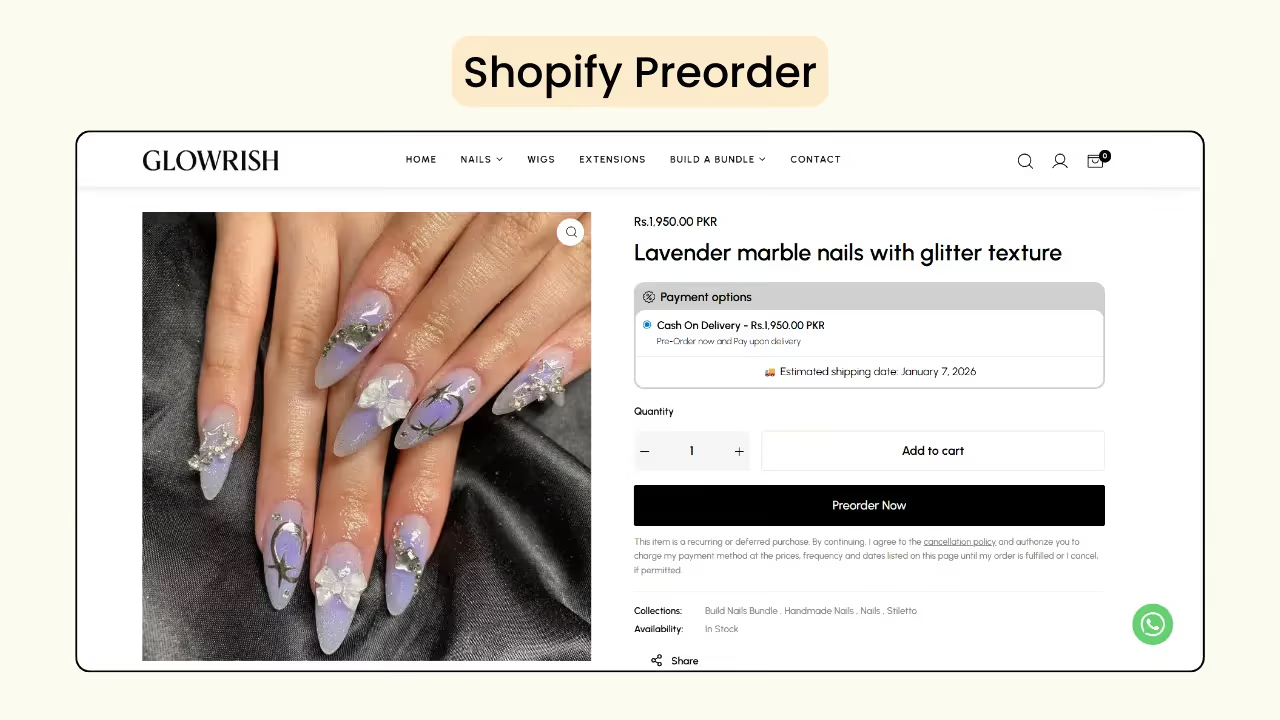
Similarly, Shopify backorders are used for the products that are out of stock and will be restocked soon. It is used to attract customers to purchase your best-selling products even when you don't have the stock in hand.
How do Shopify preorders boost Shopify sales?
Shopify preorders and backorders are strategic tools to increase conversions, earn revenue and build anticipation for upcoming products.
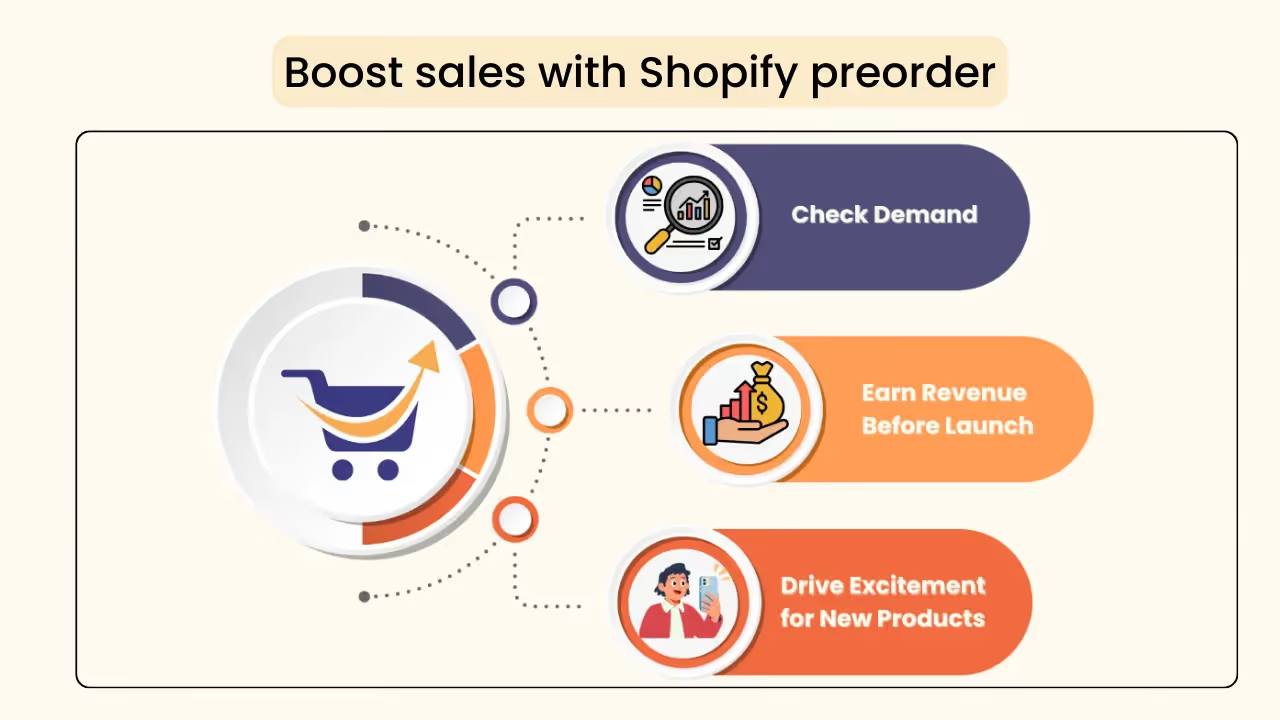
- Check the demand
If you are launching a new product, and are confused whether customers will like it or not. You can find the demand for that product by adding a Shopify preorder. This also helps you finalize how many units to manufacture or purchase for sale, preventing losses.
- Earn revenue before launch
Customers will pay you to preorder the product, so you will get the revenue even before the stock arrives. This will also help you bear the manufacturing costs and the marketing costs.
- Drive excitement for new products
You can boost customer excitement by letting them know about the next product to be launched, and by allowing them to reserve their product even before it hits the market.
Shopify preorders: Common mistakes & fixes
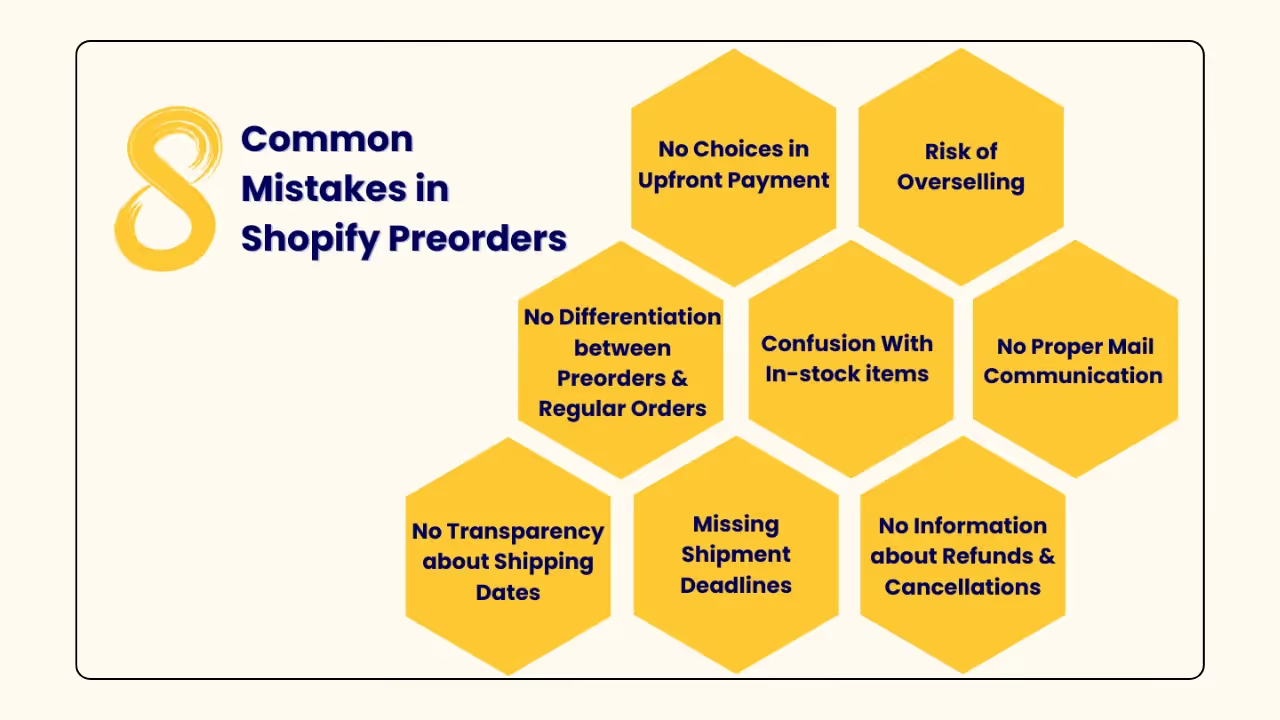
Preorders can be a powerful growth strategy, but when executed incorrectly, they can lead to customer dissatisfaction and revenue loss. Understanding the most common mistakes will help merchants avoid issues and build brand trust.
Let’s discuss some common mistakes in Shopify preorders and possible ways to avoid them and boost your sales on Shopify.
• No differentiation between preorders and regular products
There is no visible indication that the product is a preorder or a regular product. There is only a small mention in the product description.
If customers consider it a regular item and then know that it is a preorder, there are high chances of order cancellation and even adding a negative review for the product.
How Dibs addresses it:
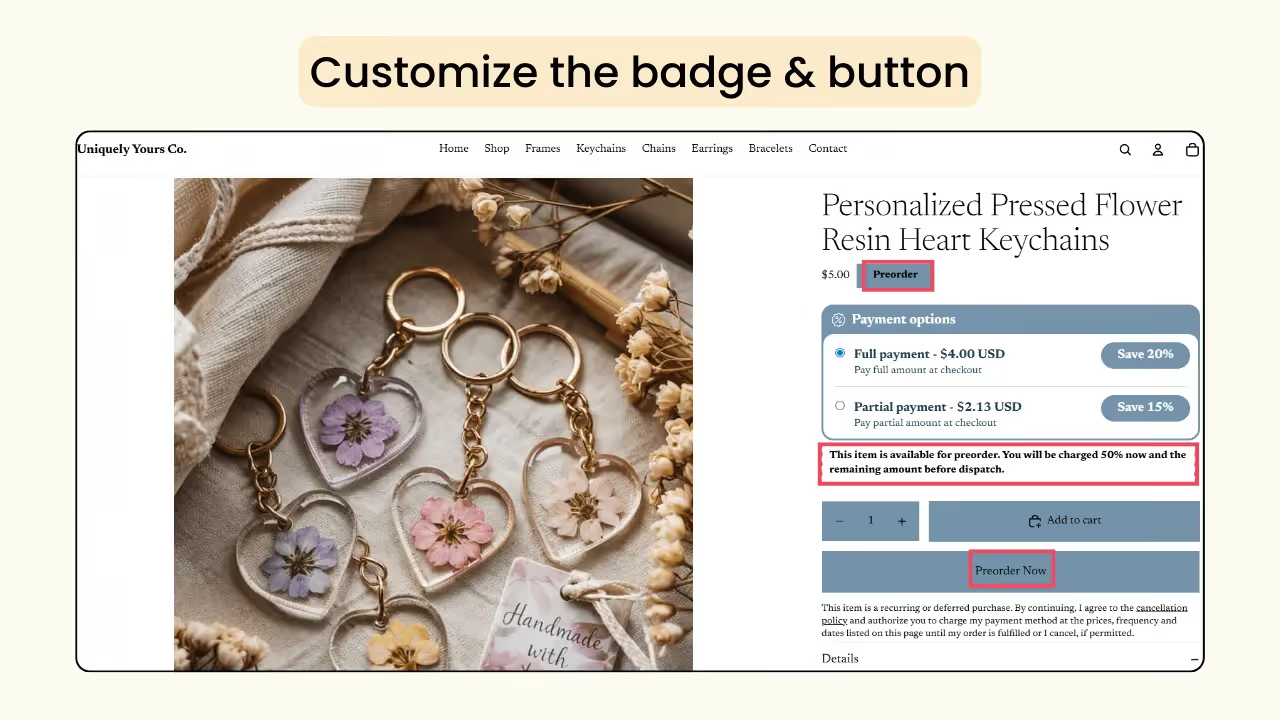
To avoid confusion between regular items and preorder items, add a badge indicating it is a preorder at the top of the product.
Instead of the regular ‘Add to Cart’ button, you can customize the preorder button to your choice, such as ‘Preorder Now’.
You can also add detailed information about the preorder plan, shipping details, and payment information in the payment terms to improve transparency.
• No choices in upfront payment
Customers may be hesitant to pay for a product that will be delivered months later. Requesting full payments may increase hesitation in accepting the offer and result in lower conversions.
How Dibs addresses it:
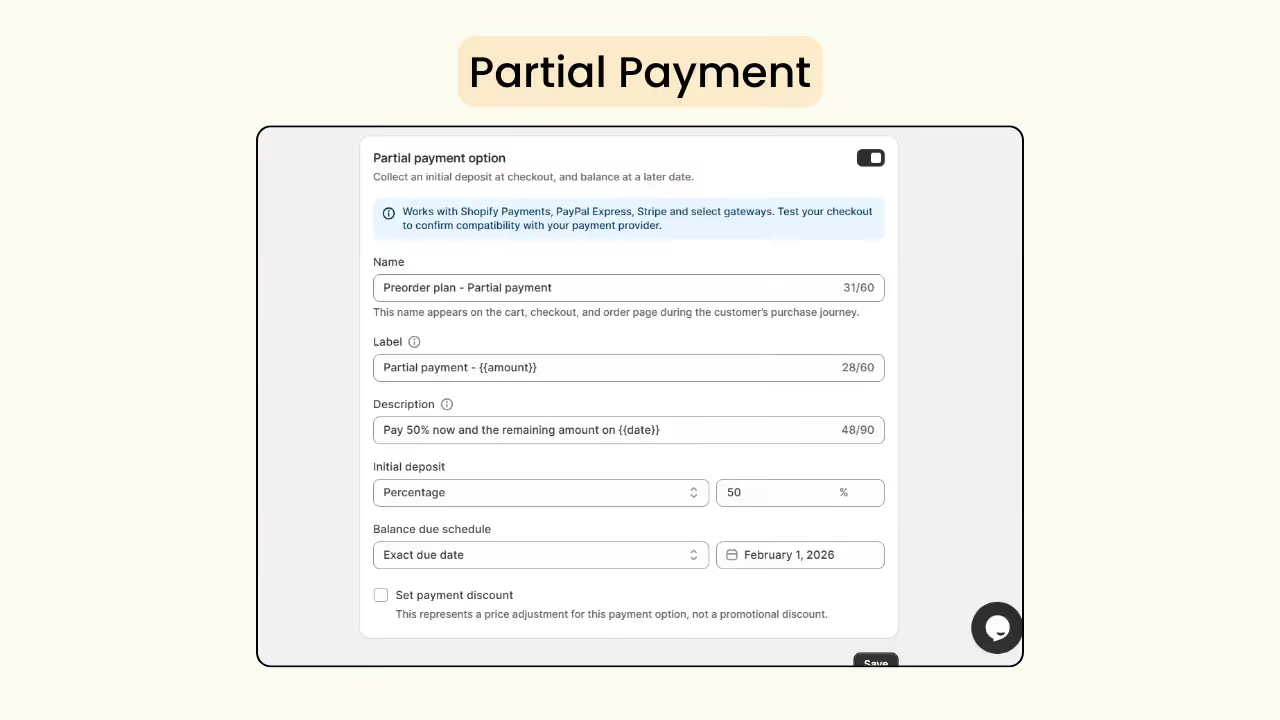
To increase your conversion rate, the Dibs payment option selector offers two choices: full payment and partial payment. With partial payments, you can set the initial deposit to 0% and opt for a Book Now, Pay Later option in your store. It will be an added advantage to choose your plan, as the customers don't have to pay full price for an out-of-stock product.
Since they are paying in two different installments, they may also find it affordable. You can customize all the details, including the initial deposit amount, discounts, and more.
• No transparency about the shipping dates
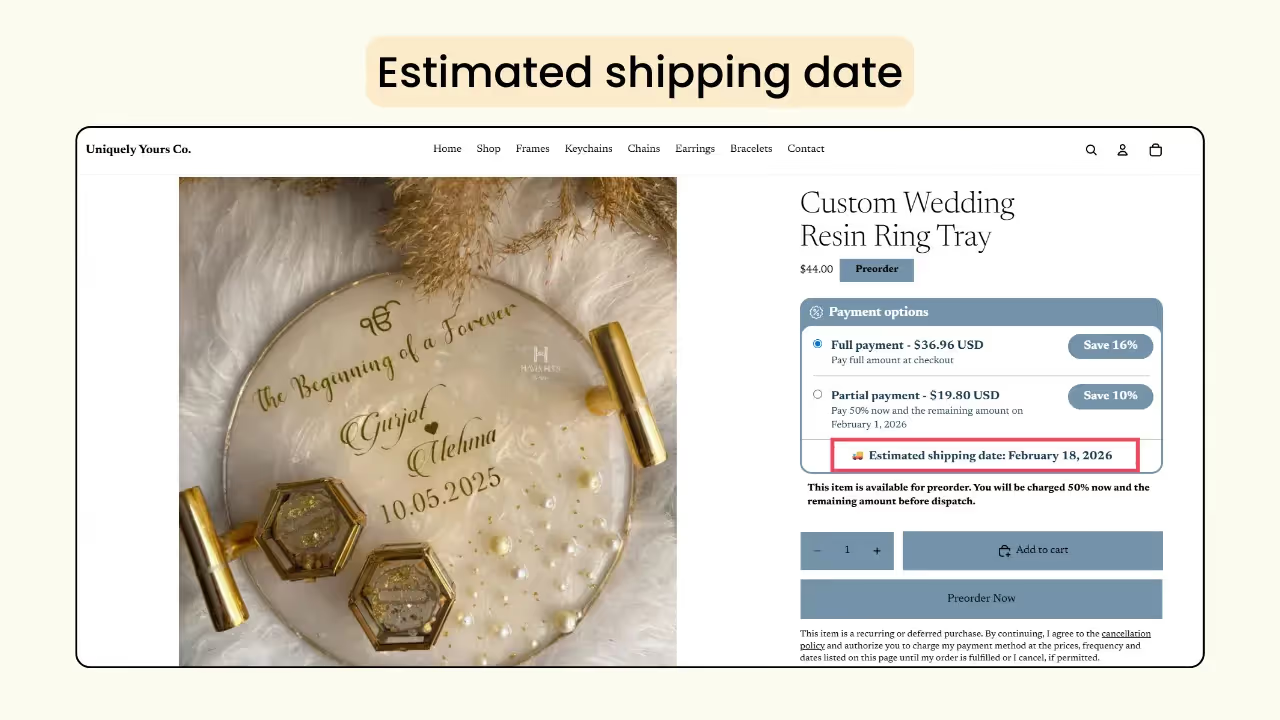
Since it’s a preorder, the customer must be aware of the estimated ship date. If there is a lack of transparency, it will impact your brand’s loyalty. This may also negatively impact the sales of your products.
How Dibs addresses it:
You can set an exact date in the Dibs app and highlight the estimated shipping date on your product page. This will help customers know when they will receive the product.
• No proper mail communication post-order placement
Once the order is placed, failing to provide customers with notifications or updates can lead to order cancellation and create a negative impression of your brand. Also, contacting each customer individually can be difficult.
How Dibs addresses it:
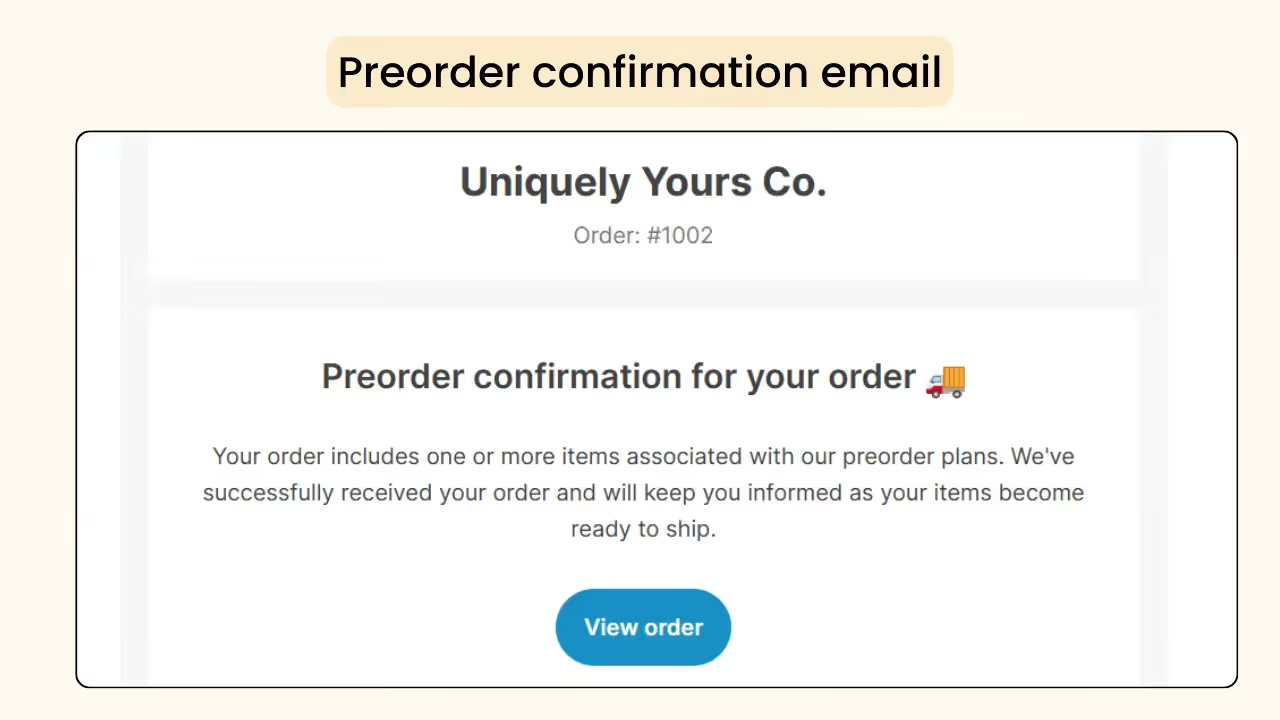
For this issue, you can set up automated emails to send order confirmations, early payment reminders, payment due notifications, and payment follow-ups to your customers. You can also customize the text on what should be sent.
• Missing shipment deadlines
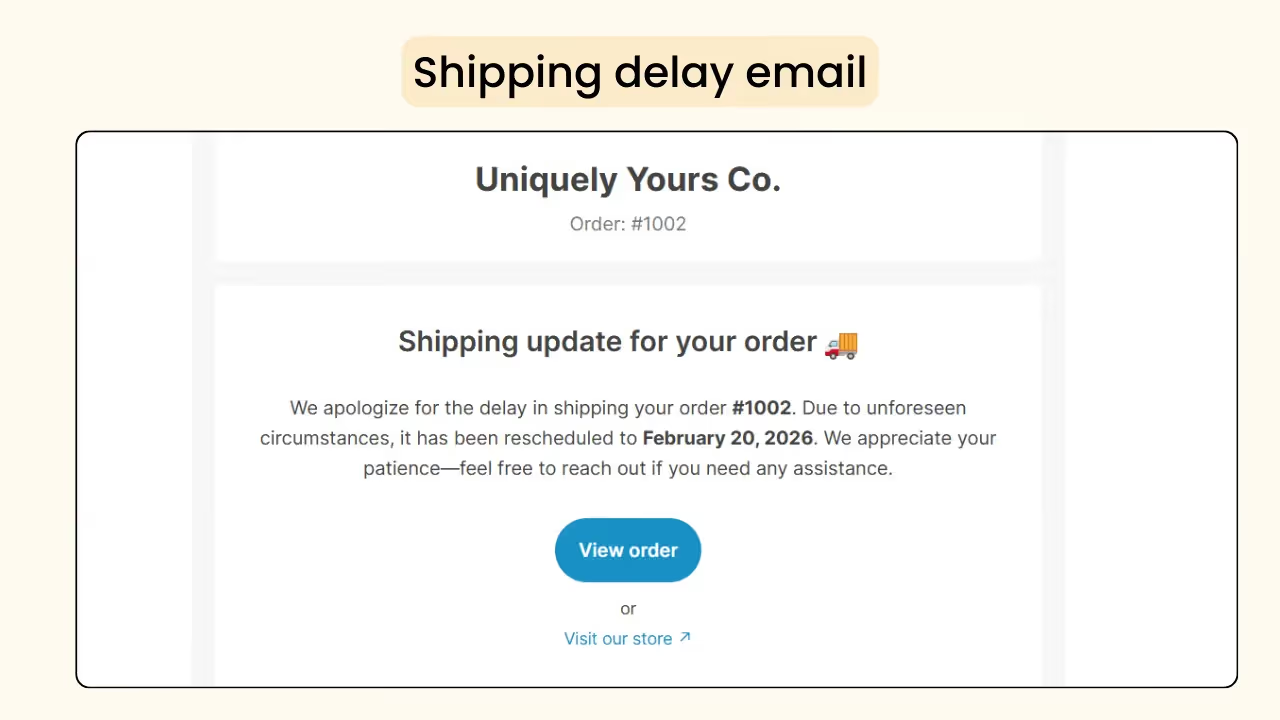
In some cases, stock arrival may be delayed, or unexpected issues may occur, which could affect product shipment within the stipulated date. You will have to inform the customers about the issue and when the product will be shipped.
How Dibs addresses it:
You have the option to send shipping updates to inform customers of the order status, such as whether it is being packed or shipped.
In case of any delays in shipment, you can send shipment delay emails with the updated shipping date.
• Overselling risk
Some merchants make the mistake of over-promising by keeping Shopify preorders open for extended periods, resulting in a large number of orders. Later, they may be unable to ship the products on time due to insufficient stock, resulting in delays, order cancellations, and a loss of customer trust.
How Dibs addresses it:
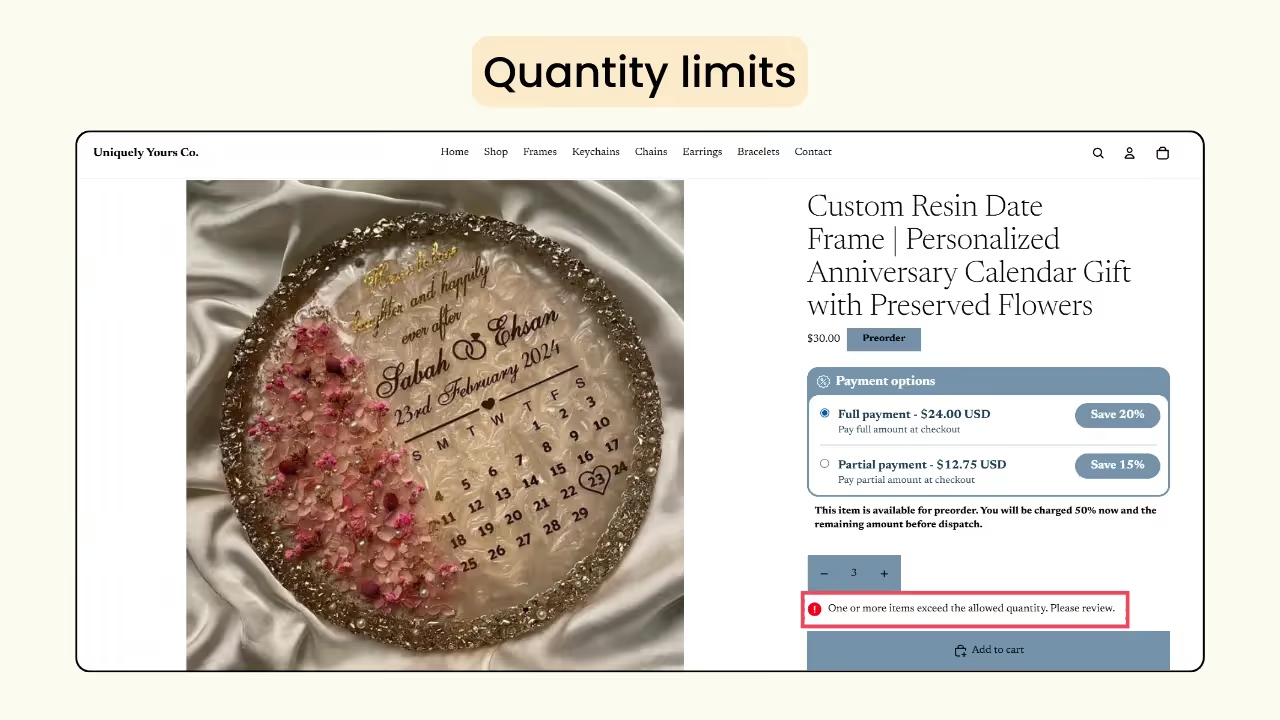
Based on the units manufactured or purchased, you can set a quantity limit for the Shopify preorder plan. Once the quantity limit is reached, preorders will end. If the inventory is negative, you can manually turn off the ‘Continue selling when out of stock’ option on the product page to avoid infinite selling.
If a customer places an order that exceeds the quantity limit, they will receive a warning message, as shown in the image below, and the product will not be added to the cart.
• Confusion with in-stock items
When a person orders a preorder item and a regular item together, Shopify creates a single fulfillment by default. In such cases, merchants may miss shipping the pre-ordered item, as the fulfillment status will be marked as fulfilled once the regular item is shipped.
How Dibs addresses it:
Dibs App offer three shipping options for preorders, allowing you to choose the plan that best suits your stock availability.
- ‘Ship immediately’ follows Shopify’s default behaviour and does not create a separate fulfilment when an in-stock product and a preorder product are purchased together. These orders are marked as ‘Unfulfilled’ and can be shipped right away.
- With ‘Shipping on exact date’, the preorders and regular products are created as separate fulfilments. Orders are marked as ‘Scheduled’ and automatically change to ‘Unfulfilled’ on the specified date.
- “Shipping dates to be finalized” also splits preorders into a separate fulfillment and marks them as “On hold” until a shipping date is added.
.avif)
These options help prevent missed shipments and ensure smoother order management. If you use a third-party shipping or fulfillment tool, it’s recommended to test the complete workflow before going live with the plan.
• No information about cancellations & refunds
No cancel button is visible, so customers are unable to cancel their order. Additionally, a cancellation or refund policy is not available on the product page, which can create doubts about whether they can cancel the order or get their money back.
How Dibs addresses it:
You can add an order cancellation button to your customers through the Dibs app, which is not an in-built feature in Shopify.
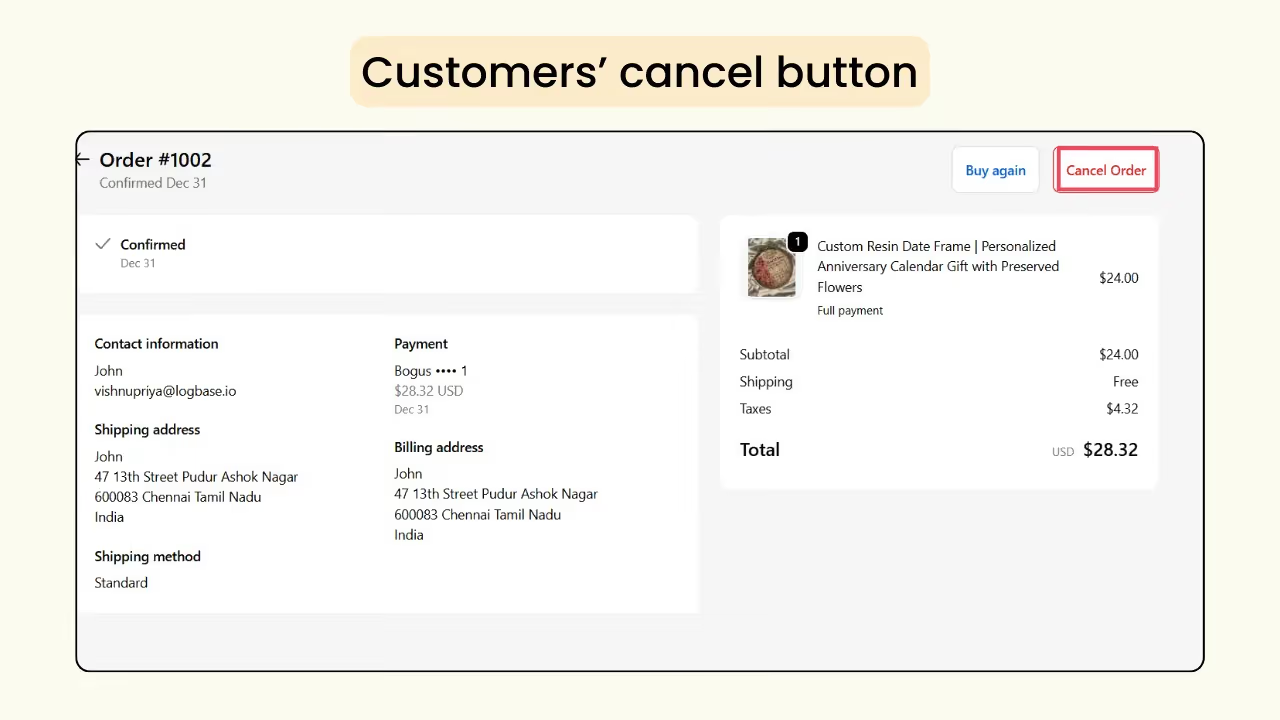
Below the preorder button, you will find a cancellation policy link that includes all details about the preorder plan, cancellation and refund. This ensures complete transparency and helps set clear expectations before customers place an order.
Tips to create the best Shopify preorder campaign
• Offer discounts to attract customers
One effective way to increase preorder conversions is by offering customers an additional discount to encourage early purchases. You can set preorder discounts individually for full payments and partial payments through the Dibs App.
.avif)
• Catchy captions about customer experiences
You can share reviews or feedback from your previous customers about their experience with your plan. This will build more trust in your customers to choose your brand and your plan. You can also add statements like ‘1500 Have Reserved Theirs! It's your Turn.’
• Create urgency for the customers
You can create a sense of urgency by using terms like ‘Only 10 items left in stock’, encouraging customers to place their order sooner. This strategy helps increase conversion rates by creating quicker purchase decisions.
Wrapping up!
By implementing the strategies mentioned above, you can boost your Shopify sales, along with a steady flow of orders and revenue, irrespective of the available stock.
Try the free Preorders Now & Backorder Dibs App now and optimize your store by setting up preorders in Shopify to attract more customers and maximize growth.
Frequently Asked Questions
1. Why do so many Shopify preorders fail?
Most Shopify stores lack transparency in shipping dates, refunds, and cancellations, and don’t offer partial payments or timely communication emails about shipping delays.
2. Does pre-order mean paying full price?
No. You can offer both full and partial payment options to your customers. With partial payments, you can collect an initial deposit first and charge the remaining amount later.
3. How to set up pre orders without an app on Shopify?
You can set up the Shopify preorders with or without an app. If you are familiar with coding, you can set up without the app. Otherwise, you can use any Shopify preorder app like Dibs to complete it in a few minutes.

.png)
.webp)
.svg)
.svg)
.svg)


.svg)