.svg)
9 Proven Shopify Preorder Strategies to Boost Sales in 2026
Last updated on
May 15, 2026
.avif)
Launching a product without knowing if people will buy it is risky and expensive. Many businesses produce in bulk only to realize later that there’s no demand. In such cases, Shopify preorders offer a smarter approach.
Customers can order before the product is available, helping you understand demand and produce the right quantity. Preorders also help you:
- Reduce risk
- Prevent overstock
- Improve overall business efficiency
Why choose Shopify preorders?
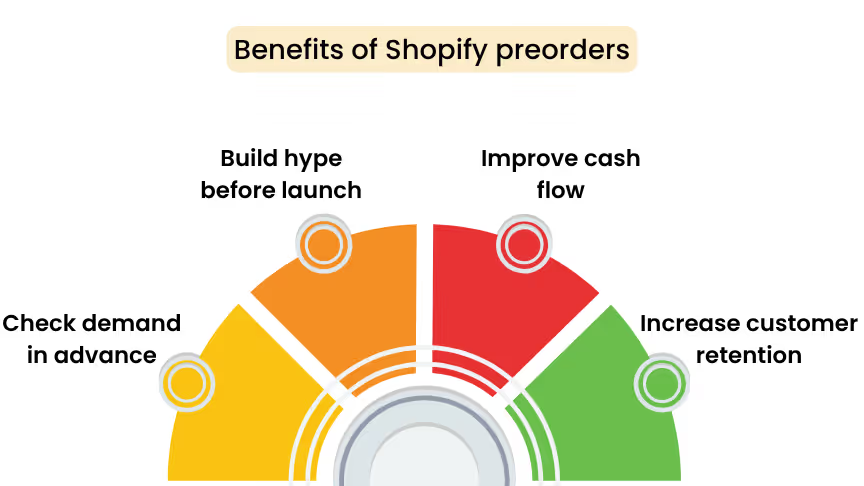
Here are the top 4 benefits of adding preorders to your Shopify store:
- Check demand in advance
Preorders help you understand customer interest before launching a product and reduce the risk of overproduction.
How can you do this?
Enable preorders on your product and track how many orders you receive within a period (e.g., one week). Use this data to decide the quantity to manufacture.
- Build hype before launch
Shopify preorders create excitement and anticipation, encouraging customers to engage with your product even before it’s available.
How can you do this?
Promote your preorder with “Coming Soon” labels and limited preorder slots to build anticipation before the official launch.
- Improve cash flow
Preorders allow you to generate revenue early, helping cover manufacturing and marketing costs.
How can you do this?
You can receive full payments and partial payments from your customers, which will be an additional source of income.
- Increase customer retention
Preorders give your customers a reason to stay connected with your brand and come back for future launches.
How can you do this?
Offer exclusive early access or special pricing to existing customers during preorders, making them feel more valued and encouraging them to place an order.
9 Best Shopify preorder strategies
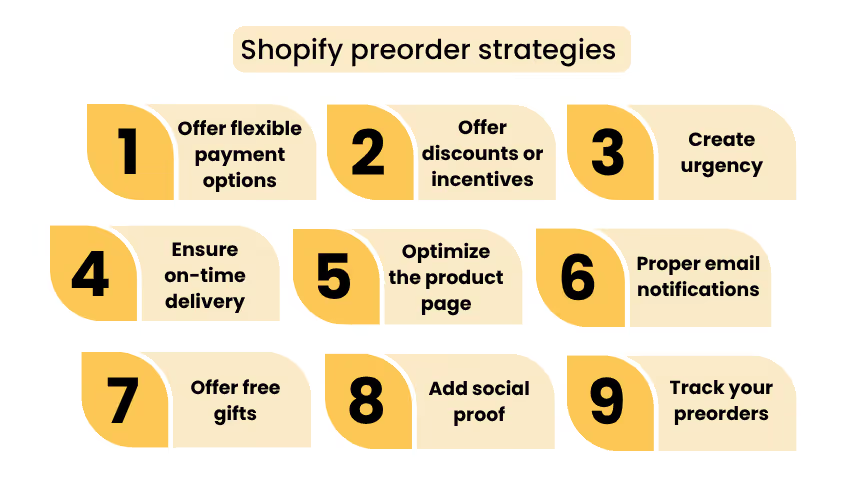
Not all preorder campaigns succeed, but with the right approach, yours can. Here are 9 proven Shopify preorder strategies to help you get better results.
1. Offer flexible payment options
Paying the full amount for a product that will arrive later may make some customers hesitate to place an order.
Flexible payment options give customers the freedom to choose how they want to pay for their preorder.
These options include:
- Full payment – Collect the entire payment when the order is placed.
- Partial payment – Collect an initial deposit and the remaining amount during shipment.
- Book now, pay later – Collect the full payment only when the product is shipped.
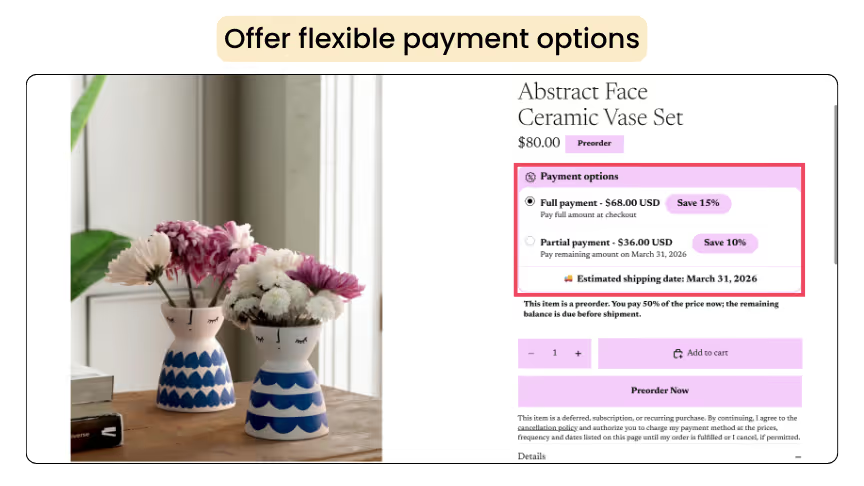
Many Shopify preorder apps, such as Dibs, Essentials, and Timesact, help you set up and customize preorders in minutes.
How to offer flexible payment options with Dibs?
- In Dibs, open the preorder plan and go to the Shipment & Payment section. If you haven’t set up preorders yet, check out this blog to get started.
- Choose Full Payment or Partial Payment. For Book Now, Pay Later, select Partial Payment and set the initial deposit to 0%.
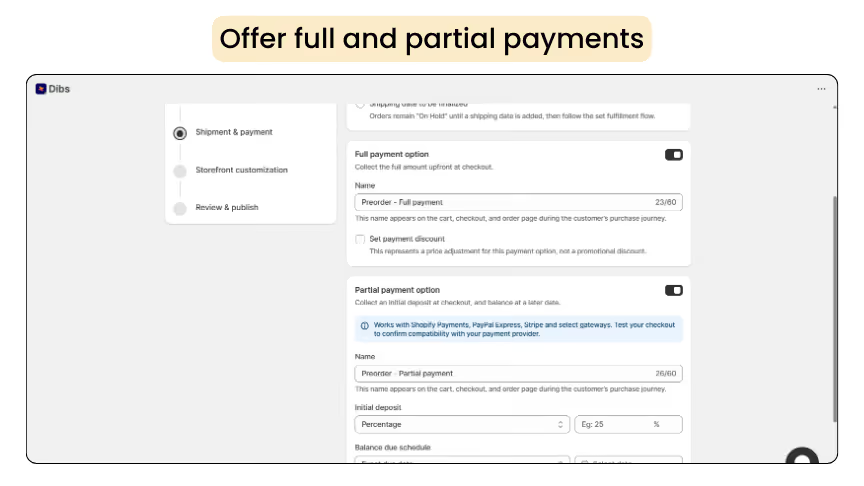
- Customize the label to display the message you want customers to see, then click Save to apply the changes.
2. Offer discounts or incentives
Offering discounts is an effective way to attract more customers. A special price for preorders gives customers a strong reason to buy before the product becomes available.
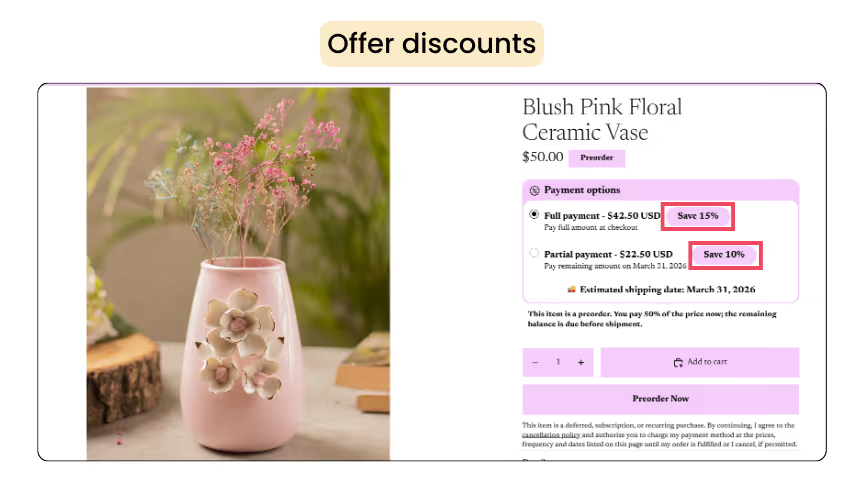
Adding discounts with Dibs is simple and takes seconds to complete.
How to set up discounts for Shopify preorders?
- Open the preorder plan you want to add discounts to.
- Under the Shipment & Payment section, you can set discounts separately for Full Payment and Partial Payment options.
.webp)
- Choose whether to apply a percentage discount or a fixed amount, then click Save to apply the changes.
3. Create urgency
When customers feel they might miss out on a deal, they are more likely to place an order sooner. Here’s how you can do it:
- Promote your launch across multiple platforms
Let customers know about the upcoming release through email, social media, and your website.
- Highlight limited-time offers
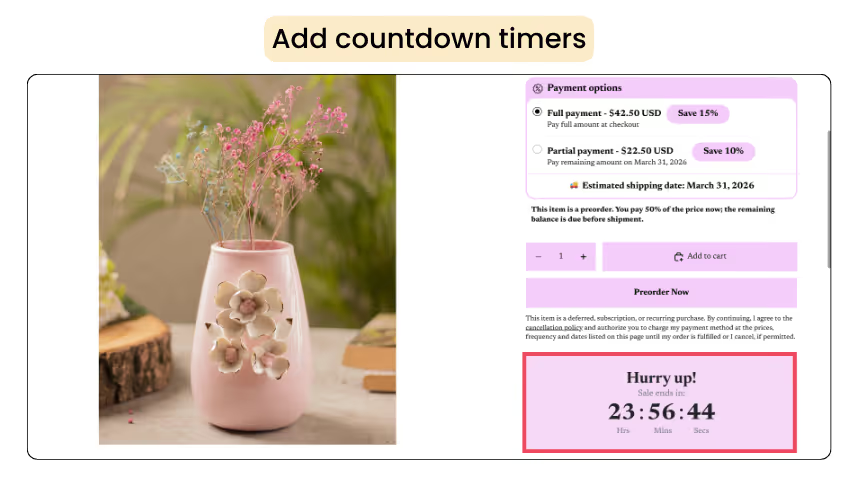
Add countdown timers that create FOMO (fear of missing out) and push customers to preorder sooner.
- Use low-stock messaging
Add phrases like “Only a few items left” to encourage faster purchases. According to a survey, adding a limited stock tag will increase your sales by up to 20.8%.
- Offer early-bird discounts
Another effective strategy is offering early-bird discounts. For example, you can offer 25% off during the first week of preorders and reduce it to 15% afterward.
How to add countdown timers to your product?
- Open the Essential Countdown Timer Bar app and click Create New Timer.
- Choose the timer type and update the content, design, and placement of the timer.
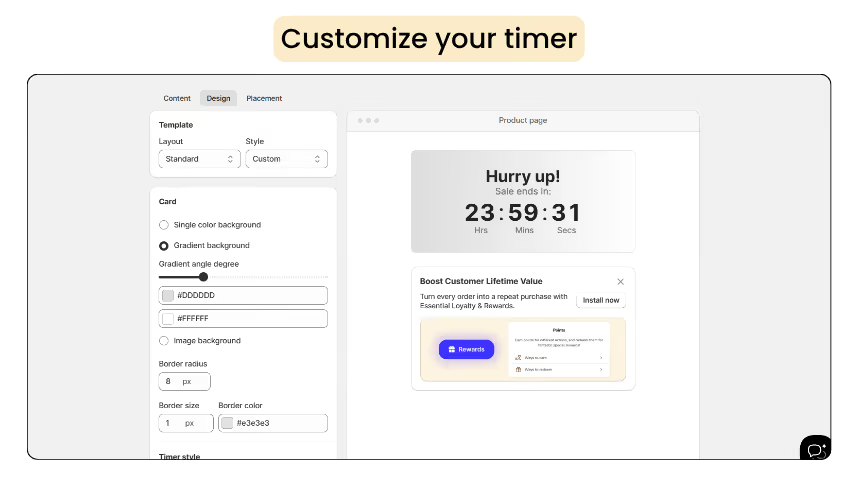
- Select the products and then click Publish.
4. Ensure on-time delivery
Delivering products on time is crucial for maintaining customer trust. If the estimated delivery date is not met, it can create a negative impression of your brand.
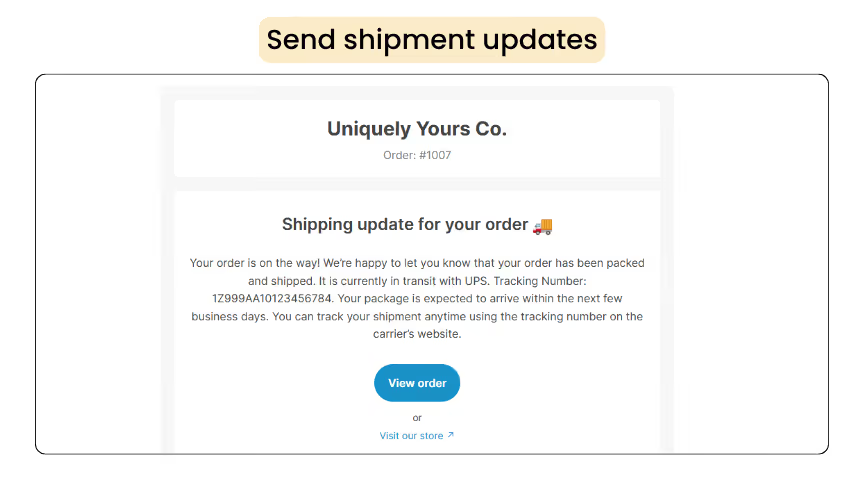
Even if delays happen, proactive communication is key. Sending timely shipping updates and delay notifications ensures customers always feel informed and valued, even when things don't go as planned.
How to send shipping updates using the Dibs app
- Go to the Orders tab and select the Order ID you want to send an email to.
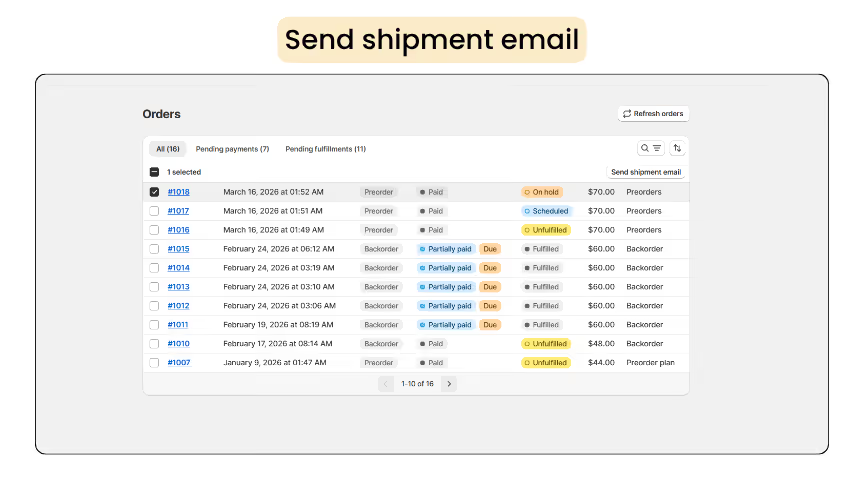
- Click Send Shipment Mail and choose either Shipment Update or Shipment Delay.
- Enter the required message and click Send Shipment Email.
5. Optimize the product page
Your product page should clearly distinguish between regular orders and preorders so customers understand the product will be delivered later.
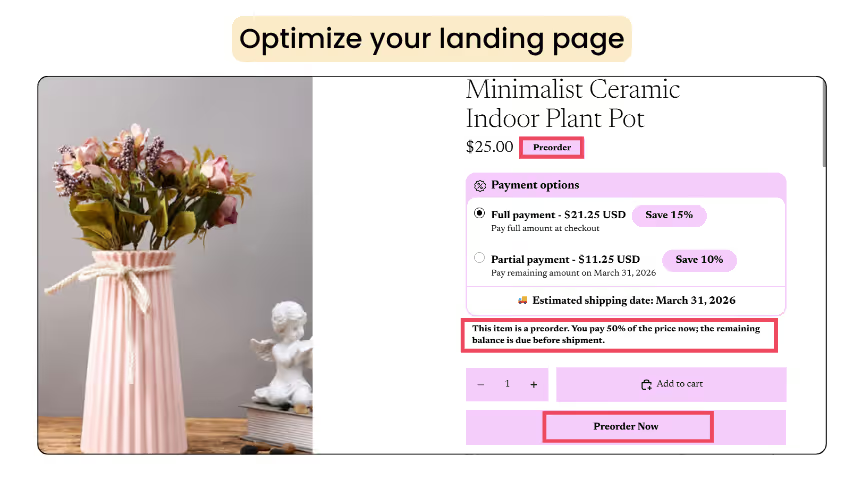
To avoid confusion, add clear elements such as a preorder badge, preorder now button, and payment terms. These can be easily added using the Dibs app.
How to customize the preorder widget
- Click Customize, then click Edit under Widget Appearance.
- Under Color Theme, you can customize the appearance of the widget.
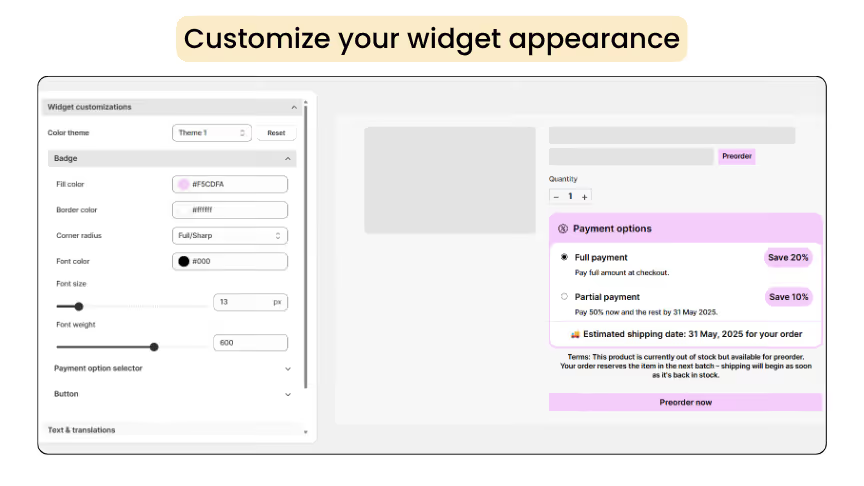
- Under Text and Translations, update the text displayed in the widget, then click Save to apply the changes.
6. Maintain proper email communication
Keeping customers informed doesn’t stop at the order page, it continues through every stage of the preorder journey.
Sending custom preorder confirmation and payment reminder emails is a simple yet powerful way to build trust and reduce uncertainty.
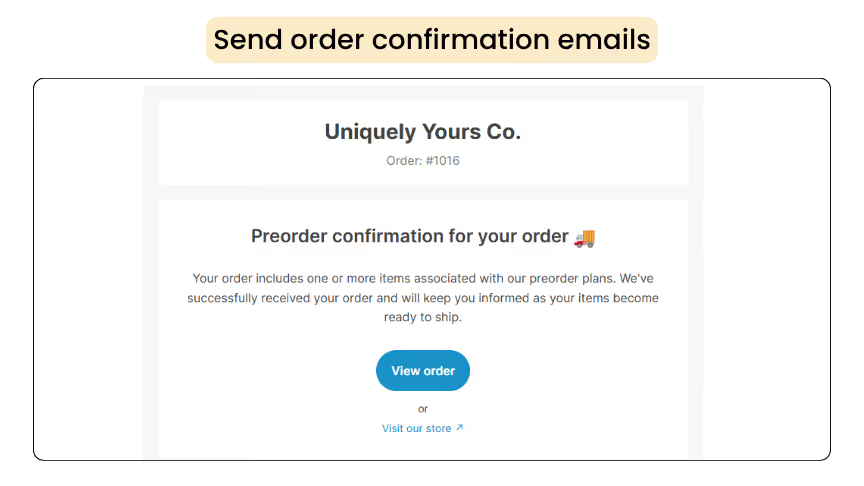
In this section, I’ll show you how to send custom emails to keep customers updated, remind them about upcoming payments, and create a smoother preorder experience overall.
How to customize email notifications using Dibs
- Click Customize, then click Edit under Notifications.
- You can edit the Preorder Confirmation Email, Payment Due Email, Early Reminder Email, and Follow-up Email.

- Customize the content you want to update and click Save.
7. Offer free gifts to increase conversions
You can also offer complimentary options to your customers, such as adding a gift or providing an extended warranty.
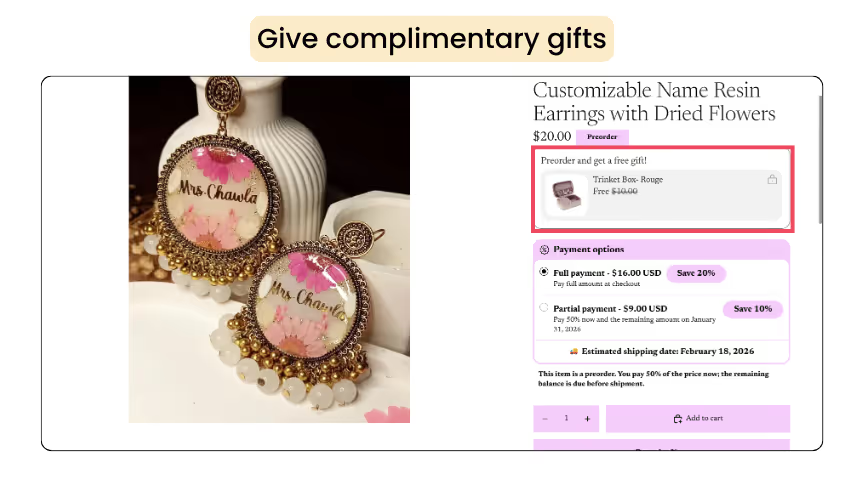
These value-added features increase the chances of customers choosing your product. You can easily set this up using the Dealeasy app.
How to add gifts to your preorders?
- Open the Dealeasy app and choose the gift type.
- Select the products and the active dates when the plan must be live.

- After making the required changes, click save, and the plan will be visible in the product page.
8. Add social proof to build trust
Adding social proof can significantly help build trust and reduce hesitation in your product.
According to a survey, displaying the number of preorders, positive reviews, or customer testimonials increase conversions by 50%.
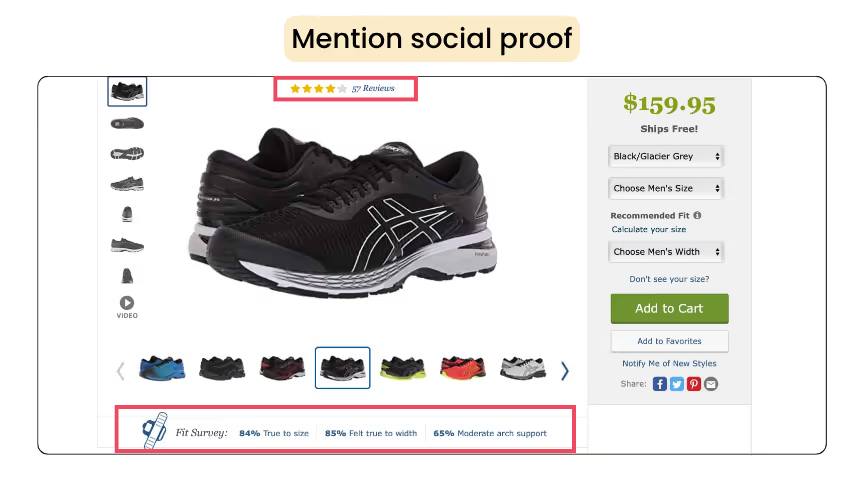
When shoppers see that others have already ordered or left positive reviews, they are more likely to trust your product and follow through with a purchase.
9. Track your Shopify preorders
The next important strategy is to track and monitor your preorder performance regularly. This helps you understand product demand and customer behavior.
If preorder numbers are lower than expected, you can adjust your strategy by improving advertisements, offering additional discounts, or optimizing your product page.

Dibs also provides analytics, where you can find all the details in one place, from the number of orders to pending fulfillments.
Real store using Shopify preorders
Here are a few real stores that use the Dibs – Preorders & Backorders app to set up their store and boost sales.
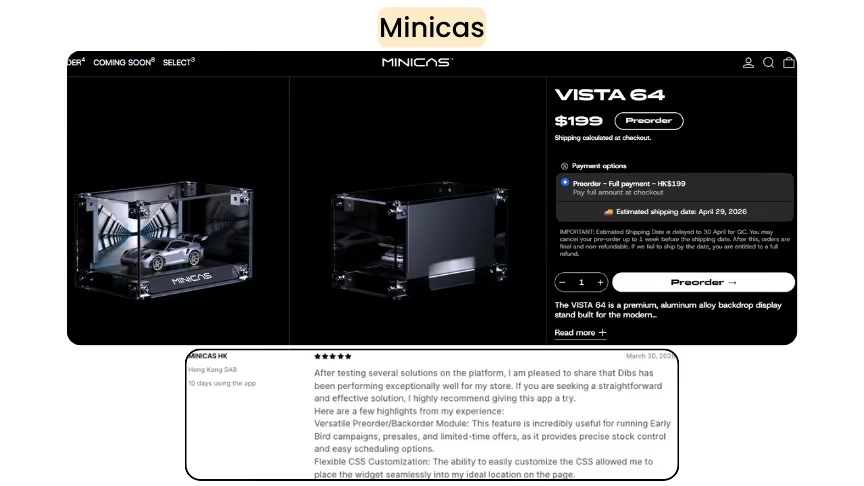
1. Minicas
Minicas is an online store focused on collectible accessories for miniature car enthusiasts, offering products including Hot Wheels, die-cast models, display tags, and apparel.
They also offer display tags, along with coming soon products and preorder options, so customers can reserve items in advance.
2. Madcap Cottage
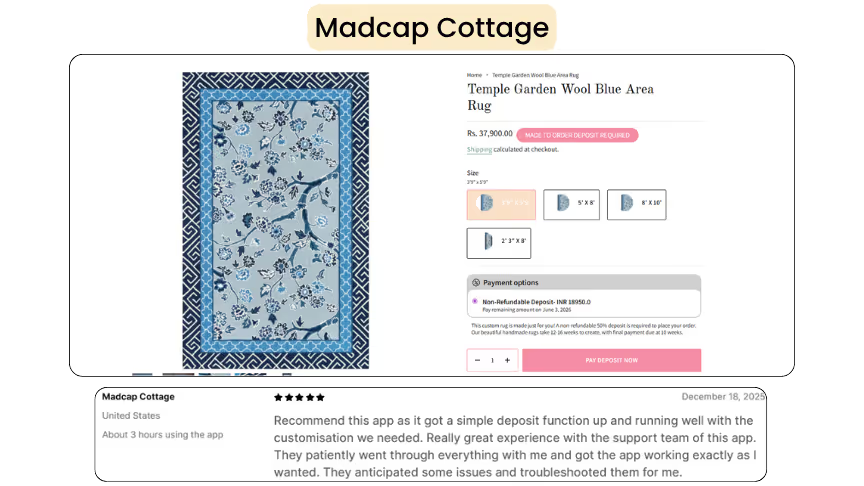
Madcap Cottage is a lifestyle and interior design brand known for its high-quality fabrics, wallpaper, furniture, lighting, rugs, and more.
They also offer made-to-order products, allowing customers to customize items based on their preferences. Once an order is placed, the products are created and delivered using the Dibs app.
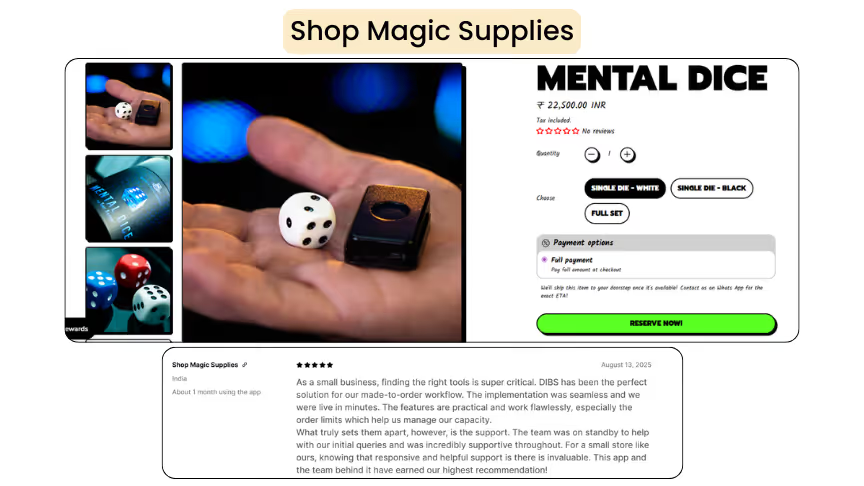
3. Shop Magic Supplies
Shop Magic Supplies is an online store offering a wide range of magic products, including dice, card tricks, books, and professional magic kits for all skill levels.
To meet demand and avoid losing sales, they use preorders through the Dibs app, allowing customers to place orders even when items aren’t immediately available.
Wrapping up!
Preorders are more than just an early sales tactic, they're a smarter way to run your business. By validating demand before production, you reduce risk, improve cash flow, and build a loyal customer base that's excited about what's coming next.
The nine strategies covered in this blog include flexible payment options, early-bird discounts, social proof, and proactive email communication. They work best when used together.
You don’t need to implement everything at once. Start with what fits your store’s current needs and build from there.
Frequently asked questions
1. What are the best strategies for Shopify preorders?
The most effective Shopify preorder strategies include offering flexible payment options, using early-bird discounts, creating urgency with limited-time deals, clearly communicating delivery timelines, and optimizing your product pages.
2. How to setup preorders on Shopify?
Shopify preorder apps are the easiest and most effective way to set up preorders on your store. Dibs is one of the best preorder apps available, helping you automate and manage preorders effortlessly.
3. Does Shopify preorder allow partial payments?
Using the Dibs app, you can offer full payments, partial payments and book now, pay later options. This offers your buyers an added advantage to preorder your product.
4. What are the most common Shopify mistakes to avoid?
There are several common mistakes to avoid with Shopify preorders, including lack of transparency, overpromising, delayed deliveries, and poor customer communication.
5. How do preorders help increase Shopify sales?
Preorders help increase Shopify sales by letting customers buy products before they’re available. This helps you capture demand early, avoid losing sales due to stockouts, and generate revenue in advance.

.webp)
.svg)
.svg)
.svg)


.svg)