.svg)
WooCommerce to Shopify: The Best Delivery & Pickup Plugin Alternatives
Last updated on
September 1, 2026
.webp)
Key takeaways
- WooCommerce plugin settings don't automatically migrate to Shopify but need to be manually rebuilt on the new platform.
- Shopify's native settings cover basic delivery and pickup for free, but lack advanced scheduling features
- Apps like Pickeasy, Zapiet, and Bird fill that gap and work as the best alternative to delivery and pickup plugins.
If you are shifting your ecommerce store from WooCommerce to Shopify, one of the first things to consider is the apps you need to replace your existing plugins with. Unlike your store data, orders, and customer information, plugin settings cannot be automatically migrated from WooCommerce to Shopify. While WooCommerce relies on delivery plugins such as Orderable, Local Pickup Plus, WooCommerce Delivery Slot, and others for pickup and delivery scheduling, Shopify handles this with native settings and dedicated apps.
In this article, I will walk you through the switch from WooCommerce to Shopify, along with the delivery and pickup settings Shopify offers natively and the best app alternatives to WooCommerce plugins.
Why merchants switch from WooCommerce to Shopify
WooCommerce offers great flexibility when it comes to customization, but that comes with a heavy price. Unlike Shopify, WooCommerce does not offer the built-in technical support and features that help run an online store without any hiccups. Especially with pickup and delivery, Shopify offers a more managed ecommerce experience for merchants.
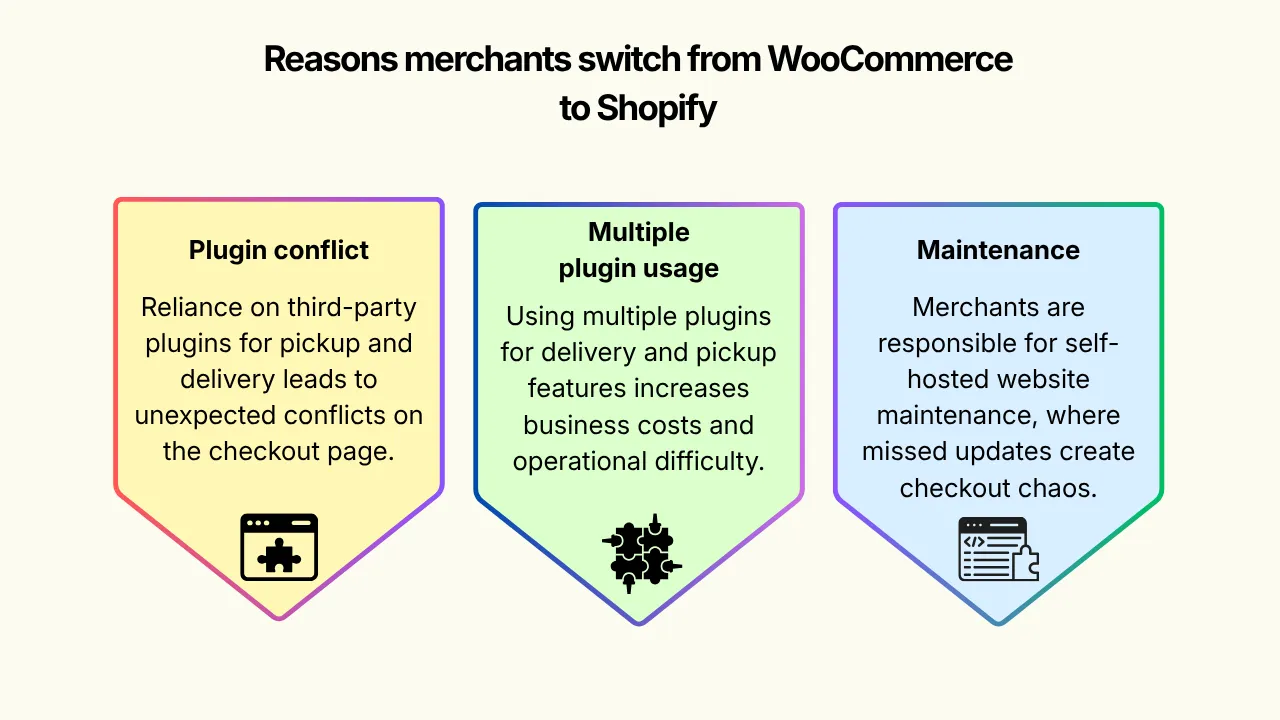
- Plugin conflict and compatibility: WooCommerce does not offer native pickup and delivery settings. Like every other feature, this too depends on third-party plugins. You need a combination of pickup, delivery, and shipping plugins along with checkout customization. With too many plugins involved, it leads to unexpected conflicts on the checkout page.
- Multi-plugin usage: Features are not always bundled up in one single plugin. If you wish to offer delivery and store pickup, shipping and setup blockout dates, then you need two or three different plugins. It not only makes it harder to work with but also considerably increases the cost of running your business.
- Maintenance and updates: Merchants are responsible for the maintenance of their own self-hosted websites. Be it a security patch or a plugin update, they have to be up to date, and even a single missed update will easily create chaos at checkout.
What makes Shopify the better alternative
Shopify, unlike WooCommerce, works with a built-in app store. Moreover, most of the base operational features, including pickup and delivery, are part of Shopify’s native settings. The pickup and delivery scheduling apps work as an added layer on top of the native settings, offering advanced features. None of the apps conflict with Shopify’s native checkout experience since Shopify controls it, thus creating a smooth integration.
Does Shopify have a built-in delivery & pickup option?
Yes. Shopify offers built-in local delivery and store pickup options. If your store is relatively small and needs no advanced scheduling features or a delivery date picker option, then the native Shopify setting will be sufficient for your business. To set up local delivery and pickup on Shopify, go to Shipping and delivery under Shopify Settings.
This allows you to set up multiple delivery zones based on distance or ZIP codes and set different delivery rates as well. With this, you can offer your customers the option to choose between ‘pickup in store’ and ‘delivery’ at checkout without installing any app.
Limitations of Shopify native features
While Shopify offers native delivery and pickup options, it only covers the basics and has several limitations when it comes to advanced features.
- It does not offer a date and time picker
- You cannot set a cutoff time or preparation time
- No blockout date or time
- Limited delivery pricing options
The limitations do not stop there, and that is exactly why you need a dedicated Shopify pickup and delivery app on top of the native settings to make your fulfillment options perfect and on point. On the surface level, this is not too different from how WooCommerce plugins work with your WooCommerce site.
Pickeasy: The best Shopify alternative to WooCommerce delivery & pickup plugin
If you are a merchant migrating from WooCommerce to Shopify, then consider Pickeasy for your delivery and pickup scheduling. Pickeasy lets you offer multiple fulfillment options with advanced scheduling features without having to pile up multiple plugins to offer different fulfillment options.
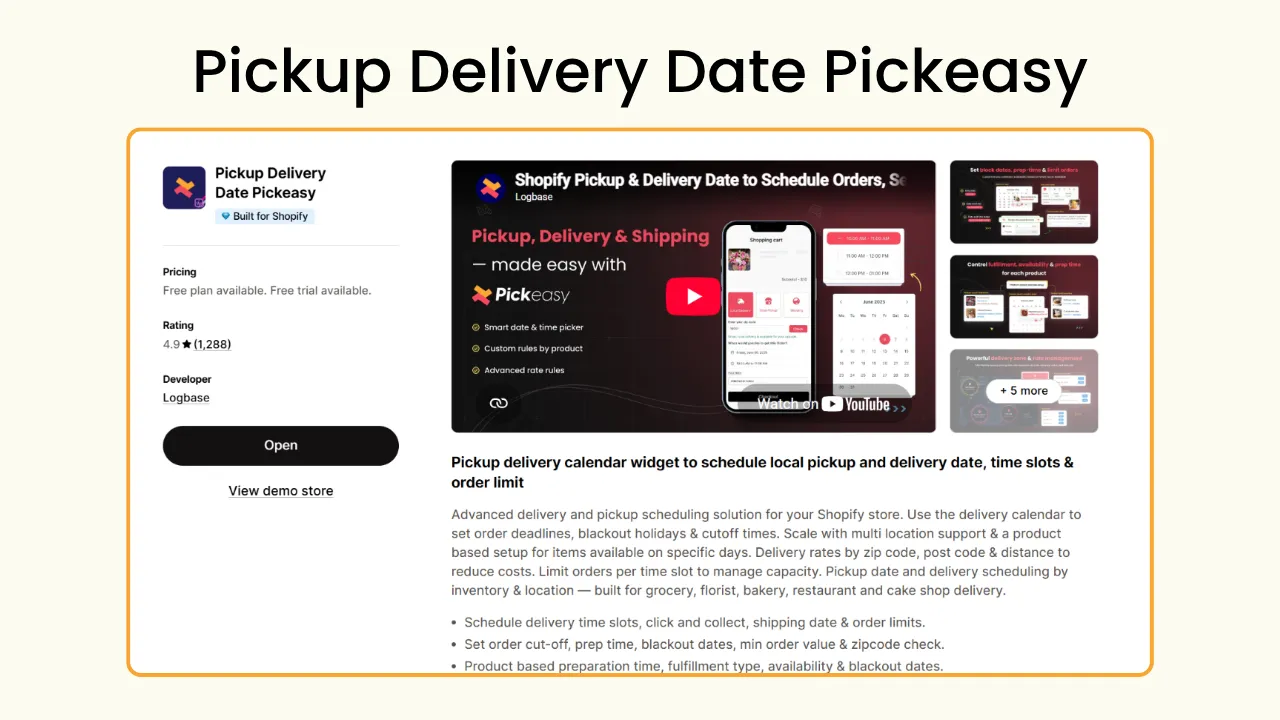
With Pickeasy, you get to add more than just pickup and delivery; you get to offer:
Date and time slot: Your customers can choose when they want the order to be delivered and when they wish to pick up the order rather than waiting around in uncertainty.
Preparation time: Each product takes a different amount of preparation time, especially when they are made after order confirmation. With Pickeasy, you can set different prep times for each product, which gives you the time to get the order ready without rushing into it. The app calculates your working hours, preparation time, and only shows the eligible time and date to the customers.
Cutoff time and order limit: You decide when to take orders, when not to, and how many orders per slot. With cutoff time enabled, you can avoid customers from ordering a same-day delivery minutes before closing time. With order limit, you can set a realistic order flow that can be fulfilled within the selected time slot.
Blockout dates: Store closures and holidays can be blocked in your calendar beforehand to avoid customers from placing an order during those dates.
Delivery zones and rates: With Pickeasy, you not only get to set a delivery zone based on distance and ZIP codes but also set dynamic delivery rates as well. Based on the time of the day, day of the week, product weight, order quantity, total cart value, ZIP codes, and distance, you can set realistic rates to protect your margin.
Easy integration: Pickeasy works hand in hand with a number of external integrations and works with tools such as Google Maps, Appstle (for subscription services), Zapier (for automations), and so on.
Other Shopify delivery & pickup alternatives to consider
Pickeasy is one of the best Shopify pickup and delivery apps available in the Shopify app store that will make your pickup and delivery scheduling simple and easy. But if you wish to get a bigger picture of how things work, there are several other options to choose from. Here are two other popular options for your store that should be on your radar.
Zapiet - Pickup + Delivery
Zapiet offers both pickup and delivery from multiple locations. It also comes with features including a date and time picker, custom delivery zones, and rates. You can also offer special discounts based on the fulfillment type and add a layer of protection for pickup orders by providing your customers with a special security code.
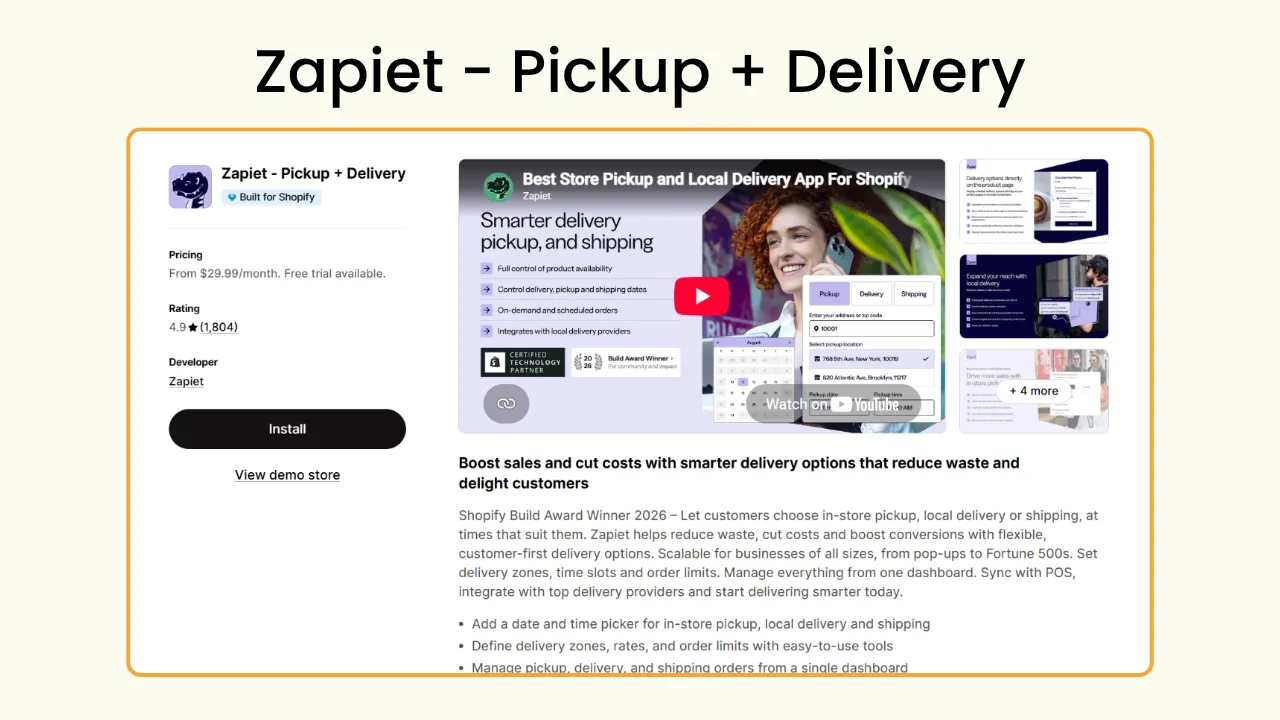
Apart from these, it also supports enabling order limits, preparation time, and cutoff time along with blockout dates. Zapiet also supports integration with different platforms to offer a smoother pickup and delivery workflow for your Shopify store.
Bird Pickup Delivery Date
Bird once again is a great app to offer pickup and delivery on Shopify. It helps manage complex delivery pricing with dynamic rate rules based on rush hour delivery, product weight, cart value, and distance. With Bird, you can create pickup verification codes for customers to use when they book a pickup order.
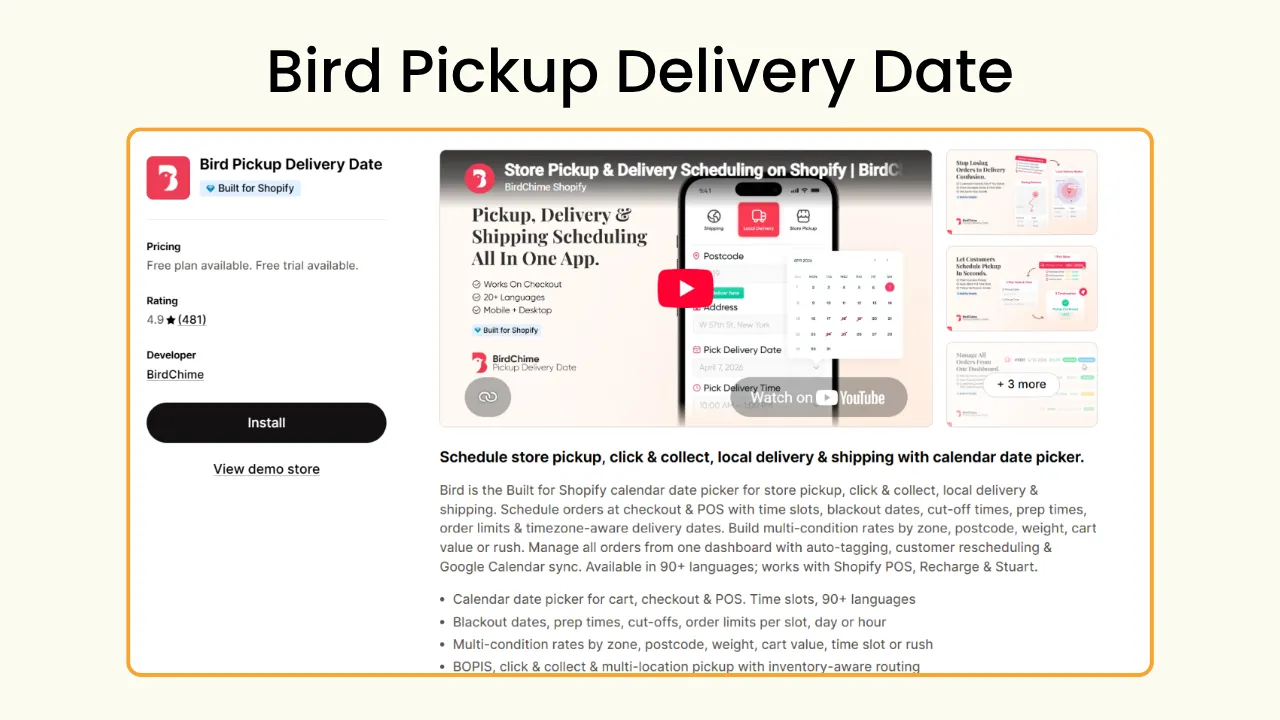
Apart from that, Bird also comes with an option to let customers reschedule their order after placing the order. If they choose the wrong date or time while placing the order, this gives them an option to change it rather than cancelling the order altogether.
Pickup and delivery: Shopify native settings vs Shopify apps
While shifting from WooCommerce to Shopify, you might have to decide between staying with Shopify’s native delivery and pickup options and opting to get a dedicated pickup and delivery app such as Pickeasy to offer multiple fulfillment options. The table mentioned below will help you decide which one works best for you based on their features.
Wrapping up
Switching from WooCommerce to Shopify is a massive rebuilding of the entire store. While Shopify’s native settings cover the basics and works well for simple operations. For more complex setups, especially with pickup and delivery, choosing an app is the best alternative.
If you were using plugins dedicated to scheduling, prep time, order limits, and dynamic delivery rates, then go with a dedicated delivery and pickup app for your Shopify store.
Frequently Asked Questions
1. Is there a free Shopify alternative to paid WooCommerce delivery plugins?
Yes. Shopify’s native local delivery and store pickup settings are a completely free alternative to a WooCommerce delivery plugin. But it only covers basic functionality, and based on your operational needs, you can get a freemium app.
Pickeasy is one of the best free Shopify pickup and delivery apps, which is also a great alternative for WooCommerce plugins. It comes with a freemium pricing starting with a free plan and affordable paid plans you can upgrade to as your business scales. Pickeasy offers advanced options and features including a delivery date and time picker, preparation time and cut-off time settings, dynamic delivery rate settings, and more scheduling and operational features.
2. Can I migrate my WooCommerce delivery settings to Shopify automatically?
No. Unlike the store date and order date, which can be automatically migrated to Shopify from WooCommerce, you cannot transfer delivery and pickup settings from one platform to another. You need to manually set up delivery and pickup on Shopify separately from the base. You can either use the native settings or get an app like Pickeasy to set up your delivery and pickup.
.avif)
.webp)
.webp)
%20(1).webp)
.svg)
.svg)
.svg)


.svg)