.svg)
Best Shopify Store Pickup Apps in 2026 (Click & Collect, BOPIS + Curbside Guide)
Last updated on
May 15, 2026
In 2026, “convenience” will be the primary currency of all retail businesses. According to Invesp, 75% of shoppers who use BOPIS (Buy Online, Pickup In-Store) are more likely to make additional purchases.
Offering a seamless in-store pickup experience isn’t just a perk anymore, it’s a conversion requirement.
Whether you call it BOPIS, click & collect, or curbside pickup, the right Shopify store pickup app can reduce shipping cost and increase your average order value (AOV) significantly.
In this guide, we’ll cover what is store pickup on Shopify and its limitations, how to choose the right app and the best Shopify store pickup apps in 2026, along with step by step setup for store pickup.
Quick Summary
The best Shopify store pickup app in 2026 is Pickeasy, rated 5.0 stars across 1,100+ reviews, with full support for date and time slot scheduling, per-slot order limits, product-level pickup rules, and multi-location management, all on a free plan.
If you need enterprise-scale integrations, Zapiet is a strong alternative. For SMS-based customer updates, consider Bird.
This guide compares 5 top-rated apps across features, pricing, and real merchant reviews so you can find the right fit for your store.
CTA: Setup store pickup on Shopify using Pickeasy
What is store pickup on Shopify?
Store pickup, also known as click & collect, BOPIS (Buy Online, Pickup In Store), or curbside pickup is a fulfillment method that allows customers to place an order online and collect it from a physical retail location, warehouse, or designated pickup point instead of waiting for delivery or choosing shipping.
It is commonly used by:
- Local businesses
- Restaurants & bakeries
- Retail stores with physical outlets
What customers see at checkout when pickup is enabled
When you enable pickup on your Shopify store, the Shopify checkout displays a “Pick up” tab alongside the “Ship” option.
Customers see:
- Location availability: Which nearby stores have the item in stock.
- Estimated ready time: How soon they can arrive to pick up their order.
- Pickup instructions: For example, “Call on arrival” or “Ready within 12 hours”
What native Shopify gives you and its limitations
Shopify’s built-in local pickup feature allows merchants to designate store locations as pickup points, add pickup instructions, and mark orders as fulfilled via Shopify POS.
However, native Shopify pickup has notable limitations for merchants with more complex operational needs:
- No date or time slot selection for customers
- No orders limits per time slot to prevent overcrowding
- No blackout date management for holiday or closures
- No curbside-specific instructions or workflow
- No product-level pickup availability rules
- Limited BOPIS automation and notification workflows
When you need a dedicated store pickup app
You should switch from native Shopify to a dedicated app if you need:
- Time slot management
- Order limits per product
- Preparation lead time
- Manage multiple locations
- Shopify POS integration
- Pickup workflows and notifications
What is store pickup on Shopify?
Store pickup, also known as click & collect, BOPIS (Buy Online, Pickup In Store), or curbside pickup is a fulfillment method that allows customers to place an order online and collect it from a physical retail location, warehouse, or designated pickup point instead of waiting for delivery or choosing shipping.
It is commonly used by:
- Local businesses
- Restaurants & bakeries
- Retail stores with physical outlets
What customers see at checkout when pickup is enabled
When you enable pickup on your Shopify store, the Shopify checkout displays a “Pick up” tab alongside the “Ship” option.
Customers see:
- Location availability: Which nearby stores have the item in stock.
- Estimated ready time: How soon they can arrive to pick up their order.
- Pickup instructions: For example, “Call on arrival” or “Ready within 12 hours”
What native Shopify gives you and its limitations
Shopify’s built-in local pickup feature allows merchants to designate store locations as pickup points, add pickup instructions, and mark orders as fulfilled via Shopify POS.
However, native Shopify pickup has notable limitations for merchants with more complex operational needs:
- No date or time slot selection for customers
- No orders limits per time slot to prevent overcrowding
- No blackout date management for holiday or closures
- No curbside-specific instructions or workflow
- No product-level pickup availability rules
- Limited BOPIS automation and notification workflows
When you need a dedicated store pickup app
You should switch from native Shopify to a dedicated app if you need:
- Time slot management
- Order limits per product
- Preparation lead time
- Manage multiple locations
- Shopify POS integration
- Pickup workflows and notifications
Shopify store pickup vs. click & collect vs. BOPIS vs. curbside pickup
These terms are often used interchangeably, but they carry distinct meanings depending on your region and industry. Understanding which term your customers use helps you optimize your checkout copy, metadata, and marketing for better conversion and discoverability.
Why offer store pickup on Shopify?
Store pickup is no longer a convenience feature, it is a commercially proven fulfillment strategy that drives more revenue, reduces shipping costs, and strengthens customer loyalty for local and multi-location Shopify merchants.
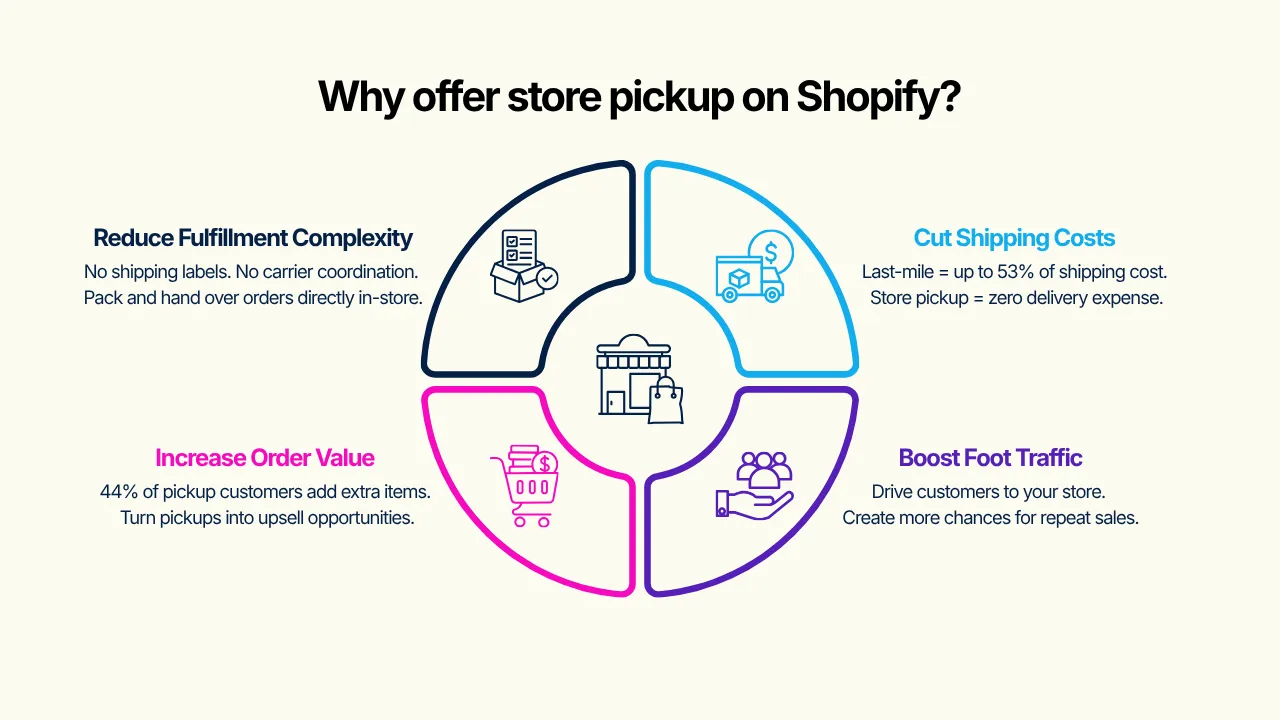
Reduces fulfillment complexity for local-first businesses
For businesses that primarily serve a local or regional customer base, store pickup eliminates the operational burden of managing carrier integrations, shipping labels, and shipping logistics. Orders are packed and ready on-site, reducing both staffing requirements and rates associated with third-party shipping.
Customers spend more when pickup is available
Data consistently show that offering a store pickup increases the average order value. 44% of Click and collect shoppers buy at least one additional item while picking up their order, which can turn out to be a significant upsell opportunity for merchants with a physical presence.
Eliminates shipping costs and simplifies return management
Every pickup order is one less shipment to process. The last mile accounts for up to 53% of total shipping costs.
By shifting volume to store pickup, merchants can protect their profit margins and significantly reduce shipping surcharges.
Returns also become much simpler, customers bring items back directly, enabling faster processing and restocking without the complexity of reverse logistics.
Drives foot traffic and repeat sales
Store pickup converts online demand into physical store visits, creating direct opportunities for staff to upsell, cross-sell and build brand relationships.
How to choose the right Shopify store pickup app
When evaluating options for the Shopify store pickup app, B2B merchants and multi-location retailers should access the following criteria carefully:
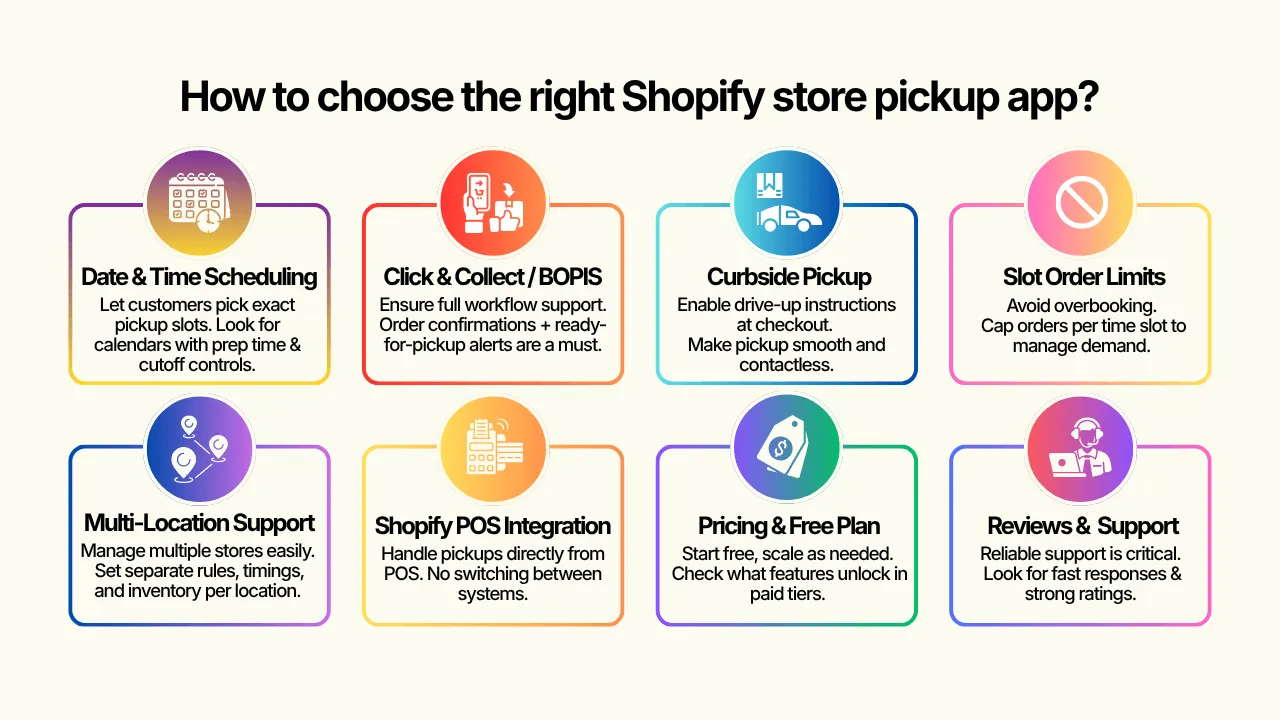
Date & time scheduling
The ability for customers to select a specific pickup date and time slots is the single most important feature missing from Shopify's native setup. Look for apps that offer a fully configurable calendar widget displayed on the cart or checkout page, with support for preparation lead time and order deadline cutoffs.
Click & Collect and BOPIS Support
Confirm that the app supports the full click-and-collect and BOPIS workflows, including order confirmation emails, ready-for-pick up notifications, and POS fulfillment integration.
Some apps handle scheduling only and require manual notifications management.
Curbside Pickup Mode
For merchants offering drive-up collection, the app should support curbside-specific instructions at the cart or checkout page.
Order Limits Per Time Slot
Without slots limits, popular pickup windows can become overbooked, causing fulfillment delays and customer dissatisfaction.
Prioritize apps that allow you to cap the number of orders per time slot.
Multi-Location Support
If you operate more than one store or collection point, the app must support independent configurations per location, including separate calendars, blackout dates, prep times, and inventory rules.
Shopify POS Integration
For merchants managing pickup fulfillment in-store, seamless Shopify POS integration allows staff to view, prepare, and mark orders as fulfilled from the POS system without switching between platforms.
Pricing and Free Trial Availability
Most reputable pickup apps offer a free plan for stores with lower order volumes, with paid tiers unlocking multi-location, advanced scheduling, or delivery rate features.
Note: Verify whether a Carrier Calculated Shipping (API) is required for your use case, as this may necessitate a higher Shopify plan.
Customer Reviews and Support Quality
Check Shopify App Store reviews for evidence of responsive support, fast issue resolution, and proactive onboarding assistance.
Given the operational impact of pickup scheduling on daily fulfillment, support quality is a non-negotiable consideration.
Best Shopify store pickup apps in 2026
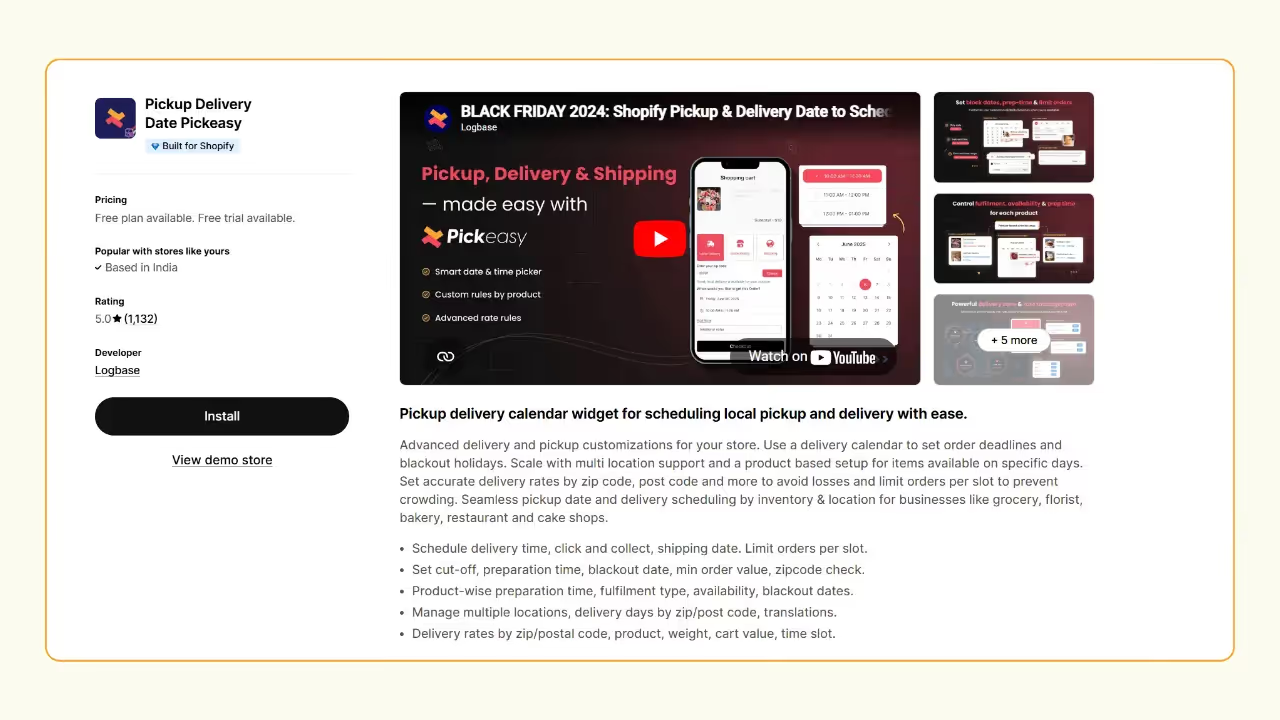
Pickup Delivery Date Pickeasy
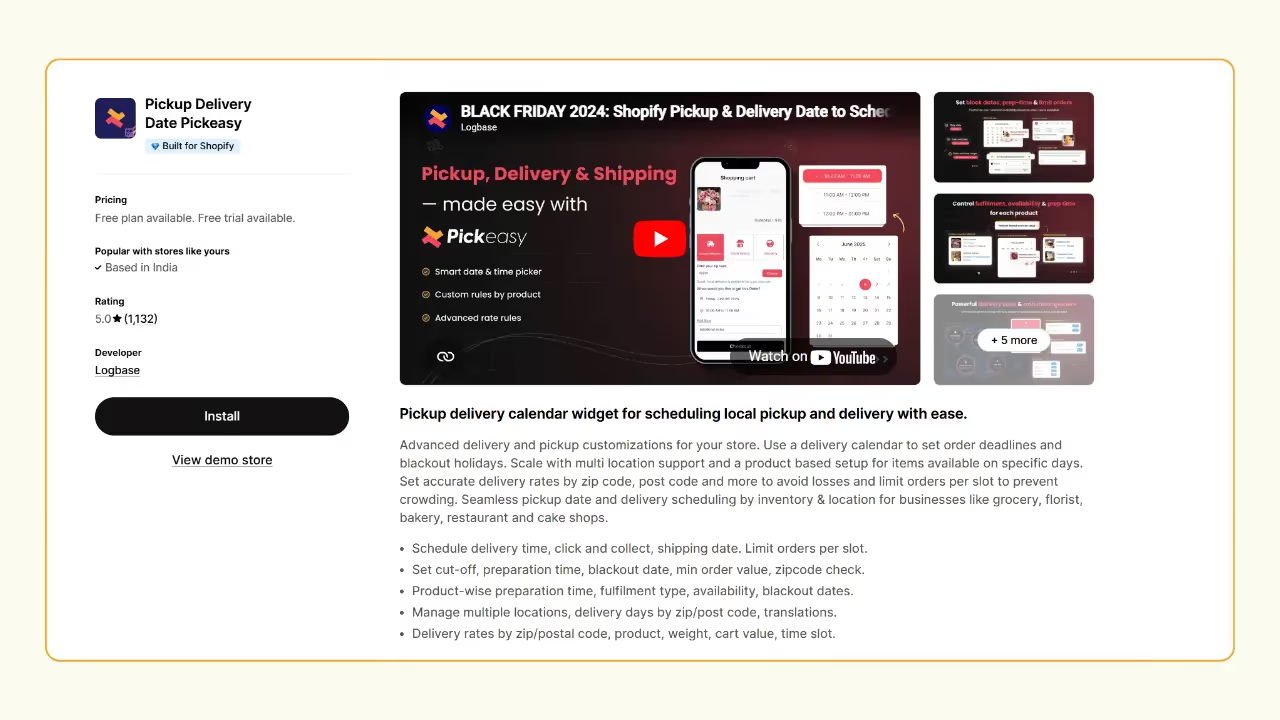
When it comes to store pickup on Shopify, Pickeasy doesn’t just do the job, it sets the standard. With a 5.0-star rating across 1,100+ reviews, it is one of the most consistently trusted pickup apps in the Shopify ecosystem for daily operations.
But the real story isn’t the rating. It is how much control Pickeasy gives you over your pickup operations without making things complicated.
Pickup scheduling that actually fits your business
With Pickeasy, you can set order deadlines like “Friday pickups must be scheduled by Thursday at 4 PM”, limit the number of orders per slot to avoid overcrowding, and block out holidays like Christmas when your team isn’t available. These features are common among pickup apps.
Where Pickeasy genuinely stands out is its product-level pickup control. You can configure individual products to be pickup-only or make them available for pickup only on specific days. This is critical for businesses like bakeries, cake shops, or florists, where not everything is available every day. The best part is that it is easy to configure, unlike many other apps.
Pickup and inventory in sync
Pickeasy lets you create and manage multiple pickup locations, each with its own unique setup, and connect multiple inventories so fulfillment always happens from the right location.
Compare this to Zapiet, where orders cannot be fulfilled if products come from multiple Shopify locations. This is a real limitation for stores with more than one warehouse or stockroom.
Free Zoom setup assistance
For merchants who are new to configuring pickup flows, Pickeasy offers free live setup assistance via Zoom.
Pricing
Customer reviews
Best for
Any Shopify store that wants a flexible, well-rounded pickup setup, especially florists, bakeries, restaurants, and multi-location stores that need product-specific pickup rules.
Stellar Delivery Date & Pickup
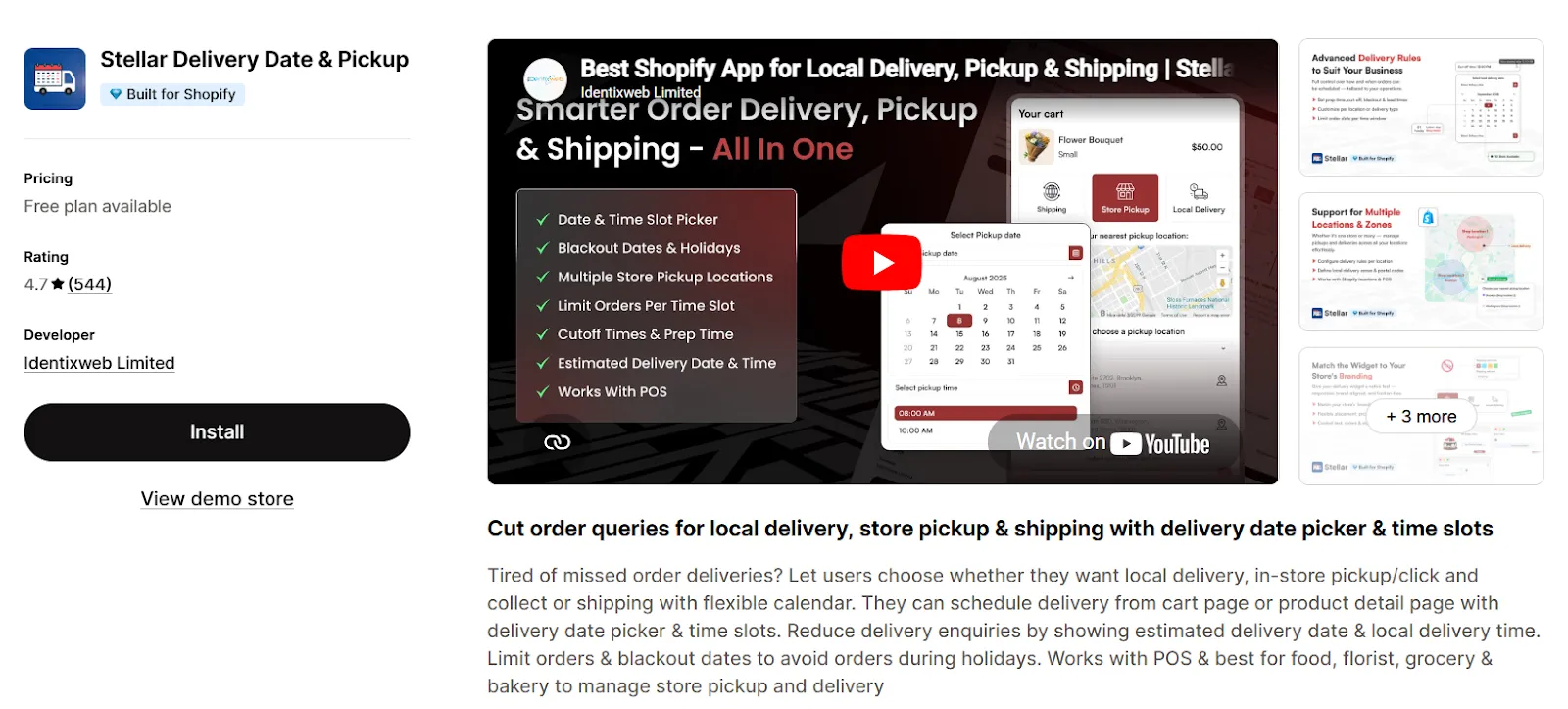
Stellar Delivery Date & Pickup is a well-established name in the store pickup and delivery space, known for providing a high-performance solution that balances complex delivery rules with an easy-to-use interface. Stellar offers a comprehensive range of features, including customizable date and time slots, order limits per slot, and holiday blackout dates. However, its real value becomes clear when looking at its advanced customization options.
Unlike more rigid apps, Stellar provides a seamless experience for Shopify Plus merchants by allowing the delivery calendar to appear directly on the checkout page. This eliminates friction and ensures that delivery information is captured accurately at the most critical point of the purchase.
For multi-location businesses, it handles store pickup and local delivery routing natively, ensuring orders are synced with the correct inventory.
Where Stellar genuinely stands out is its product-level granularity. You can set specific preparation times and availability for individual products - essential for businesses like bakeries or florists, where some items require more lead time than others.
While some competitors struggle with complex, product-specific rules, Stellar makes these easy to configure without requiring any custom coding.
Stellar is highly scalable for businesses of all sizes, and its integration with Shopify POS makes it a reliable choice for omnichannel retailers. For stores that require advanced product-based delivery rules and checkout-level visibility, Stellar offers a more complete and flexible solution at a much more competitive price point than enterprise alternatives.
Pricing:
Plan: Free Plan
Price: $0/Month
Features:
- Delivery date, Store Pickup
- Date/Time picker on product detail page
- Local Delivery with shipping charges
- Limited for 3 location
- Up to 20 orders
- All features included
Plan: Product Delivery
Price: $14.99/Month
Features:
- Date/Time picker on product detail page
- Schedule unlimited products
- Product base settings & preparation time
- Product wise cut-off & timeslot
Plan: Store Pickup
Price: $14.99/Month
Features:
- Perfect for 3 locations
- Unlimited order
- Order delivery time & date picker
- Estimated delivery date
- Reschedule delivery
- Any language
- POS
Plan: Unlimited Location
Price: $29.99/Month
Features:
- Unlimited Locations
- Unlimited order
- Order delivery time & date picker
- Estimated delivery date
- Reschedule delivery
- Any language
- POS
Customer reviews:
Best for:
Growing and established merchants who need precise control over product-specific delivery dates and multi-location pickups, particularly bakeries, florists, and grocery stores.
Zapiet - Pickup + Delivery
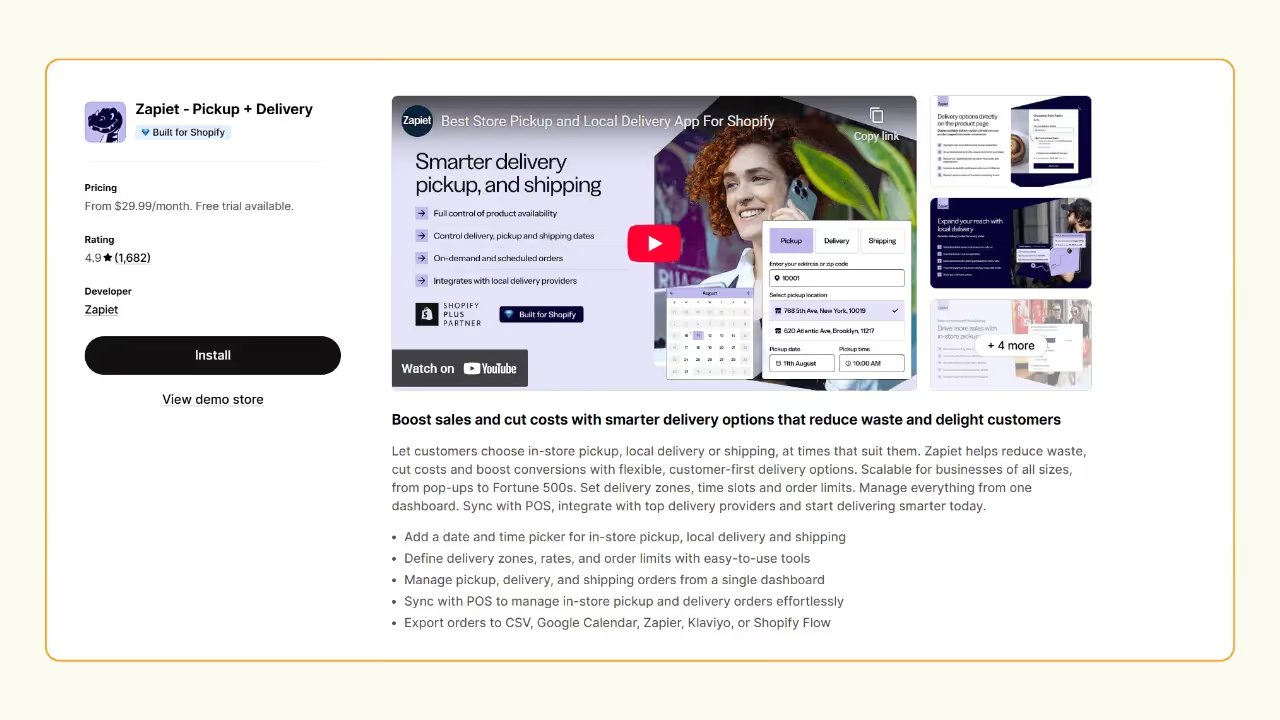
Zapiet is one of the older names in this space, and for good reason, with a solid reputation built over time. Zapiet offers a range of pickup features, including date and time slots, order limits, and blackout dates. However, a closer look at its pickup capabilities reveals some limitations.
Zapiet cannot fulfill orders where products come from multiple Shopify locations. This is a significant constraint if your store fulfills from more than one warehouse or has products stocked across different outlets. Pickeasy handles this natively.
On the order limits front, limiting orders per day is not supported when using custom pickup slots. You can only limit per slot.
Zapiet is scalable for businesses of all sizes and its POS and integrations such as Klaviyo, Zapier, and Google Calendar are strong. However, for pickup-first stores, the limitations above make Pickeasy a more complete solution at a lower price point.
Pricing
Customer reviews
Best for
Established merchants who are already deep in the Shopify POS + third-party integration ecosystem and need a reliable, enterprise-compatible fulfillment manager.
Bird Pickup Delivery Date
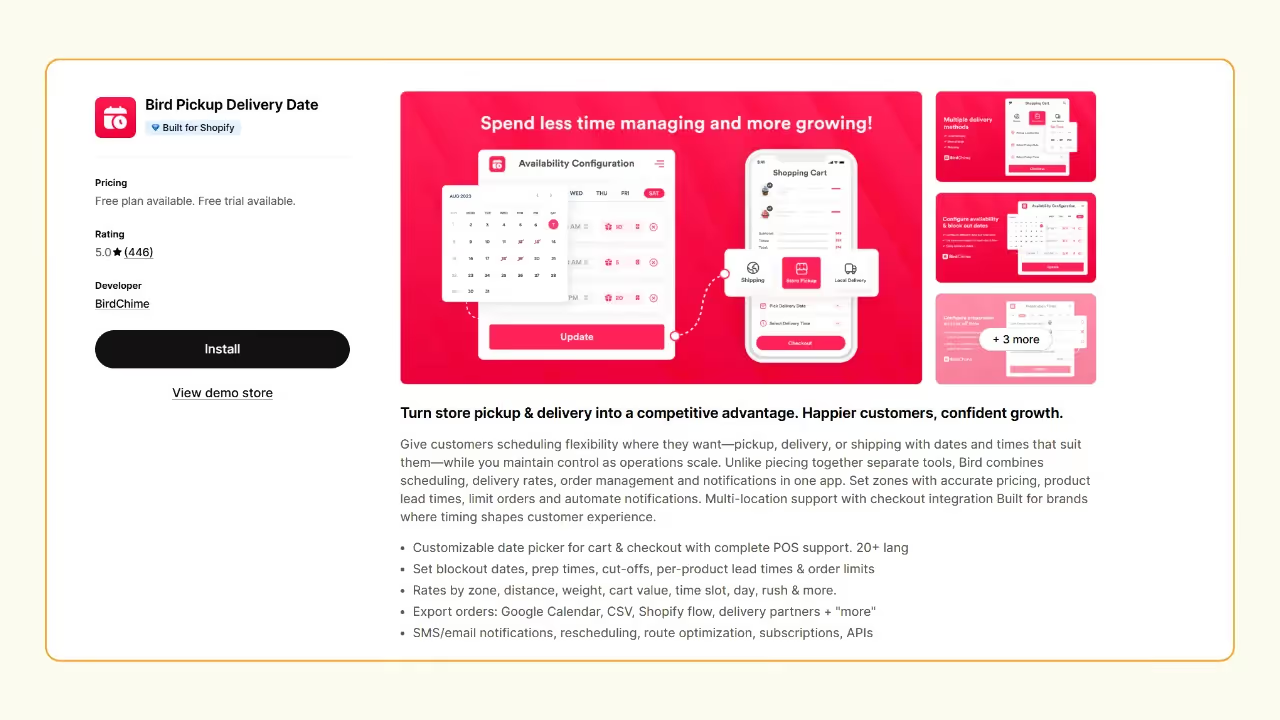
Bird combines scheduling, order management, and notifications in one app. It is the only app in this list that has automated SMS updates to keep customers informed about their orders which is genuinely useful for time-sensitive pickups.
When it comes to pure pickup scheduling depth, it offers product-level rules, per-location preparation time, advance slot configuration. It doesn’t offer more granularity control like Pickeasy.
Another unique feature of Bird is pickup security codes, you can enable pickup security codes to add verification for in-store pickup orders. Customers will receive their security code when the order is ready for pickup.
Pricing
Customer reviews
Best for
Local businesses like cafes, flower shops, bakeries that prioritize fast, clear customer communication via SMS and want a clean, easy-to-use interface for both pickup and delivery.
D: Local Delivery Date Picker
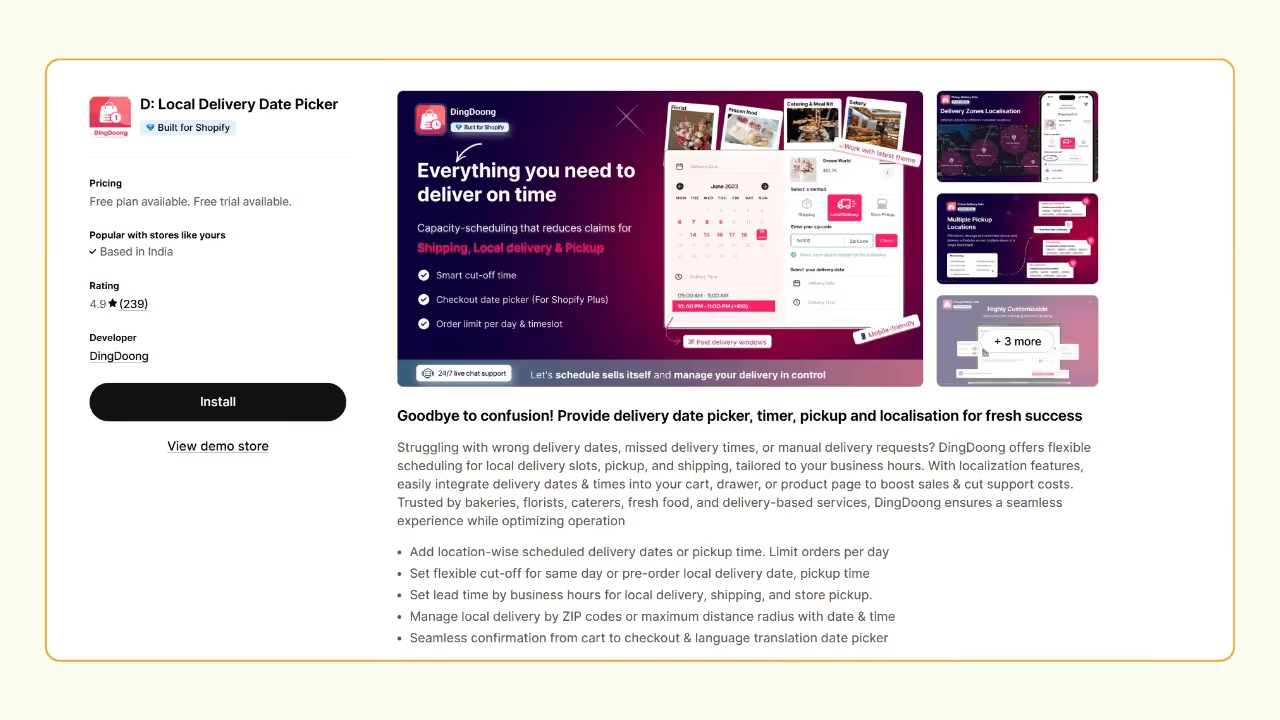
D: Local Delivery Date Picker is a solid, affordable app for bakeries, florists, caterers, and fresh food businesses that need a straightforward date and time picker without a complex setup.
On the pickup side, you can limit orders by postal code or delivery area, set a maximum number of orders per day or time slot, and operate different locations with different rules. The essentials are covered.
Product specific rules are also available so you can set different preparation times or blockout dates per product. However, if your business is scaling rapidly, this app might not be the right fit.
Pricing
Customer reviews
Best for
Single-location stores with fresh or time-sensitive products that need simple, reliable pickup scheduling on a tight budget.
Local Delivery + Pickup ‑ SE
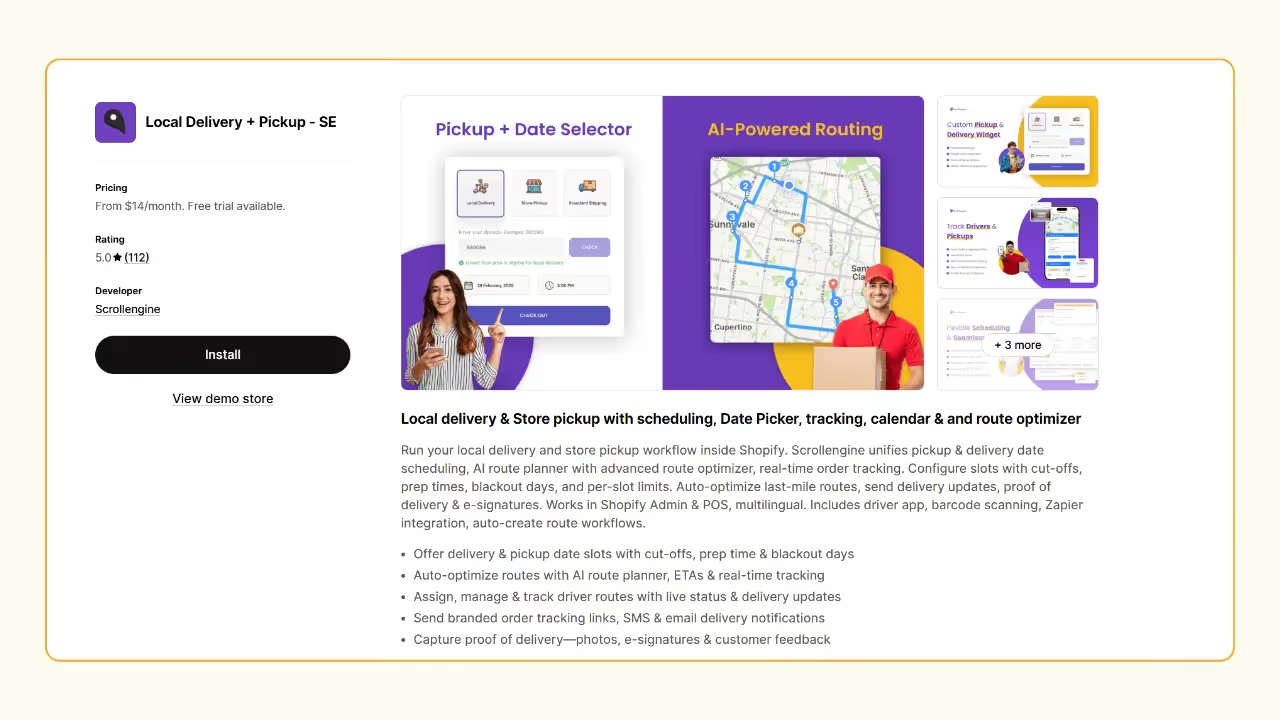
Local Delivery + Pickup - SE is a logistics operations platform that happens to include pickup scheduling. It unifies pickup and delivery date scheduling, an AI route planner with advanced route optimization, and real-time order tracking all within Shopify.
For pickup specifically, you can configure slots with cut-off times, pre times, blackout days, and per-slot limits. The core pickup features are solid. If your primary is offering customers a clean pickup experience at checkout, this app brings a lot of complexity you may never actually use. Setup takes longer, and the learning curve is steeper.
Pricing
Customer reviews
Best for
Growing businesses where pickup is one part of a larger fulfillment operation.
How to setup curbside pickup on Shopify (step-by-step)
Here is how to set up curbside pickup on your Shopify store.
Step 1 - Install Pickeasy
Go to Shopify App Store and install the Pickeasy app.
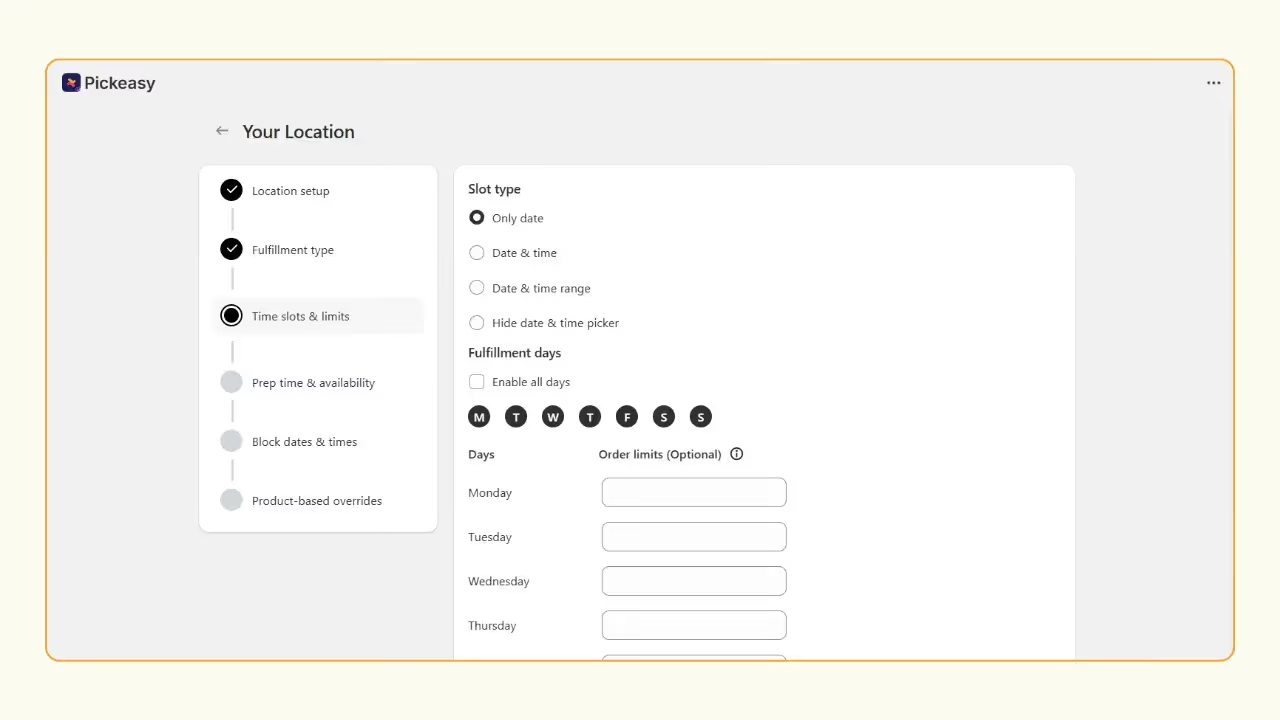
Step 2 - Set curbside pickup time slots and order limits
1. Add your pickup locations to the Pickeasy app.
2. Set time slots by date and time with order limits for each slot.
3. Set the preparation time and optional block out times.
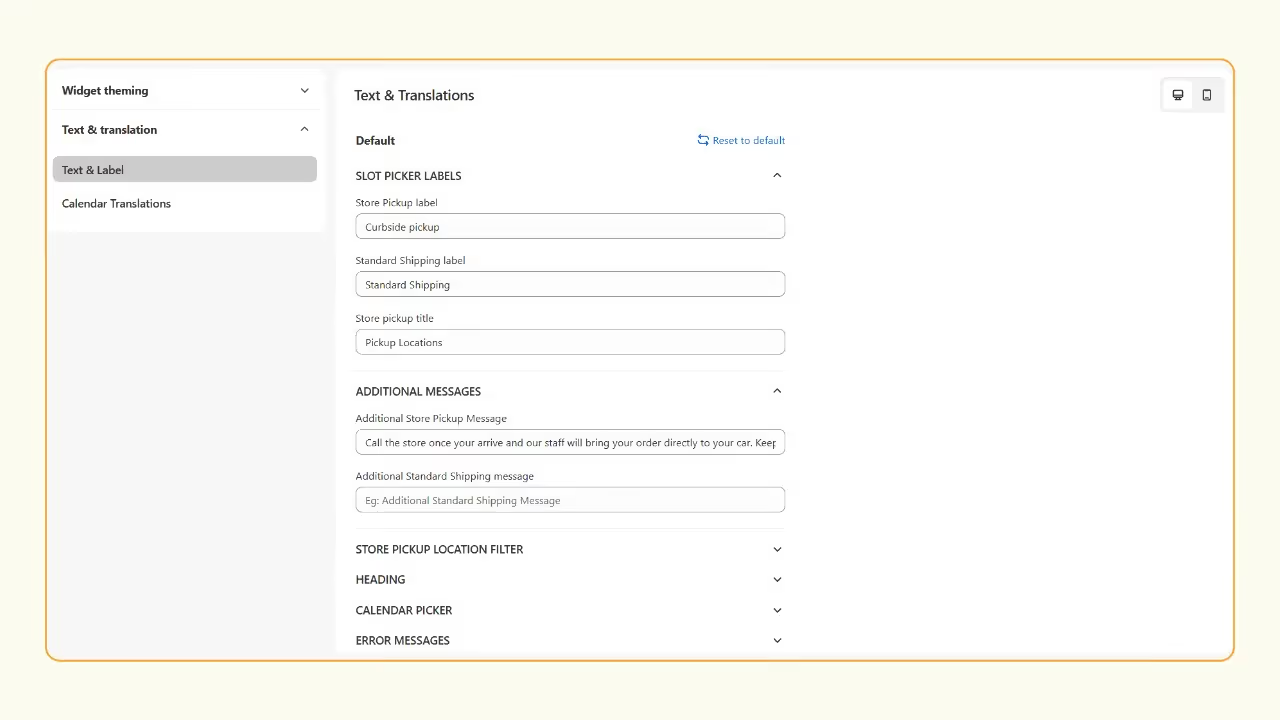
Step 3 - Add curbside pickup instruction for customers
Go to Pickeasy Settings > Widget appearance > Customize widget > Text & Translations > Additional Details Label > Add your curbside pickup instructions.
Step 4 - Test checkout flow
Place a test order to ensure everything works smoothly.
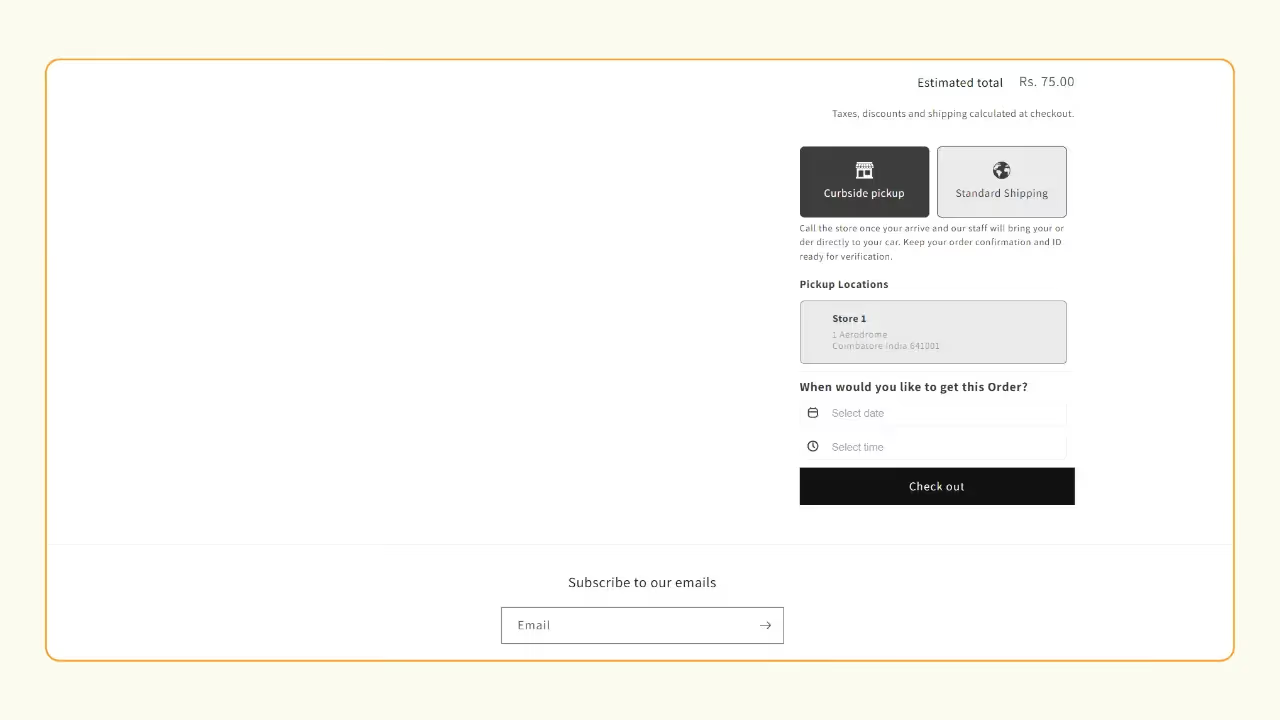
For more detailed setup instructions, read How to set up in-store pickup and local delivery on Shopify.
How to enable BOPIS (Buy Online, Pick Up In Store) on Shopify
BOPIS is the “gold standard” for 2026. It requires a tight link between your store and your physical POS. BOPIS reduces “out of stock” frustration. By the time a customer drives to your store, their item is already verified, picked, and waiting in a dedicated cart.
Benefits of BOPIS
Here are some of the benefits of BOPIS:
- Faster fulfillment
- Higher conversions
- Better inventory utilization
Native Shopify limitation for BOPIS
Shopify’s default local pickup settings enables BOPIS in concept, customers can select in-store pickup at checkout, but it lacks the scheduling infrastructure a true BOPIS workflow requires:
- No date and time picker for customers
- No automated ‘order ready’ notification system
- No slot management or order volume controls
- No product-level BOPIS availability rules
How Pickeasy enable full BOPIS with date + slot management
While native Shopify lacks granular control, Pickeasy adds a date picker and slot management. This ensures that if a customer buys a next-day pickup item, your staff actually has the 24-hour lead time they need to fulfill it.
Pickeasy adds:
- Fully configurable date and time slot picker to the cart page
- Set prep time (e.g., orders placed before 2 PM are ready by 4 PM)
- Configure blackout days and limit the number of BOPIS orders per slot
BOPIS best practices
Here are two best practices for BOPIS:
Order notification timing
Send automated notifications at two key stages:
- Immediately after order placement confirming the pickup details
- When the order is packed and ready for collection
Prep time settings
Configure realistic preparation time based on your product mix. A florist preparing bespoke arrangements need longer prep windows than a retailer with pre-packed stock. Pickeasy’s product-level prep time settings allow you to configure different preparation periods for individual tags and SKUs preventing customer frustration from unrealistic pickup windows.
How to manage local returns with store pickup
None of the apps in this list can handle returns natively, you must depend on native Shopify POS devices to view customer’s purchase history, update inventory levels, and issue a refund to their original payment method. To learn more about how to handle returns on Shopify, read What is Buy Online, Return In-Store(BORIS) and how it works.
Communicating return windows to customer
While placing a pickup order, the date and time picker widget is the highest-visibility touchpoint for communicating your return policy. Use the Pickeasy’s widget customization setting to include clear instructions about return pickup availability, for example: ‘Returns can be dropped off between Monday-Friday, 10:00 AM - 06:00 PM. Please bring your order confirmation email.’
This proactive communication reduces inbound customer service queries, builds trust, and positions your store as a professionally managed operation.
Verdict
Best overall: Pickeasy - 5.0 stars, free plan available, product-level pickup rules, multi-location support up to 20 locations, free Zoom setup assistance.
Best for enterprise & integrations: Zapiet - deep POS and third-party integrations (Klaviyo, Zapier, Google Calendar), scales up to 100 locations.
Best for SMS notifications: Bird - the only app in this list with automated SMS updates for time-sensitive pickups, plus pickup security codes.
Best budget option: D: Local Delivery Date Picker - plans start at $6.99/month, covers the essentials for single-location stores.
Best for logistics-heavy operations: Local Delivery + Pickup – SE - combines pickup scheduling with AI route planning and real-time order tracking.
If you are setting up store pickup for the first time or managing a multi-product, multi-location store, start with Pickeasy. It offers the most flexibility at the lowest price point, with free onboarding support to get you live quickly.
FAQ
1. What is click and collect on Shopify?
Click and collect on Shopify is a fulfillment method where customers purchase items online through your Shopify store and then collect their order from a physical location, such as your store, warehouse, or a designated pickup point. Shopify supports click and collect natively, however you will need a third-party app if you want time slot scheduling, order limits, or multi-location management for in-store pickup.
2. Can I offer store pickup only on Shopify?
Yes. Shopify lets you enable store pickup as the only fulfillment option by removing or restricting shipping methods. Within Shopify Admin, you can disable shipping rates and make local pickup the sole checkout option. For product-level control, a dedicated pickup app to set pickup only for specific products using tags or SKUs.
3. How do I set up curbside pickup on Shopify?
To set up curbside pickup on Shopify:
- Install the Pickeasy app on your Shopify store.
- Configure your store location, time slots and order limits within the app.
- Go to Pickeasy Settings > Widget Appearance and add curbside pickup instructions.
4. Does Shopify support BOPIS natively?
Shopify supports basic BOPIS features, but for advanced BOPIS features like time-slot booking and order limits, a third party app like Pickeasy is required.
5. Can I limit the number of pickups per time slot?
Yes, you can limit the number of pickups per time slot using an app like Pickeasy.
6. Which app is best for local delivery on Shopify?
Pickeasy is one of the best apps for local delivery on Shopify. It offers advanced features like delivery date and time selection, set delivery rates by zip code, post code or by distance. In addition, it also supports in-store pickup, making it a complete solution for Shopify merchants.
7. Which app should I choose if I want to offer both in-store pickup and local delivery on Shopify?
Pickeasy is arguably one of the best apps for pickup and local delivery on Shopify with dedicated date and time slot, prep time, and order limits for pickup and local delivery.

.png)
.webp)
.webp)
.svg)
.svg)
.svg)


.svg)